


Participant
June 25, 2024
解決済み

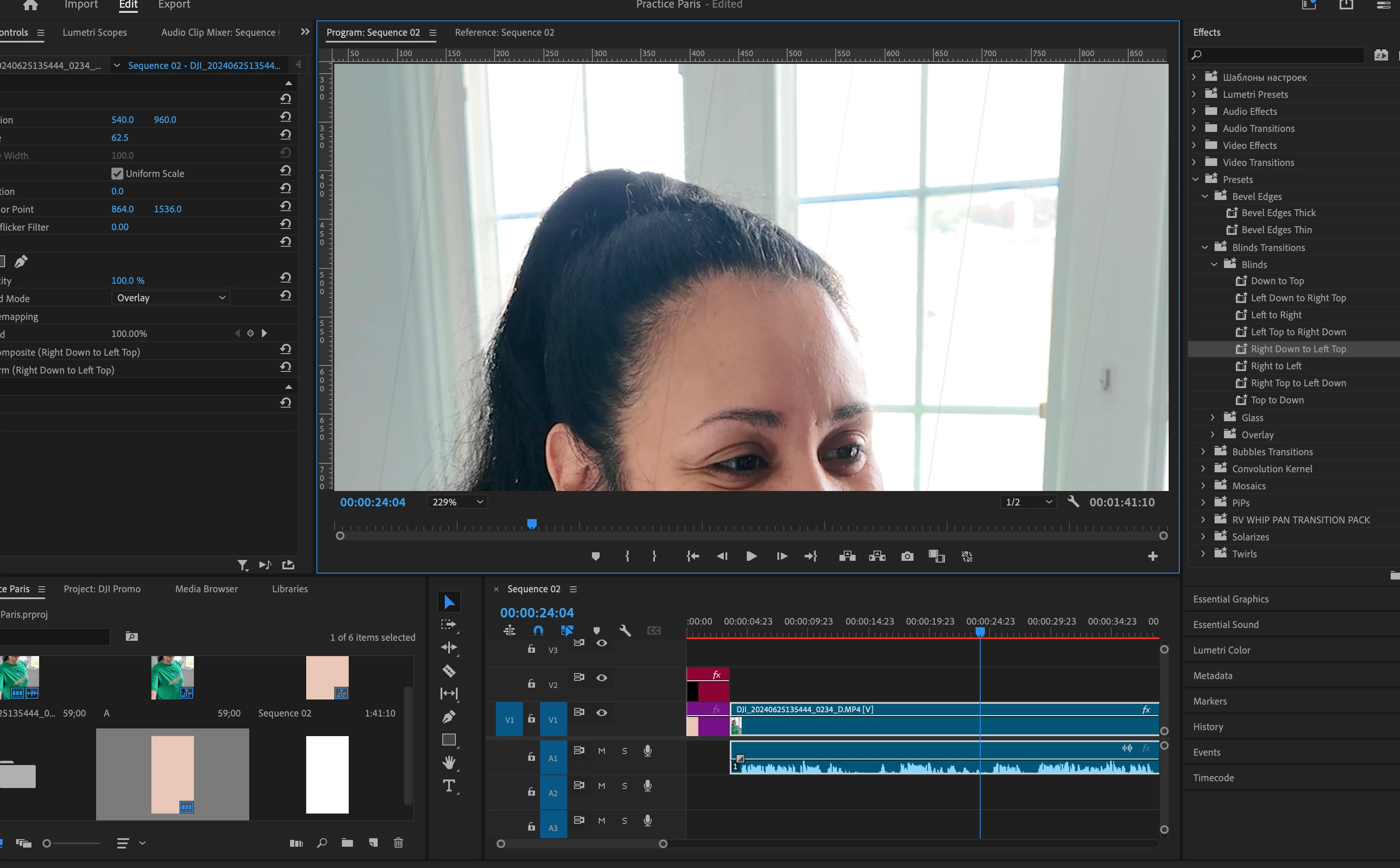
How to get rid of faint lines after I installed a transition preset.

  • June 25, 2024
  • 返信数 3.
  • 241 ビュー

Hi all,

I bought some transition presets and they work just fine. The issue is that when the effects ends there's some faint graphic lines that don't go away. Can anyone help? Thank you!

このトピックへの返信は締め切られました。
解決に役立った回答 Dulce31206225gkxm

I figured it out! I made a cut to the footage to where I wanted the transition effect to be viewed.

返信数 3

Dulce31206225gkxm作成者解決!
Participant
June 26, 2024

I figured it out! I made a cut to the footage to where I wanted the transition effect to be viewed.

Community Expert
June 26, 2024

Can you share a screenshot of your Effect Controls panel? This will help us better understand what is causing the faint lines.

Cheers,
Paul

Peru Bob
Community Expert
Community Expert
June 25, 2024

Delete the Media Cache and Media Cache files:
https://community.adobe.com/t5/premiere-pro/faq-how-to-clear-your-media-cache-in-30-seconds-in-premiere-pro-2020/m-p/11017257/thread-id/260446?page=1


Then try pressing Enter to render the timeline and turn the red line above the timeline to green.