



How to make preset out of Wipe Transition Effet
Hello! Two questions (they're related)
1st -Does anyone know how to turn a "wipe" transition into a preset?
I specifically use it to show before and afters of photographs on Instagram reels, and would love to save the settings I typically set it to for future use. For example, I change the line color to white and the thickness to "3".
2nd - I would like to create a preset for text on the screen to stay in the exact same spot every time, showcasing the camera settings + a gap in between the top and bottom text to include the before/after photographs.
All of this will be posted as an Instagram Reel, so the preset will allow me to stay within the safe borders of the app's HUD. I outline the area I'm talking about for visual reference. Hopefully, this makes sense! 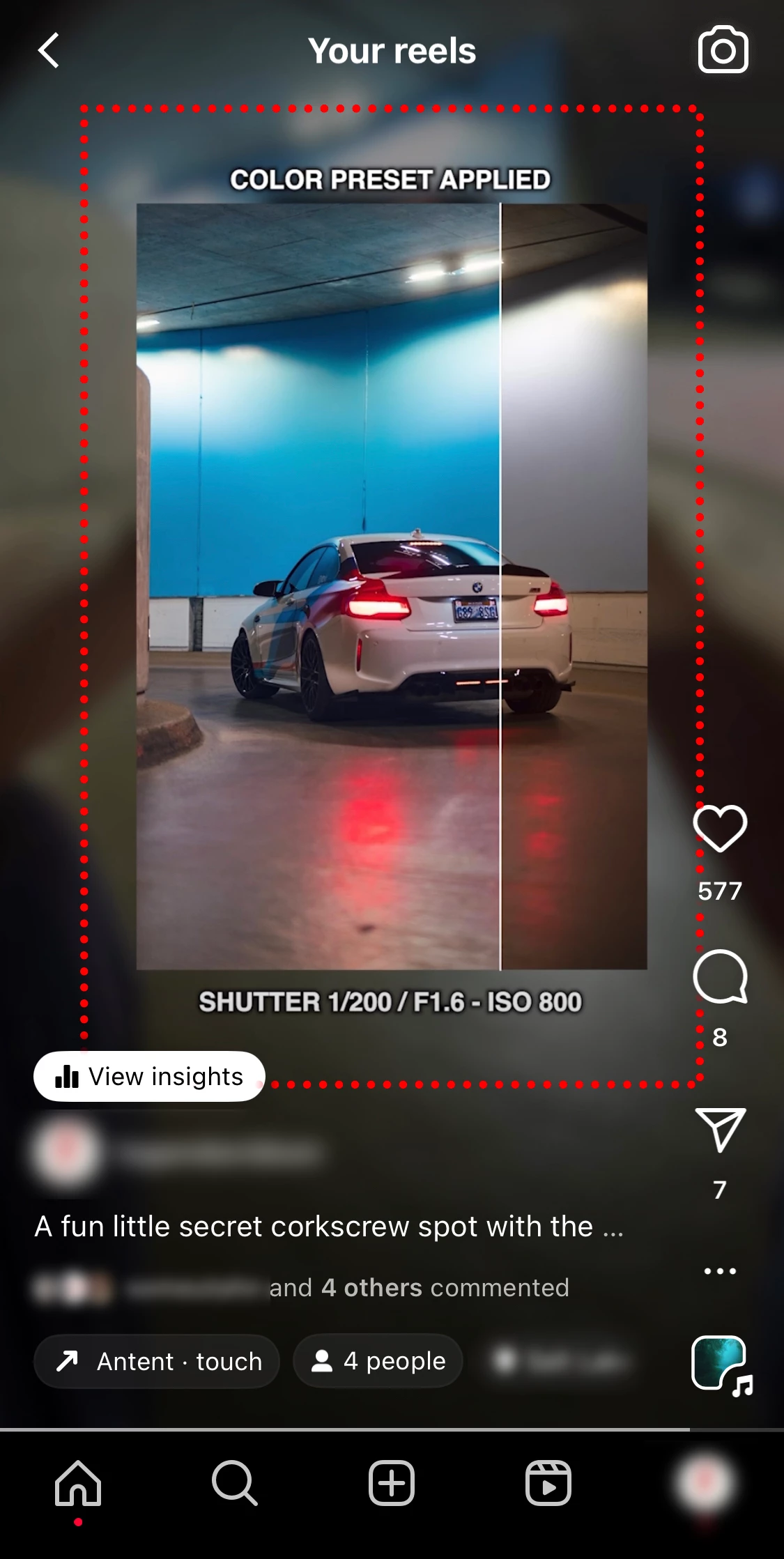
Thanks in advance!!
 AdChoices