


Digirock
Inspiring
August 16, 2024
解決済み

Playback starts at the beginning of the timeline and NOT between the I & O points

  • August 16, 2024
  • 返信数 2.
  • 606 ビュー

Hello there!

This is the 1st time I'm having this issue.
Whenever I press <return> to render between the I&O points, Premiere (after rendering) starts the playback at the beginning of the timeline and NOT at the IN point. This is definitely (for me) not a functional way to work.
Any hint on how to change this?
Thanks in advance.
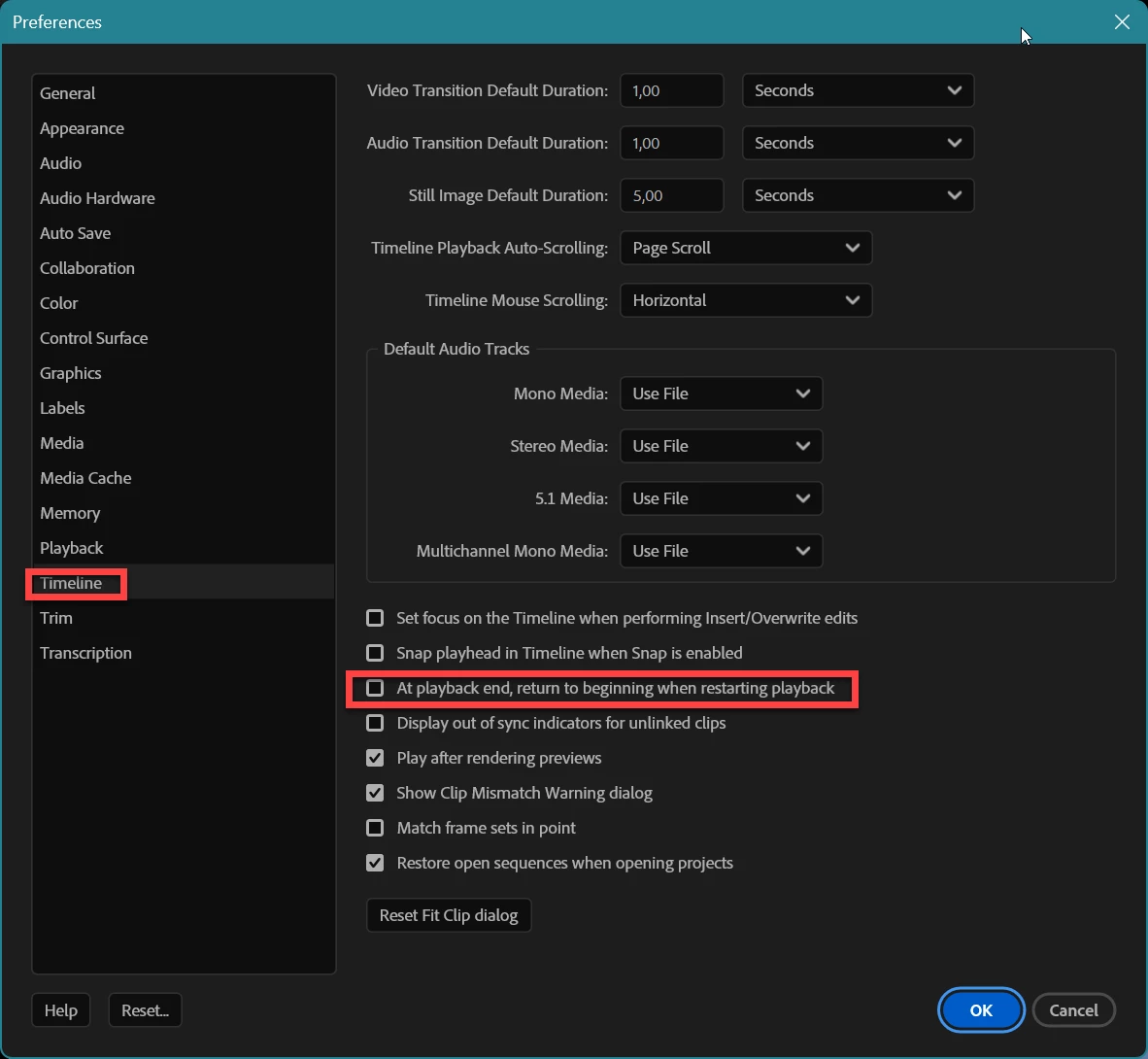
解決に役立った回答 Ann Bens


返信数 2

Ann Bens
Community Expert
Ann BensCommunity Expert解決!
Community Expert
August 17, 2024


Digirock
Digirock作成者
Inspiring
August 20, 2024

Thanks! Right on the spot!

Community Expert
August 17, 2024

You might want to try resetting your preferences. This can often resolve playback issues like the one you’re experiencing.

To reset preferences in Premiere Pro:

  • Hold down Alt (Windows) or Option (Mac) while launching Premiere Pro.
  • Keep holding the key until the splash screen appears.
Digirock
Digirock作成者
Inspiring
August 20, 2024

Hi, Paul. 
Thanks for the input, but @Ann Bens nailed it. That's what really solved the issue.

Cheers!
Paulo