Copy link to clipboard
Copied
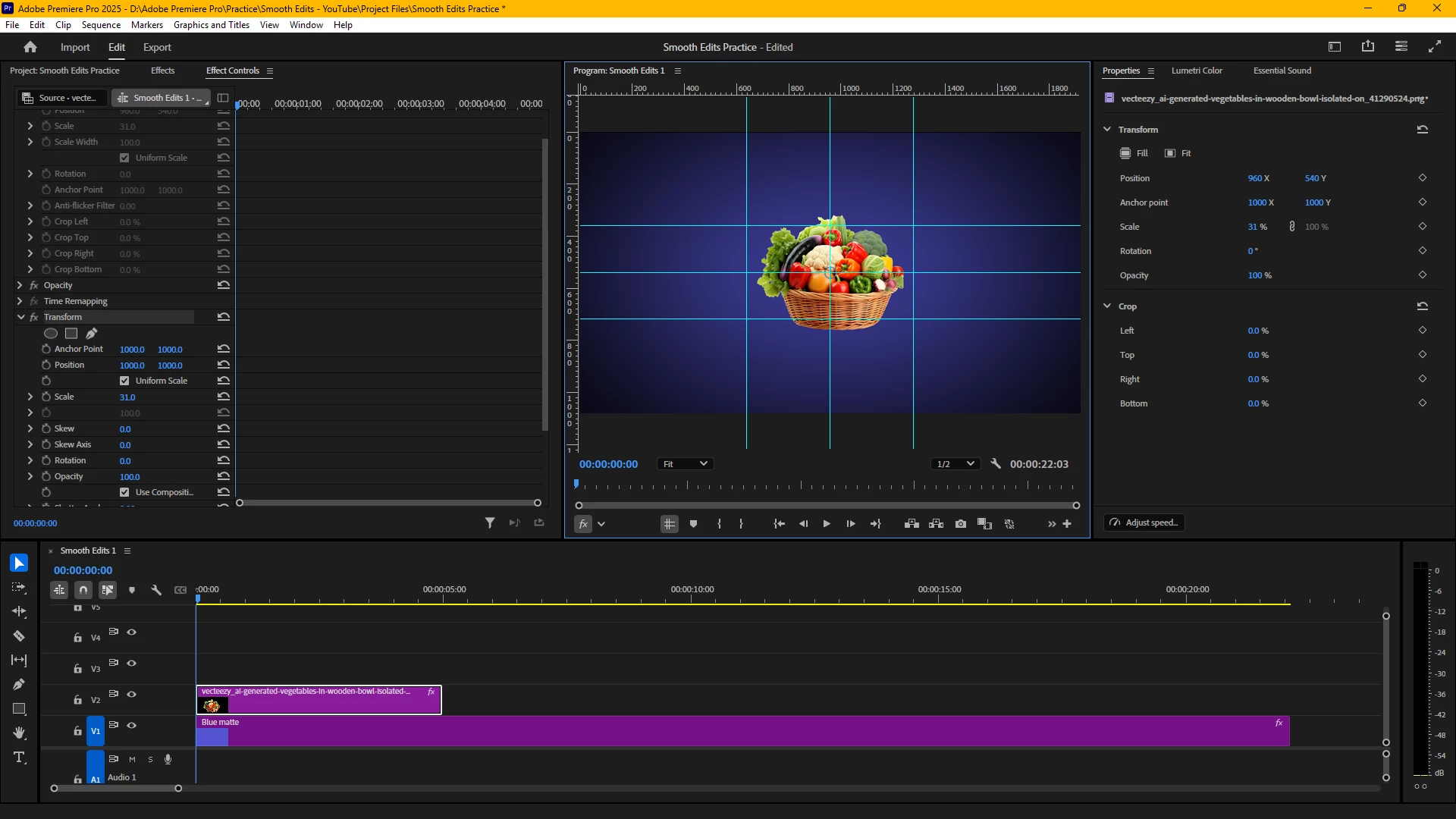
Screenshot Attached
I have a 2000x2000 PNG on which a transform effect has been applied. The default motion effect is disabled. The transform effect's anchor point position is 1000x1000 and the position is 1000x1000. However, the location of the PNG as on the program window is 960x540 (at the center of the frame).
The "position" in the motion effect is the position of the anchor point from the top left corner of the frame, however, I'm unsure from which origin is the "position" in the transform effect determined? Because clearly it doesn't look like it's top left corner of the frame.
Position in transform is the placement of the anchor point relative to the top-left corner of the layer(png) itself, not the top-left corner of the frame.
1000x1000 is considered the center of your 2000x2000 png, since motion effect is disabled, it is placed in the center.
Copy link to clipboard
Copied
Position in transform is the placement of the anchor point relative to the top-left corner of the layer(png) itself, not the top-left corner of the frame.
1000x1000 is considered the center of your 2000x2000 png, since motion effect is disabled, it is placed in the center.
Copy link to clipboard
Copied
Thanks! Could you further help with "top left corner of the layer"?
As I explored further I found, the "bounding box" that is attached to every clip remains where it is when I manipulate properties in the transform effect. See picture -
So, as I change the position values in transform the anchor point for transform moves and the position as I can understand is the position of the anchor point as measured from this bounding box's top left corner, which remains afixed where it was.
So is it like every transform effect that I drag on to the clip, has its own "bounding box"? the anchor point for transform will be at the center of this new bounding box and the "position" (in transform) will be the position of this anchor point as measured from the top left corner of the initial bounding box (the one that corresponds to the default motion effect)?
Get ready! An upgraded Adobe Community experience is coming in January.
Learn more