

Known Participant
May 17, 2024
質問

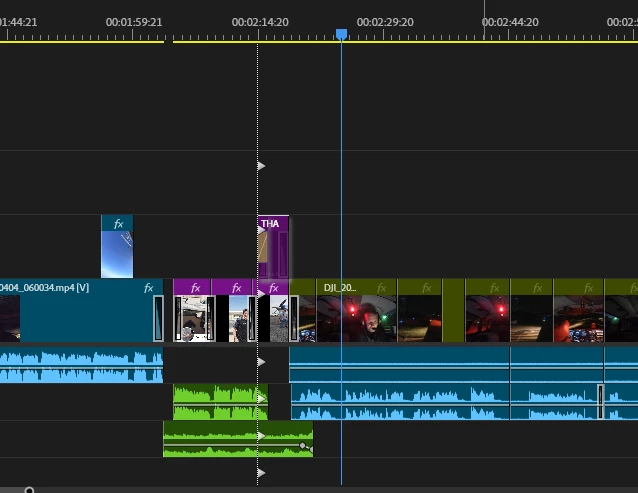
What is this vertical white line crossing all my tracks??

What is this dotted vertical white line going through my tracks.

That showed up and suddenly I can not drag clips or drag effects to clips. 

What did I do?
 

このトピックへの返信は締め切られました。

返信数 1

Ann Bens
Community Expert
Community Expert
May 17, 2024

this appears when dragging a clip while holding down CTRL.

CTRL button stuck?

Reboot program.

Known Participant
May 17, 2024

Is it for a purpose or is this just another of those 9000 things that freezes premier so you have to restart everything. 
I spend more time restarting the program than actually using it.

Averdahl
Community Expert
Community Expert
May 17, 2024
quote

Is it for a purpose...


By @Bryan233923755bq7


Yes, the purpose is to indicate that the clip you drop into the timeline will do an insert edit rather than the default owerwrite edit. Since it just showed up and stop you from using Premiere Pro i would start with closing Premiere Pro and then launcch it while having the Shift-key pressed down. This will bring up a dialog that let´s you reset the preferences. Resetting preferences often solve issues like this, when odd things just happen.


If the app freezez often it can be due to the computer itself and/or the kind of media you are editing. If you need help with that, post all details.
