


Premier Pro 13.1.4 Build 2 - Colorista IV 4.0.9 "Open as panel" not working properly
Contacted Red Giant about this but thought to see if anyone had the same problem.
The colorista IV plugin have never worked properly for me. I've used it with several versions of Premiere Pro and have always made sure to have the latest updates installed for all my components and software.
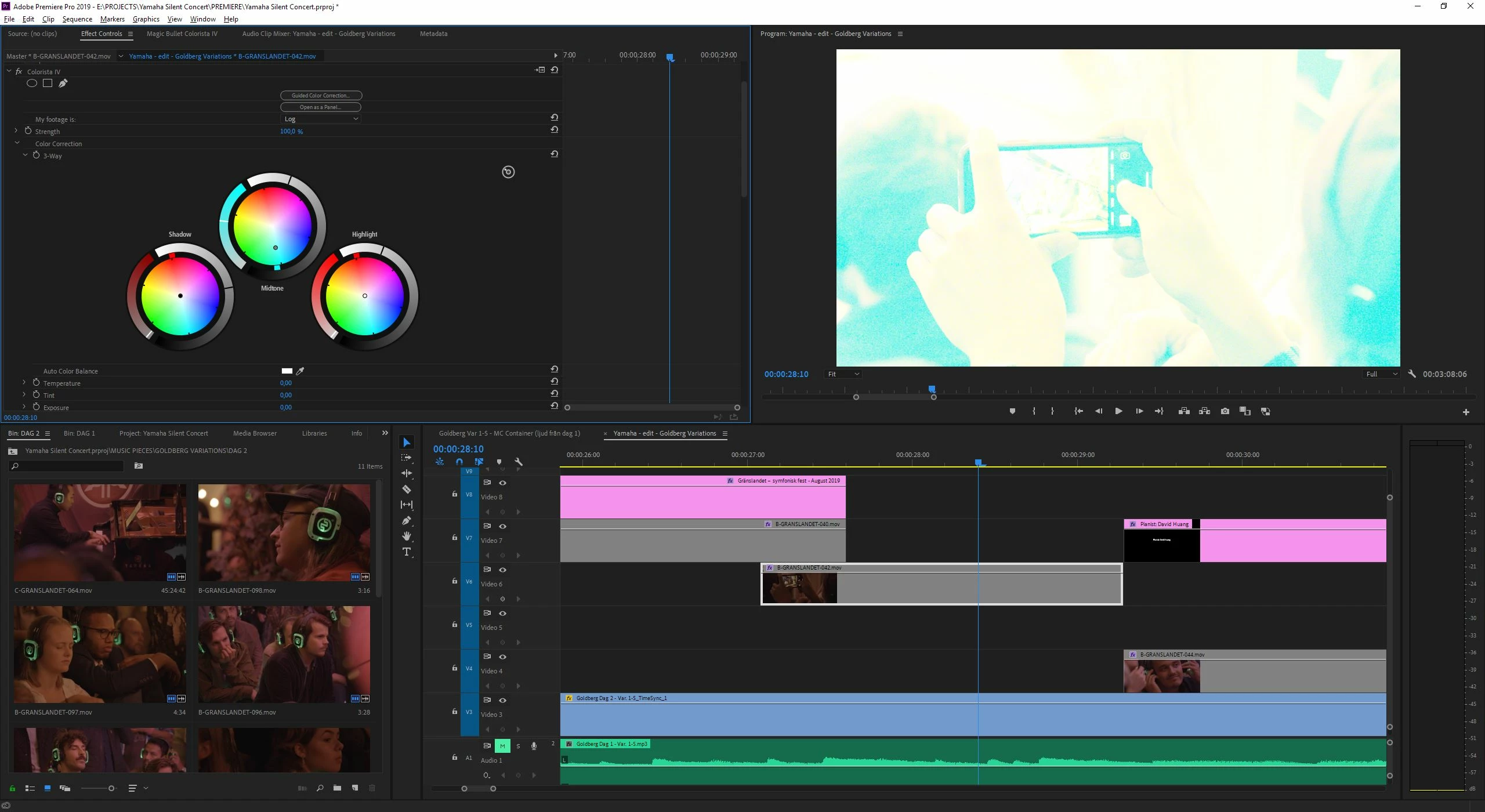
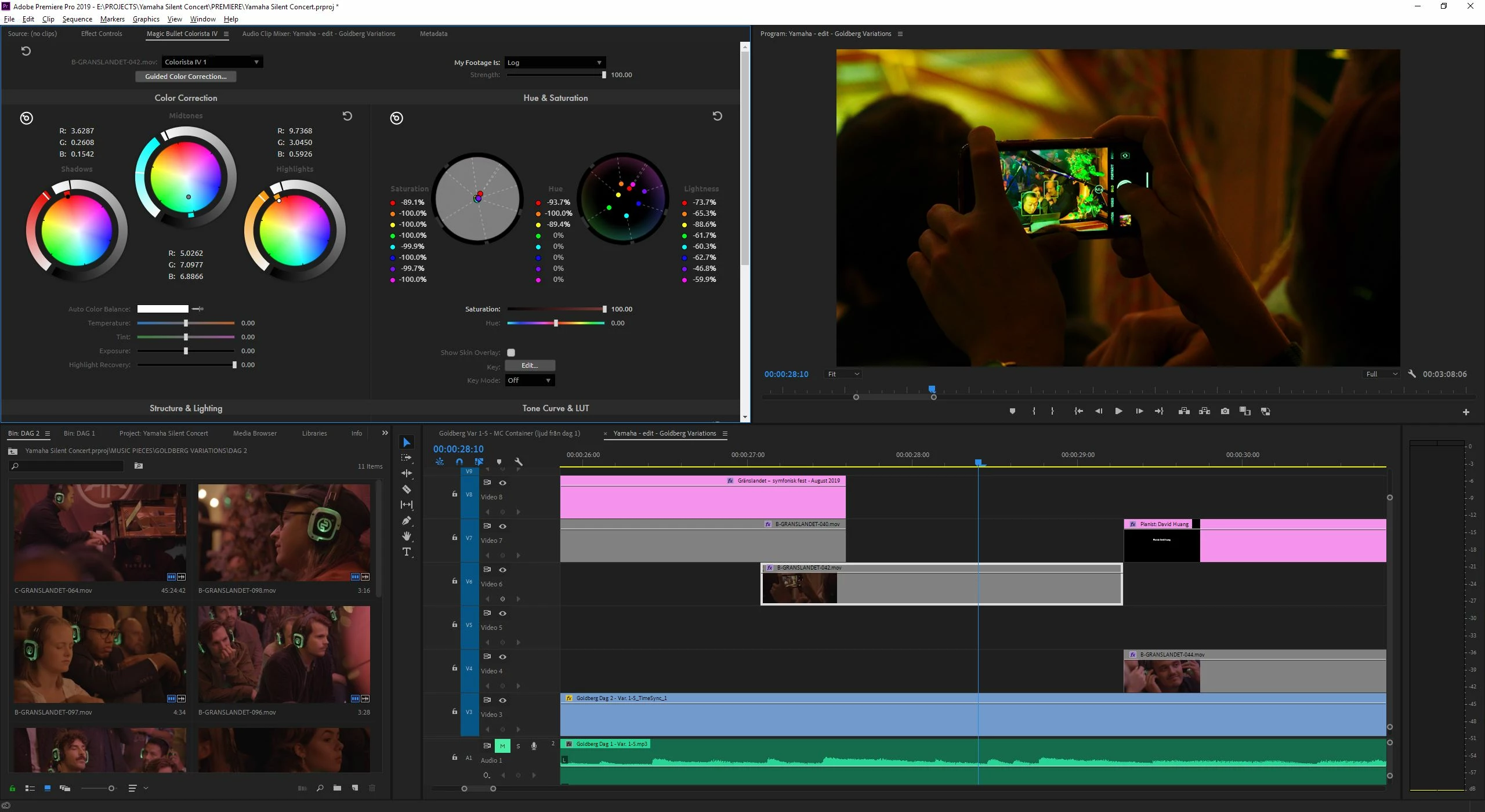
The issue is that the Colorista panel works fine at some times but suddenly it stops working e.g. the changes made inside the Colorsta panel doesn't apply to the selected clip. I drag the parameters up and down and nothing happens. If I de-select and select the clip again it is back to the settings where I started of.
The plugin always works inside of the effects control panel but the whole idea with the plugin is that it is possible to use as a separate panel. There are no consistency as to when the panel works and when i doesn't. Typically I do a computer reboot and it starts to work again but at several occations this procedure does not solve the issue either.
Parameters that stop working that I of course need the most:
- The three wheels in the Three whay color corrector
- Saturation, Hue and lightness wheels
- Tone Curve & LUT section
I've attached two .jpegs that shows the Colorista Panel compared the the effects control panel and how it effects the acutal footage.
Parameters that always seem to work inside the Colorista Panel though is:
- Temperature
- Tint
- Exposure
- Highlight Recovery
- Strength
- Saturation (not the hue, saturation or lightness wheels only the bar underneath)
- Hue
- Highlight
- Shadows
- Pop
- Vignette
 AdChoices