John The Editor
Known Participant
April 19, 2017
解決済み

Problème de son Premiere pro CC 2017: Premiere vidéo avec son mais pas la deuxième

  • April 19, 2017
  • 返信数 1.
  • 13085 ビュー

Bonjour!

J'utilise depuis peu Adobe Premiere Pro CC 2017.

J'ai réussi à faire un montage avec du son partout en format AVCHD.

J'ai donc voulu en faire un deuxième toujours en AVCHD (.MTS) mais dès que je glisse un fichier vidéo sur la timeline (sans créer de séquence, juste un nouveau projet) j'ai la vidéo et le son, tout est correct.

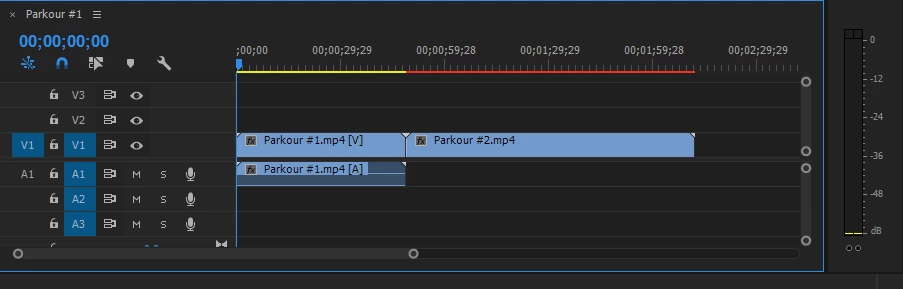
Le problème surgit lorsque j'ajoute un deuxième fichier. Il n'y a que la vidéo, pas le son.

Pouvez-vous m'aider?

Merci d'avance!
このトピックへの返信は締め切られました。
解決に役立った回答 Vidya Sagar


Hi Thom,

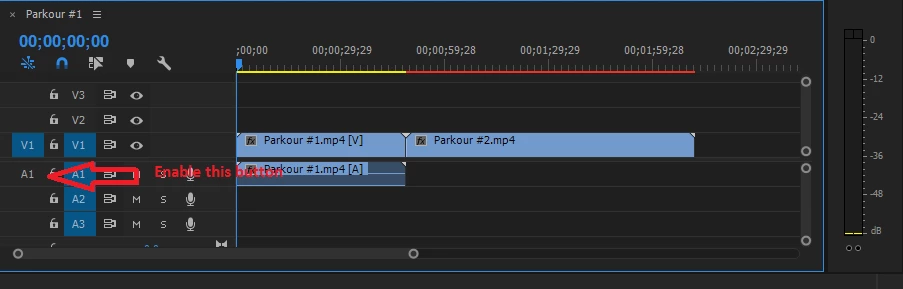
Please enable the source patching button for Audio(A1) & try dragging the file to the sequence in the timeline.

Please let us know the status.

Thanks,

Vidya.

返信数 1

kulpreet singh
Inspiring
April 19, 2017

Hi Thom,

Make sure source audio and video is patched in the Timeline.

For more information on source patching please check this link: FAQ: Why does audio or video not go to the track where I drop it?

Thanks,

Kulpreet Singh

John The Editor
Known Participant
April 19, 2017

Merci pour cette réponse rapide je cours voir le lien.

J'espère que cela marchera, je vous tiens au courant.