


August 16, 2011
質問

Left TOC pane gone in WebHelp in product but there when I generate help in RH

  • August 16, 2011
  • 返信数 2.
  • 916 ビュー

Hello,

I have a help project setup as WebHelp. It is, for lack of a bettter word, embedded in one of our products. A Help tab brings up the project with default.html opens when the user clicks Help. I usually chane the name of the topic title Welcome to.....

When I generate/compile within RoboHelp, the left pane with the Index looks fine (after allowing blocked content). Of course, it opens in a browser.
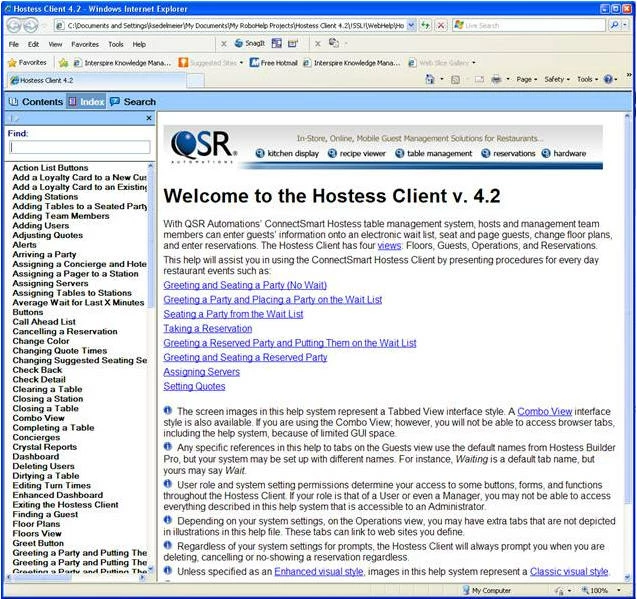
However, a co-worker in QA noticed that when it opens in the product, the index does not show. The entire WebHelp folder goes in the project (unlike all of my other help projects, which use a .chm that is the lone file pulled by Development).
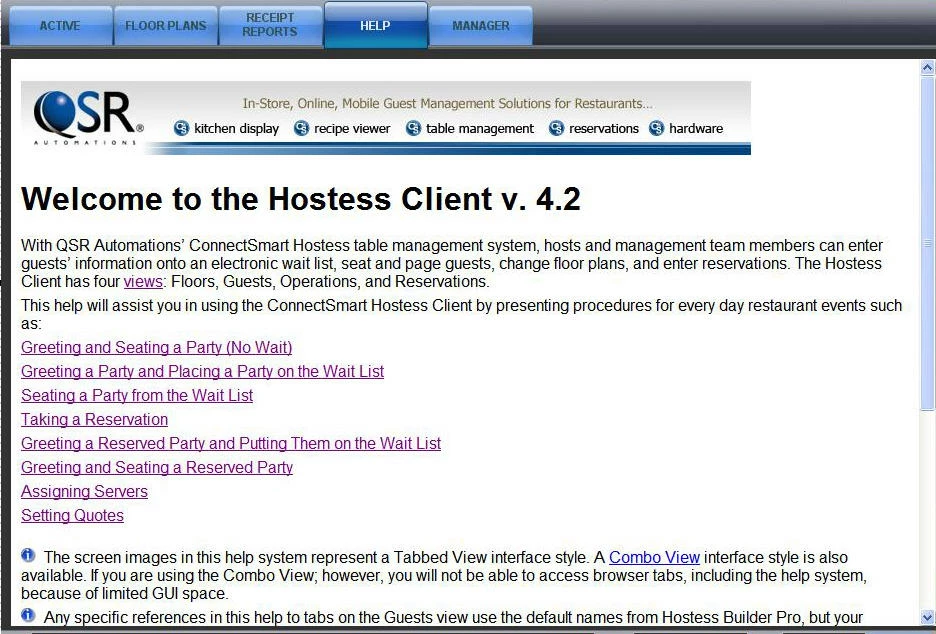
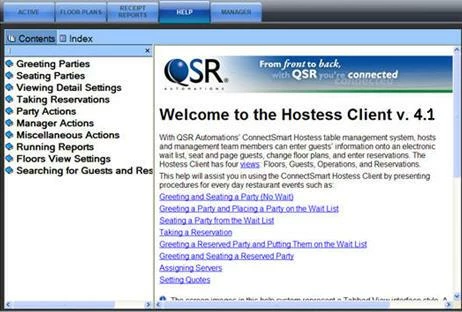
It should look very similar to the following screenshot. (Don't worry about the product version)
Recently I adjusted the font size of the Contents, Index, search items in the left pane by using the WebHelp Skin Editor (Previously, I added a Search option as well for this new (4.2) version of the product. I opened the .hhk file but made no changes. But I don't see how any of that would affect the pane actually appearing or not.

If anyone has any ideas on how tyo get the pane back, I'd really appreciate it. We're having a releasable build soon, and I need to remedy this. Thanks very much.

Kevin

このトピックへの返信は締め切られました。

返信数 2

August 16, 2011

Thanks to Colum and William, the path and source file suggestions did teh trick. Thanks.

RoboColum_n_
Legend
August 16, 2011

This maybe caused by the application calling the incorrect file. It should be called the file specified in the "Select Output Folder and Start Page" field in your single source layout.


  The RoboColum(n)   @robocolumn   Colum McAndrew
Willam van Weelden
Inspiring
August 16, 2011

Hi,

I agree with Colum. If you do need to open your topics based on the location in the application, your developers need to create a context sensitive help call. See the following on Peter's site http://www.grainge.org/pages/authoring/calling_webhelp/calling_webhelp.htm for more information.

Greet,

Willam

Willam van Weelden
Inspiring
August 16, 2011

Hi,

You project source will not have the default.htm as that is created on generation. As are the default_csh.htm and default_rhc.htm and the _ns.css. These files are expected. (The _ns.css only for RH7 and lower.)

Are you sure your developers are using the output from the !SSL! folder and not your project source? Can you post the URL your developers are using for opening the help? I may be able to see something in the URL.

Greet,

Willam


I'll leave this to you Column. No use for double replies.

Greet,

Willam