nygal77
Known Participant
November 16, 2023
解決済み

Can't Upload JPG on FileZilla

  • November 16, 2023
  • 返信数 1.
  • 706 ビュー

Hi,

I have been having difficulty uploading image files (JPG) using Filezilla.  I am using the most up to date Version of Filezilla.  I have read Adobe's instructions on the information I need to input.  I am getting an error in Filezilla:   Authentication Failed, Critical Error, Could not connect to server.  I have input the Host and Username given to me by Adobe in my account.  Password is correct.  Can't think of what else could be the problem?


Ruth
このトピックへの返信は締め切られました。
解決に役立った回答 Abambo

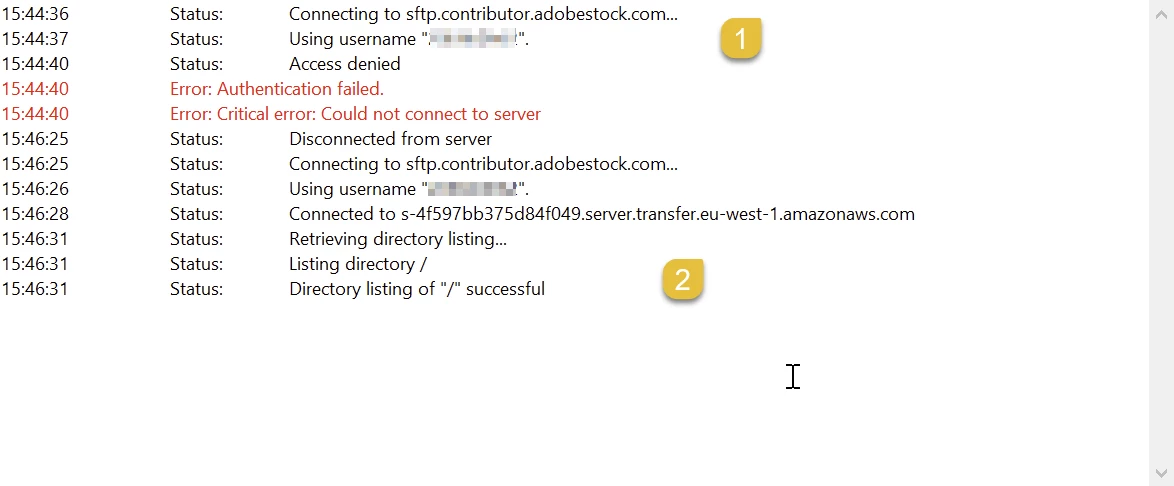
1) my old config

2) a freshly generated password.


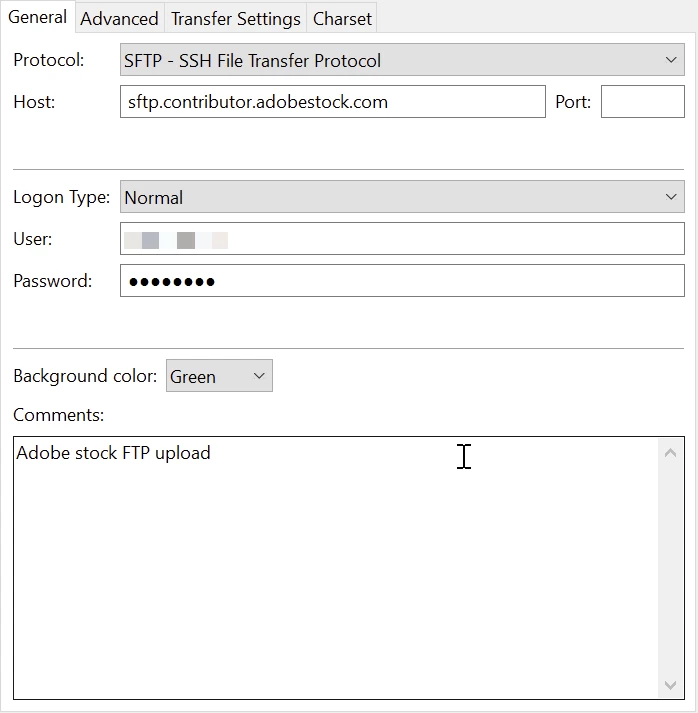
My settings:

The other tabs are blank (default).

返信数 1

Abambo
Community Expert
Community Expert
November 24, 2023

If authentification is the problem, then you cannot connect. I can't say what is wrong, as you do not publish your settings (with private data redacted), so that those can be checked. I can, however, say that it works. 

ABAMBO | Hard- and Software Engineer | Photographer
nygal77
nygal77作成者
Known Participant
November 28, 2023

Still having problems uploading via FileZilla.


Message received from them:

Status: Connecting to sftp.contributor.adobestock.com...
Status: Using username "201544908".
Status: Access denied
Error: Authentication failed.
Error: Critical error: Could not connect to server


This is what I have in Site Manager:

Protocol:  SFTP: SSH File Transfer Protocol

Host:  sftp.contributor.adobestock.com.

Logon Type:  Normal

User Number:  I pasted in the # provided by Adobe

My password

Charset:  Autodetect


Is there something that needs to be changed:

Thanks

Ruth

Abambo
Community Expert
Community Expert
November 29, 2023

Your password is also Adobe provided.


1) my old config

2) a freshly generated password.

ABAMBO | Hard- and Software Engineer | Photographer