Anubhav M
Community Manager
Community Manager
October 10, 2023

Illustrator 2024 v28.0 | Text to Vector, Mockup, Retype, Smooth Slider and improved Share for Review

  • October 10, 2023
  • 15 replies
  • 37663 views


Hello everyone, 


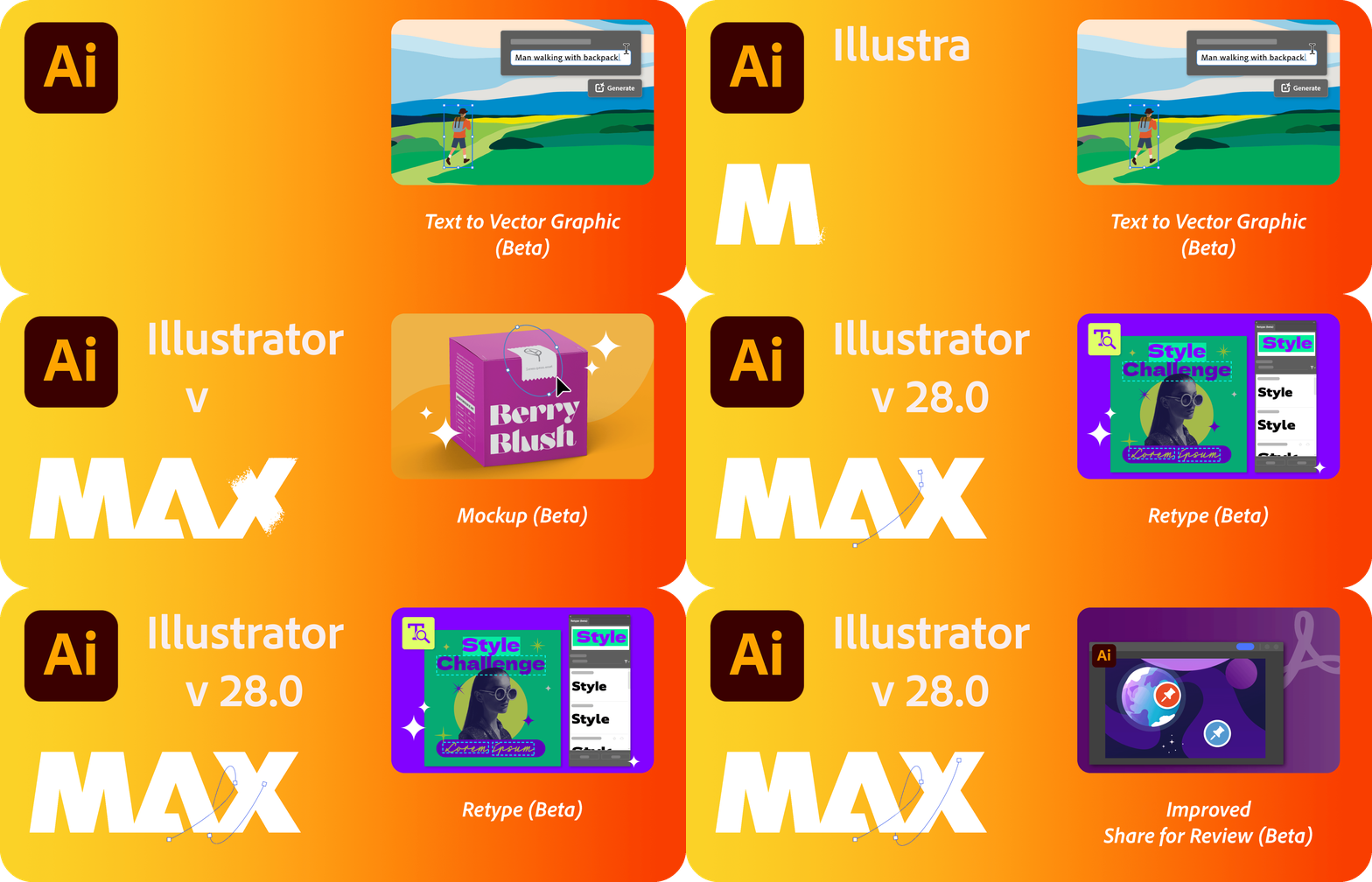
We're excited to announce that Adobe Illustrator's latest update (version 28.0) is now available for download via Creative Cloud Desktop. This release offers a range of new features, including the ability to create vectors using Text to Vector Graphic (Beta), apply vector art to an image using Mockup (Beta), edit static text within images using Retype (Beta), simplify paths using the Smooth slider, and create shareable links to PDF files using Share for review, as well as general performance improvements.

You may also visit the links to access comprehensive lists of all the features and bug fixes available.


Text to Vector Graphic (beta)

Introducing Text to Vector Graphic (Beta), driven by Adobe Firefly, Adobe's innovative generative AI models. This tool allows you to effortlessly create captivating vector graphics. Simply provide a concise description of your desired subject, scene, icon, or pattern and instantly receive multiple output variations. Explore these options and choose the one that best matches your creative vision. Discover more about Text to Vector Graphic (Beta) today!
 

Mockup (Beta)

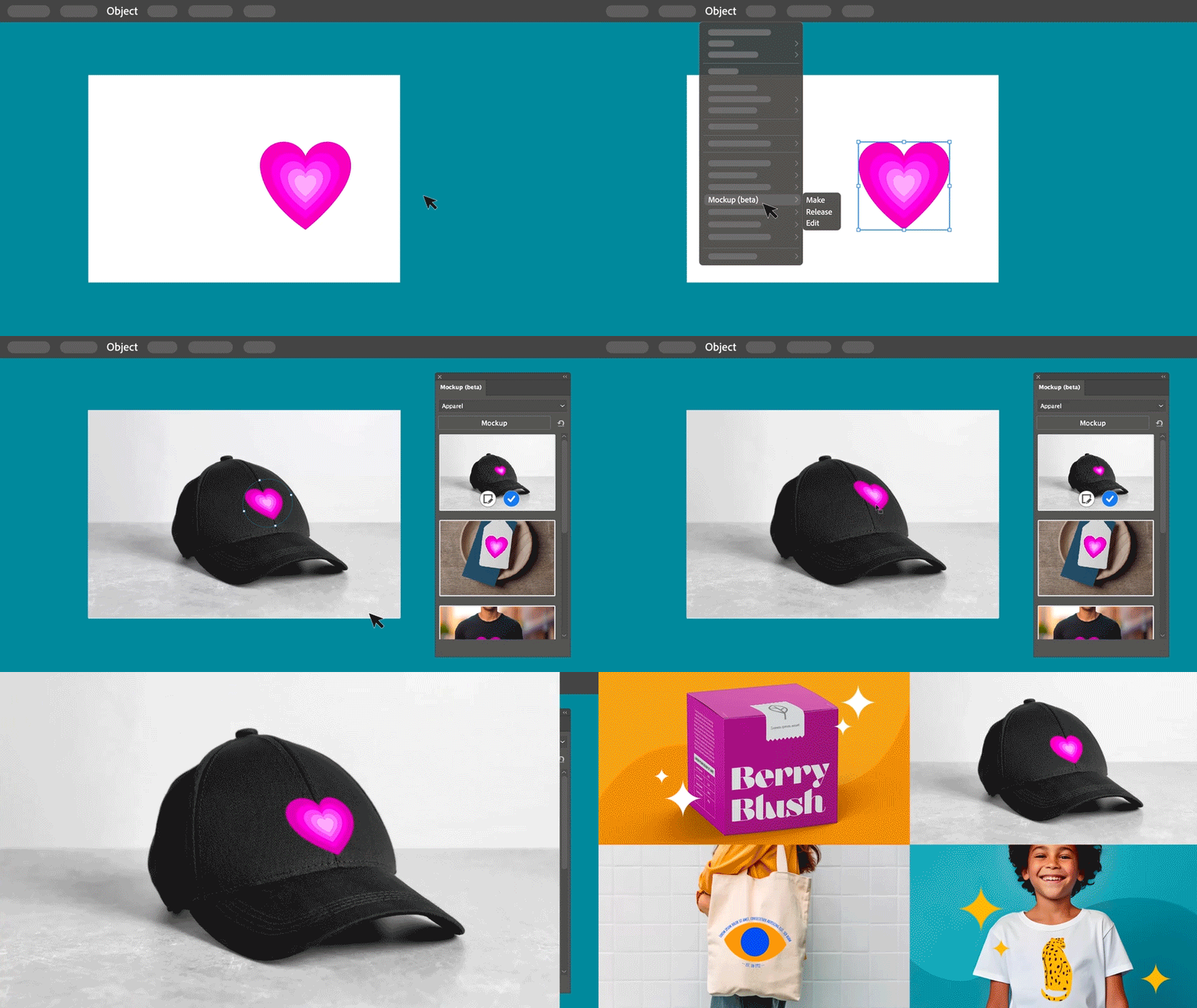
Discover Mockup (Beta), a feature that empowers you to replicate artwork onto various objects like product packaging, mugs, and T-shirts. With Illustrator's intelligent application of vector art onto raster objects, it seamlessly adapts to the object's curves and edges, ensuring non-destructive adjustments. Dive deeper into Mockup (Beta) to explore its capabilities.


Retype (Beta)

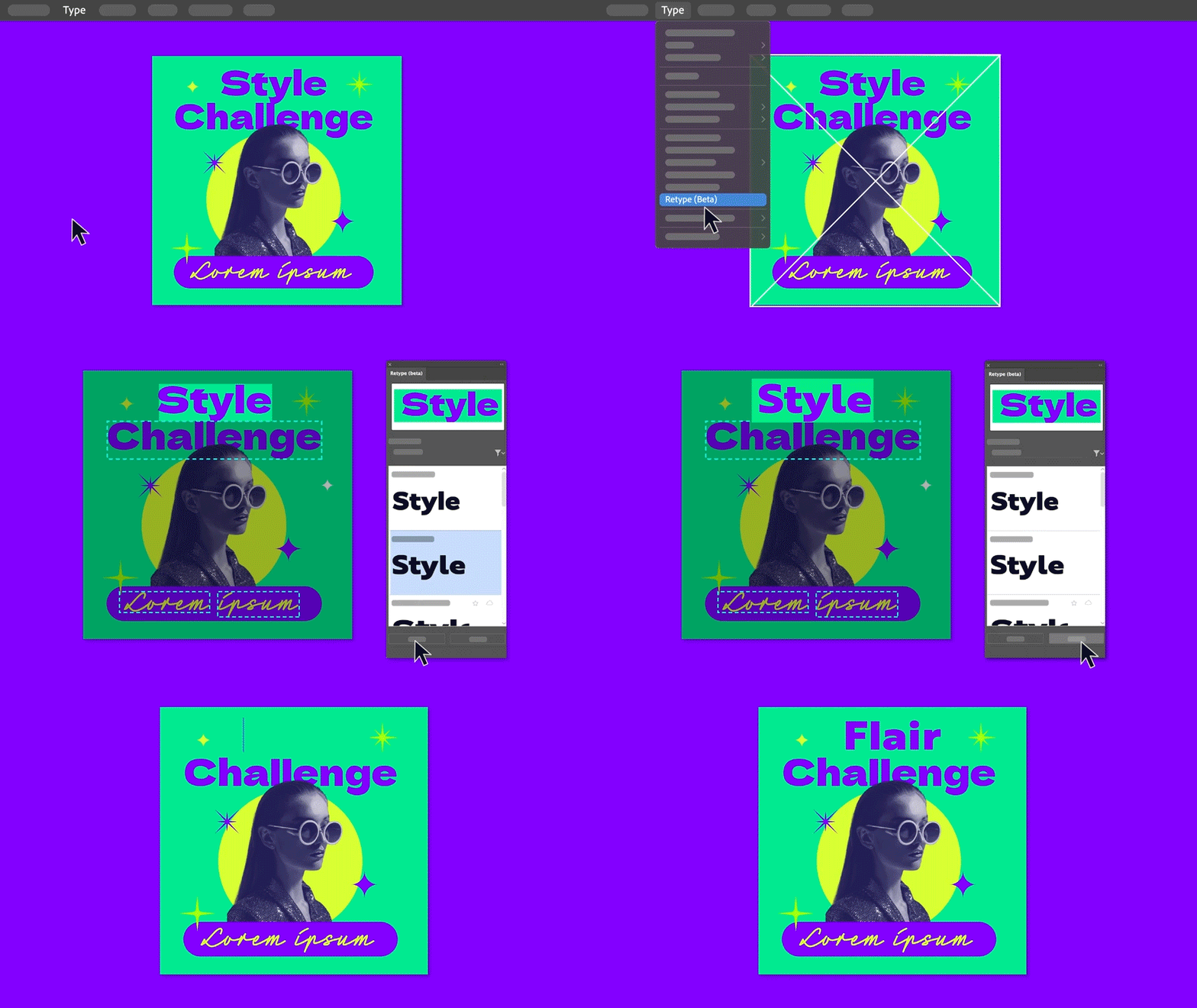
Unlock the potential of Retype (Beta) to edit text within a static image or outlined text by seamlessly matching fonts from Adobe Fonts or your local library. Explore the full capabilities of Retype (Beta) to elevate your creative projects.



Smooth Slider

Discover the improved Smooth tool with the addition of the Smooth slider, offering you precise manual control over path smoothing levels. Whether you want to smoothen an entire path or focus on specific sections, you have the flexibility to achieve the desired effect. Explore the benefits of Smooth further.



Create shareable links to PDF  for review

Explore the improvements to Share for Review, which enables you to generate shareable links for your PDF files, simplifying the process of collecting feedback. No need to convert them into .ai or .aic files. Dive deeper into the Share for Review functionality.



Fixed Issues

Illustrator v28.0 also includes a number of improvements for the following:

► The option to "Replace all" Linked images was missing.


See 
What's New for more information on the latest features. To help us have focused discussions, create separate posts for feedback on features related to this update.
 

Thanks,
Anubhav

    15 replies

    pixelflow
    Participant
    October 13, 2023

    Just wondering if there's an ability to remove the Text to Vector Graphic (beta) from the Properties panel? It's not a property and I would appreciate it if it wasn't forced there.

    Monika Gause
    Community Expert
    Community Expert
    October 13, 2023

    You cannot do it. But of course you can make a feature request: https://illustrator.uservoice.com 

    Participating Frequently
    October 12, 2023

    The article stated it can design based off our own drawings. How can we do this? It's not text-to-vector, it's drawing to vector. I'd like to see if it'd speed up my work progress. Thank you.

    Monika Gause
    Community Expert
    Community Expert
    October 12, 2023

    I've made a video about it: https://youtu.be/Er-Gui1Dqco

    Here's what you can (and can't) expect from it: https://youtu.be/O_1fzMyFSsE 

    Participating Frequently
    October 13, 2023

    Thank you Monika!

    Participant
    October 12, 2023

    I downloaded the beta app to try Text to Vector but I don't have the Text to Vector Graphic panel. I Live in sweden and have tried to install and uninstall both the swedish version and the english version. But it does not show up in any version, I also tried bort 28.0 and 28.1 versions as well.

    Monika Gause
    Community Expert
    Community Expert
    October 12, 2023

    It's not in the beta app, it's in the main released version.

    Participant
    October 13, 2023

    Thank you. Since it was called Text to Vector Graphic (Beta) I assumed it was in the beta app. It works really well in the stable version 🙂

    Egor Chistyakov
    Inspiring
    October 11, 2023

    @Anubhav M, several users from Russia reported the latest version does not have the Text to Vector Graphic panel in it. I suppose it’s the regional ban in action, but I can’t find or get proofs of it. Do you have any information on it? Can you confirm this hypothesis?

    Participant
    October 12, 2023

    The ones I know (including myself) don't have the Text to Vector Graphic panel in sweden either.

    Participant
    October 13, 2023

    My bad, I was looking in the wrong version. Since it was called Text to Vector Graphic (Beta) I thought it was in the Beta app, but it seems to be in the stable version of illustrator. Maybe it could be the same problem?

    Participating Frequently
    October 11, 2023

    Dissapointed from the 'text to vector' AI function. Seems like a vectorised version of a typical AI generator. Does not genuinly create graphics in vector format. For example if you give a simple pormpt like: 'five red squares in a row' it will showcase something completely off. Doesn't feel right for professional use. More like a gimmick. 

    Monika Gause
    Community Expert
    Community Expert
    October 11, 2023

    It cannot create that. If you want to do that (generate 3 red squars in a row), then you might be happier with the plugin Omata. https://omata.io


    Participating Frequently
    October 13, 2023

    Thanks for the link, though I'd be happier with a real AI text to vector generator.