


Participant
May 31, 2019
Question

Adding bounce effect expression to Animator scale

  • May 31, 2019
  • 2 replies
  • 1678 views

I'm doing a video where I'm highlighting the words in the text with an audio file of a speech.

I've used a simple Animator on the scale.

The words scale up as I change the value on offset (easy to move the anchor points around to make it fit the speech.

I want the words to bounce a little to make it non static. I added the "Inertial Bounce" expression on the scale but it won't work.
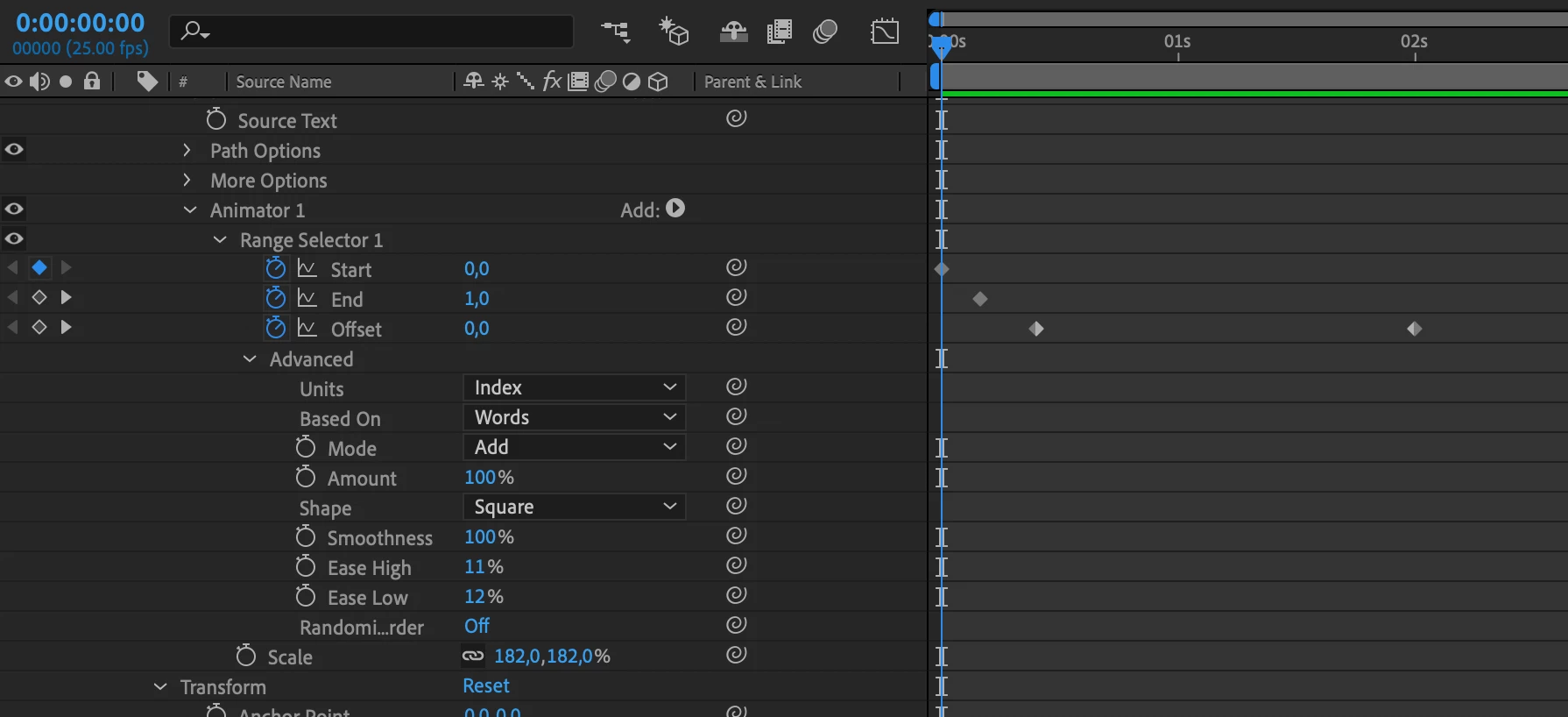
When I use the the "Inertial Bounce" expression on a "normal" scale on the whole text it bounces nicely.

How can I do that with the animator? (it's important that I can freely move the offset to match up the speed of the speech.

2 replies

Roei Tzoref
Legend
June 1, 2019

Use Typearray which is a free preset by Paul Slemmer. Then use the inertia bounce expression in the interpolation parameter.

Participant
June 1, 2019

Looks cool! But I need the whole text to be visible and then just highlight the words that are spoken. Kind of karaoke but not as cheesy

Roei Tzoref
Legend
June 1, 2019

try the preset. it gives you all that text animators can do and more.

Mylenium
Legend
June 1, 2019

Won't work that way. You would have to do calculations inside an expression-based selector using the textIndex(), not an ordinary one and then still figure out how to actualyl modulate the values. since it will involve valueAtTime() calculations and heavy string processing it's rather convoluted and will be extremely slow. I would therefore suggest you try to create the effect by simply adding more animtors with delay to create the behavior.

Mylenium