


質問
I want to assign a single keyframe x and y value to another effect like a slider, is it possible?
I basically want to assign a single keyframe x and y values to any other effect I want for a mogrt that I'm working on. I found this https://community.adobe.com/t5/after-effects-discussions/dynamic-keyframe-value-using-expression/td-p/10130410 but all the codes there pop up with issues, does anybody know how to do this? or if there is a simpler way to do it.
this code that I tried pops up with this error
//reference to the property you've animated
prop = thisProperty
//reference to the first keyframe of the property you've animated
firstKey = prop.key(1).time;
//reference to the last keyframe of the property you've animated
lastKey = prop.key(prop.numKeys).time;
//the total distance traveled between your two keyframes
distanceTotal = prop.valueAtTime(lastKey) - prop.valueAtTime(firstKey);
//the distanced that's already been traveled on any given frame
distanceCurrent = prop.valueAtTime(lastKey) - prop.valueAtTime(time);
//the percentage of the total animation that's been completed on a given frame
percentage = 1 - distanceCurrent/distanceTotal;
//reference to a slider on a control layer that is used to modify the value of our
//final keyframe
offset = thisComp.layer("Expression Controls").effect("posición inicial barrita")("Slider");
//sets the value of the property to be it's current value plus a percentage of the value
//we set with our slider
value + offset*percentage;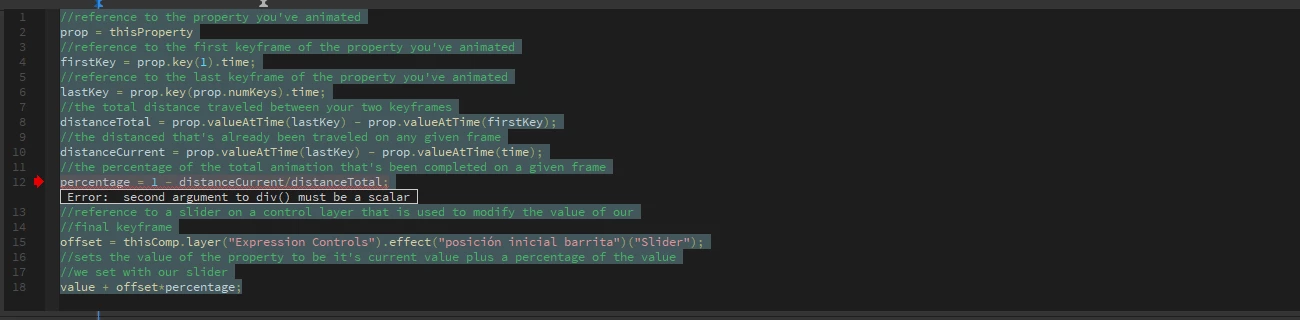
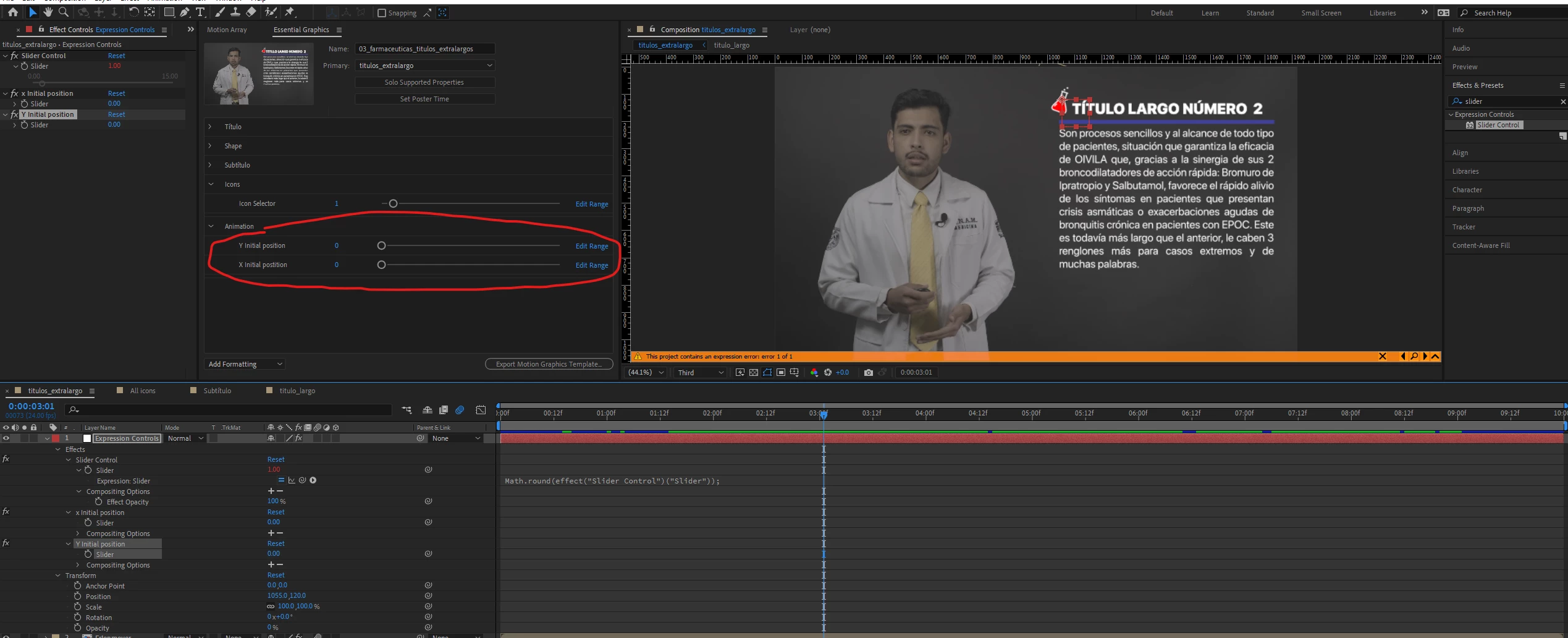
I just want to be able to change this specific keyframe that is highlighted in blue so that the starting position of the animation that has a mask can be later controlled in premiere with the mogrt that I'm creating, maybe there's an easier solution to what I'm trying to do.


 AdChoices