



abbychen0328
Participant
December 20, 2020
Question

Imported video in AE shows glitch and color distortion by using iMac2020 Quicktime screen recording

  • December 20, 2020
  • 2 replies
  • 2483 views

Hi guys!

I have an issue with Aftereffects... I was recording work-in-process video by using Quicktime screen recording in iMac2020 and the video plays normally in Quicktime app, but not in Aftereffects. It became glitched and had some color distortion. 


Is anybody having the same issue?


Issue is like this:
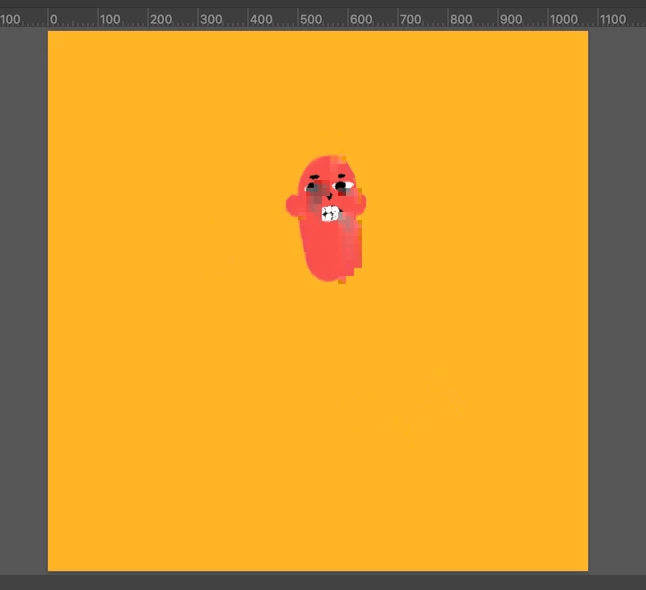
which should be like this:

 

Here is how it looks when it plays in Aftereffects....

This video is about 115MB, 60 framerate and only a mintue. Please let me know if I need to provide more information, thank you!

This topic has been closed for replies.

2 replies

Participant
December 21, 2020

having same issue. Media Encoder and Premier also glitch in the same places as AE

Participant
September 16, 2021

did you manage to solve this? I have the same issue and I can't seem to work it out! 

Warren Heaton
Community Expert
Community Expert
December 20, 2020

Try using Adobe Media Encoder to trasncode your original MOV file from QuickTime Player to the following options:
     Format = QuickTime
     Preset = Apple ProRes422 (LT)


Then, import the reulting file into After Effects.


The ProRes fill will have a large file size, 1080p coming in at about 700MB/second.  


If Media Encoder has difficulty with the file as well, try right-clicking the original file in the Finder and choose Services > Encode Selected Video Files.  In the option, choose Apple ProRes.  


Participant
September 27, 2021

Thanks Warren, this worked an absolute treat 🙂