


joshahahah
Participant
November 13, 2018
Answered

Error Code: 1010 - Please help!

  • November 13, 2018
  • 3 replies
  • 12857 views

Hello all

I am having an issue with Creative Cloud (Version 4.7.0.400)

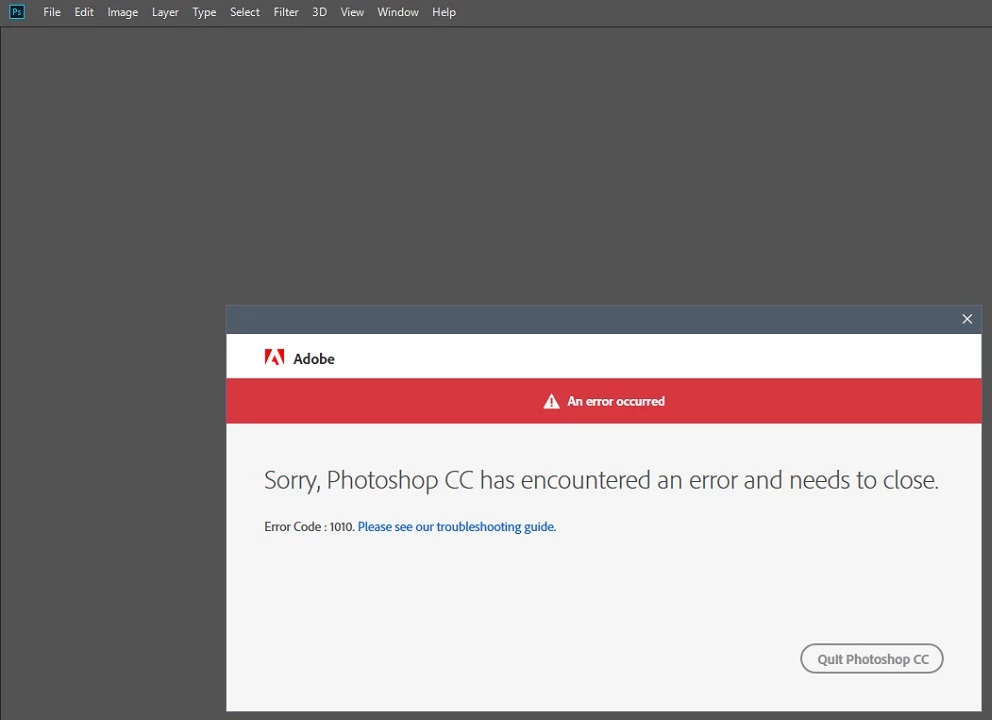
All apps are on latest versions. I go to open any app, I get asked to sign in with my Adobe ID. I sign in successfully, the CC app opens then i receive the following error.

I only have the option to quit the application. I get the same issue on aWindows 7 and Windows 10 build.

Please help
This topic has been closed for replies.
Correct answer joshahahah

Issue Resolved.

The fix for this issue was enabling Windows Credential Manager (This was disabled via group policy)

The latest version of Adobe Creative Cloud 4.7.0.400 & CC 2019 Apps use Credential manager to store license information - Enabling this resolved the issue.

3 replies

joshahahah
joshahahahAuthorCorrect answer
Participant
November 20, 2018

Issue Resolved.

The fix for this issue was enabling Windows Credential Manager (This was disabled via group policy)

The latest version of Adobe Creative Cloud 4.7.0.400 & CC 2019 Apps use Credential manager to store license information - Enabling this resolved the issue.

Bani Verma
Community Manager
Community Manager
November 14, 2018

Hi Joshahahah,

As you have mentioned you are unable to launch and use any of the CC apps as they fail with an error code 1010, have you tried launching them as 'Run as administrator'? If not then please try that.

If it still fails, then can you please share the CC log files with us by using the log collector tool: Log Collector Tool.

We can read and analyze the log files to know the root cause of the issue.

Let us know if you have any questions. 

joshahahah
Participant
November 16, 2018

Hello Bani. Thanks for your reply.

Yes I have tried running with administrator rights, no Antivirus or Firewalls in place.

Here is a log collection file.

File: AdobeLogs_20181116_033002_e76a9ea1-a1c3-45b5-a66b-4337edbb2cbe-win.zip

Kanikas
Community Manager
Community Manager
November 13, 2018