Participating Frequently
March 8, 2021
Answered

Gradients are not smooth, Fractal type shapes are formed along the path and overlays appear to sharp

  • March 8, 2021
  • 4 replies
  • 1930 views

Hello team, been battling to solve the challenge I have with my digital magazine. I have gradients spreading across two 2 pages (spread) but when publishing they are not smooth and at instances they appear to sharp on the spread. Also another issue is I have overlays but similar problem occurs too, please asssist.
This topic has been closed for replies.
Correct answer rob day

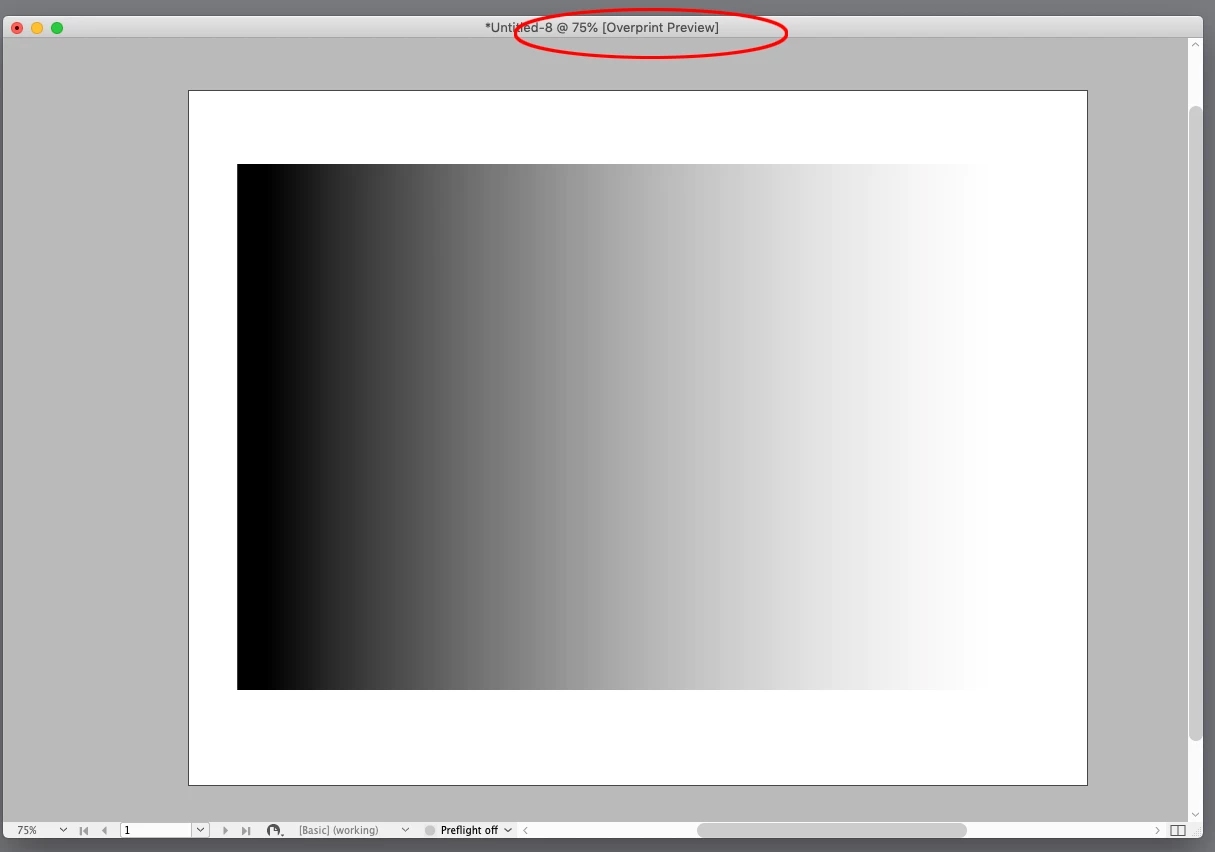
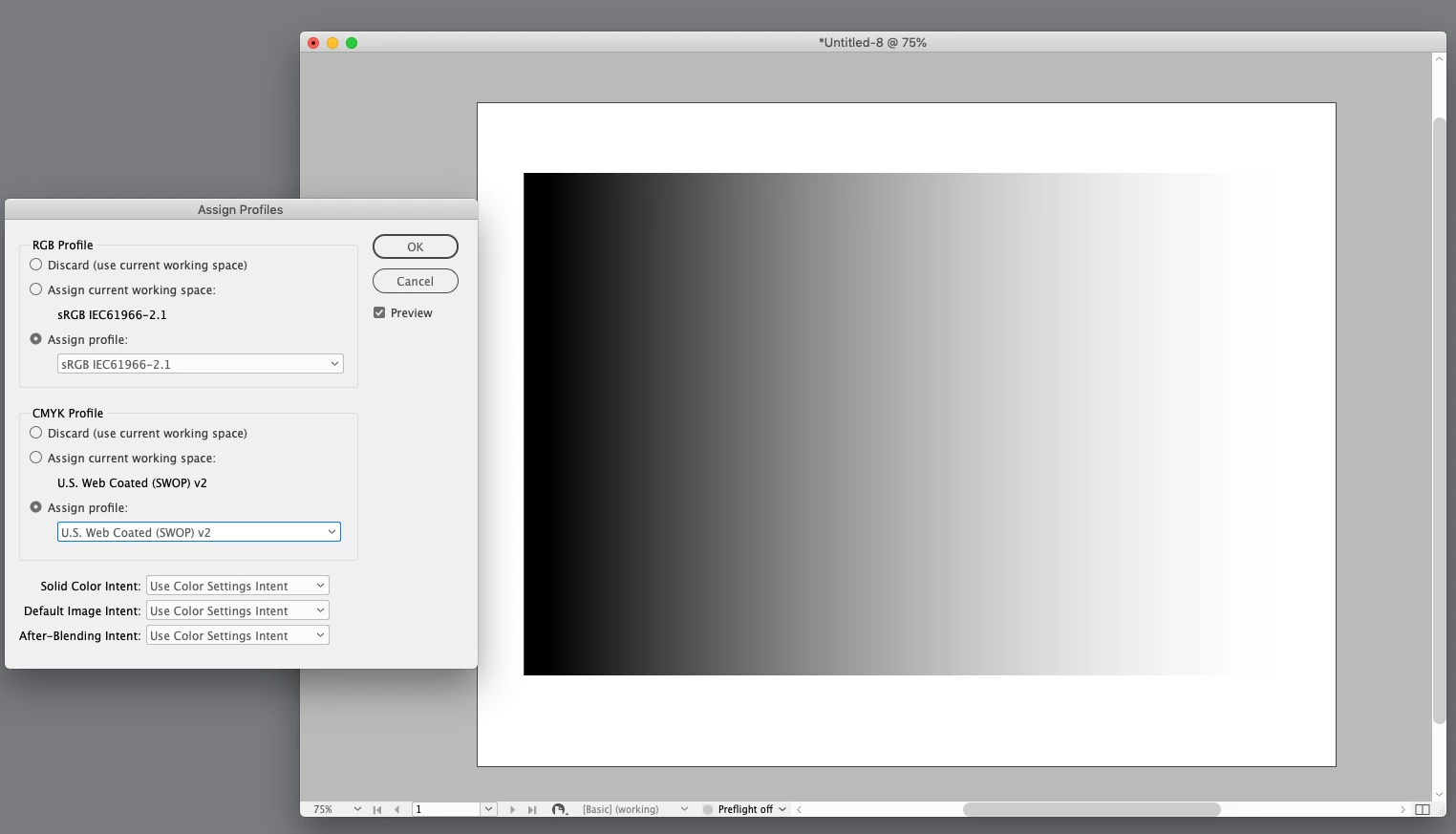
Also, make sure your Transparency Blend Space is set to RGB. If the destination is for screen viewing, turn off Overprint Preview, and set your document’s assigned RGB profile to sRGB (Edit Assign>Profiles).


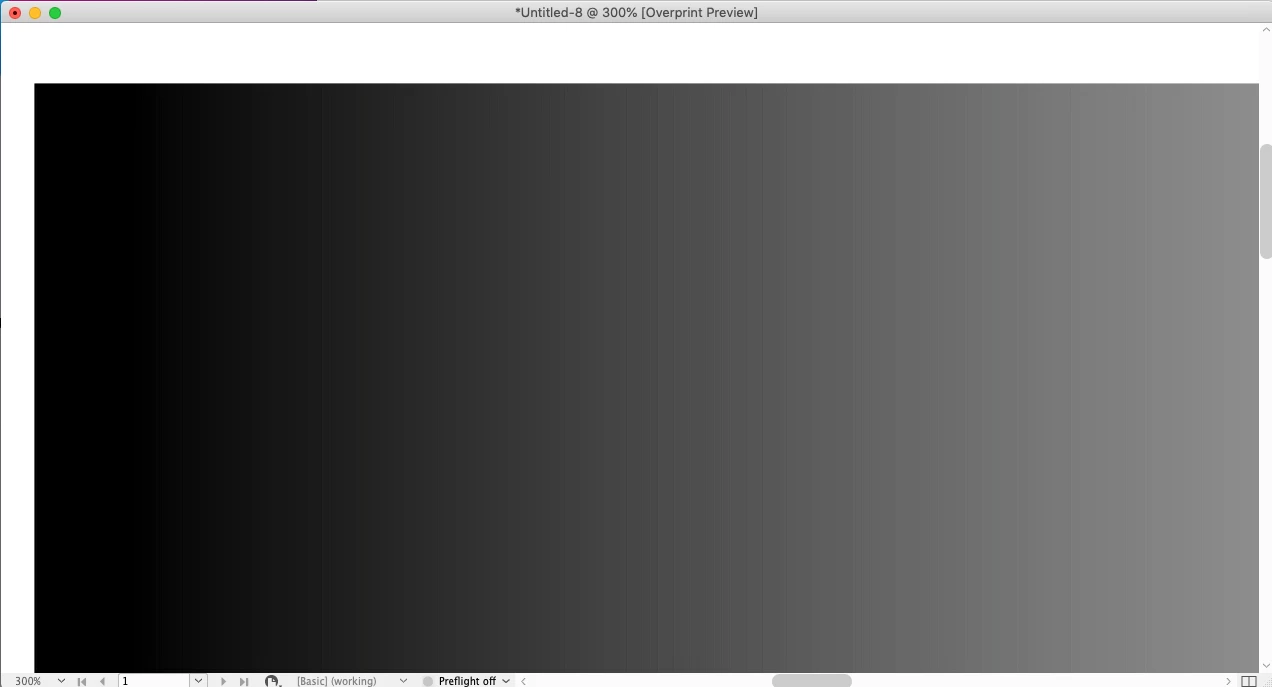
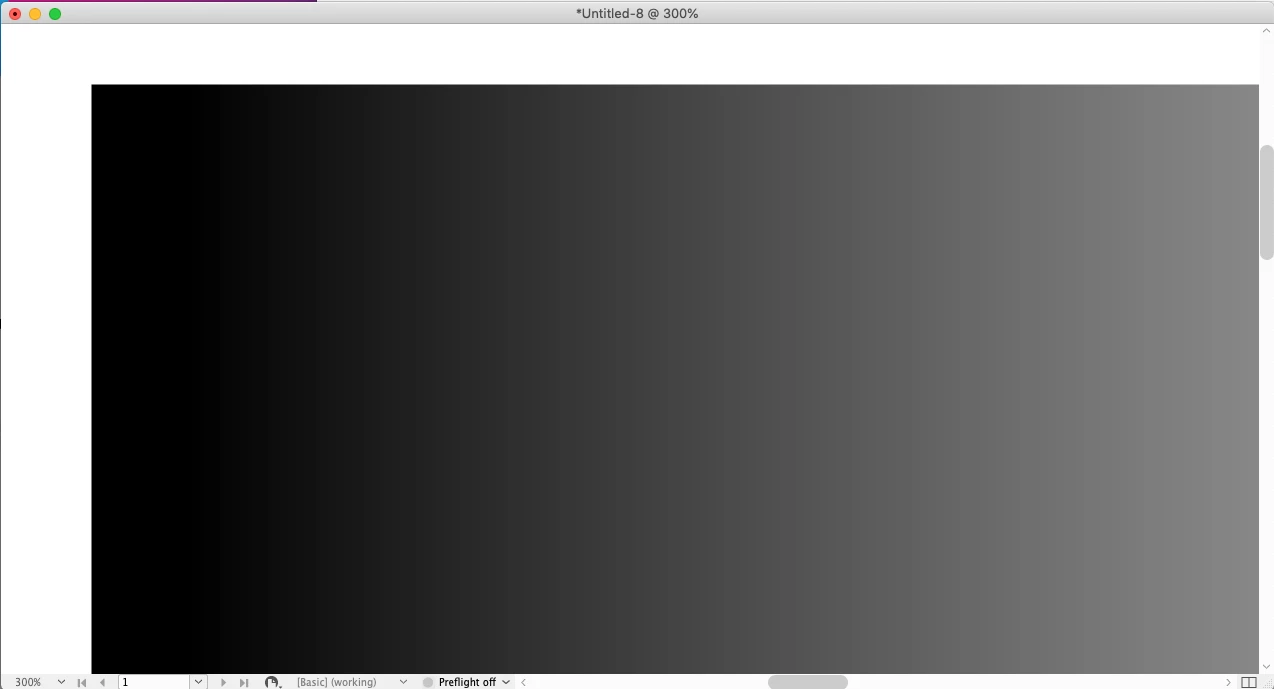
Here is the difference between a CMYK blend space with Overprint turned on (top) and an RGB blend space with the assigned profile as sRGB and Overprint Preview turned Off. The blend is from 0|0|0 RGB to 255|255|255 RGB:


Zoomed in to 300%


4 replies

Brad @ Roaring Mouse
Community Expert
Community Expert
March 9, 2021

What do you mean by "too sharp"?

And by "fractal shapes" are you referring to the white bits in the graphic on the right?

As for the smoothness, from your screen shot, the stair-stepping in the background gradient you're seeing is not unexpected considering the limits of 8-bit RGB. Remember, each channel of RGB can only create 256 levels between 0% and 100%, and these "steps" are more noticeable at the dark end of that scale, and when colors are more monochromatic. Color management can also play a hand. at how these gardients are handled.

The suggestion to use Photoshop to create a gradient with a bit of noise overcomes this by slightly randomizing the pixels to "hide" the steps. Even without adding noise, More recent Photoshop versions can create smoother gradients by default as they add bit of dither to them as they are created to hide the stepping. This is essentially what highend RIPs do when they output Postscript Level 3 gradients.

Scott Falkner
Community Expert
Community Expert
March 9, 2021

You say “when publishing” but did not say how. What is the end form of the document? If screen, what format and how is it produced. If print how is it printed and how are you sending the document?


You could try making the gradient in Photoshop. Make a document the size of your gradient in the desired resolution (300 ppi is probably overkill even for print, so go with that). Create teh gradient and add a little noise. Save as PSD and place that.

Participating Frequently
March 11, 2021

Scott, thanks for this and am planning to rather use photoshop for the gradient.

Community Expert
March 16, 2021

Is your magazine digital only, or is there a print version as well?

If digital only, and using an image file for gradation, the file becomes larger and takes more time to load or download.

rob day
Community Expert
Community Expert
March 9, 2021

Can you show a screen capture?

Participating Frequently
March 9, 2021

Hi Rob


Ok cool, herewith attached screenshot.

Community Expert
March 9, 2021

Are you referring to how the gradation abruptly becomes dark? If so, you can adjust the gradient to compensate.

Mike Witherell
Community Expert
Community Expert
March 9, 2021

Have you made sure all content and the ID file is set to RGB as you build it?

Have you tried making the gradient in a separate frame on each page instead of bridging across the spread?

What are you exporting to?

Mike Witherell
Participating Frequently
March 9, 2021

Good day Mike


Yes, all the content is in RGB mode. 
The gradient it is in a separate frame for each page but running across the spread.

I am exporting into Adobe Indesign server.


Regards

Thato

Participating Frequently
March 9, 2021

I have also shared screenshot as well.