On behalf of Adobe Systems Incorporated:
The practice of “outlining text” in and of itself is not necessarily against font licensing agreements.
In the case of fonts sourced directly from Adobe, there is absolutely nothing in the EULA (End User License Agreement) that prohibits this practice. On the other hand, all fonts sourced directly from Adobe permit “preview and print embedding” for PDF, ePub, EPS, etc.
However, for fonts sourced from other vendors, you must read the EULA to see whether such practice of outlining or even rasterizing is prohibited as a means of getting around embedding restrictions and/or royalty payments (payments based on number of files distributed in addition to a license simply to use the font) for the font(s) in question. What is permitted or prohibited in font EULAs is all over the place.
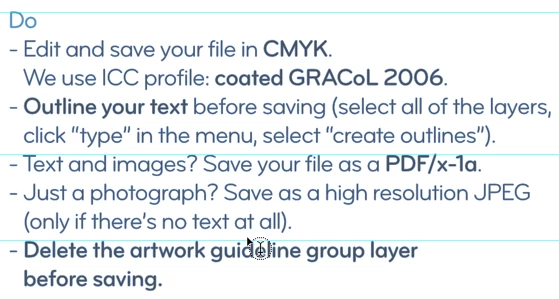
That having been said, beyond any EULA issues the practice of “outlining text” is one of the poorest and most misguided workflow practices that we know of. Why?
• Outlining can dramatically reduce the quality of the rendered text on both screen and print, often yielding what appears to be overly emboldened text, especially at lower magnifications. This is due to the loss of intelligent scaling that “hinted fonts” provide in terms of how to render the font outlines at different magnifications.
• Each glyph becomes an independently-defined polygon bloating the size of the output file.
• Rendering time (RIP time for printing) can increase dramatically because outlined text isn't cached as glyph definitions and rasters are.
• In the case of PDF, you lose the ability to search for text and do any text touch-up in Acrobat/Reader. You also lose “accessibility” for screen readers and the ability to export to other text-based formats.
There is only one situation in which outlining text makes sense and that is in the situation where you are applying some artistic effect(s) and transformations on text that cannot be be performed by simply scaling, rotation, and/or obliquing of text realized by fonts such as one might do in creating a logo. Note that some font EULAs explicitly prohibit such glyph distortions, modifications, etc. by outlining or otherwise. (Again, this is not an issue with fonts sourced from Adobe. Read your EULAs for fonts sourced elsewhere!!)
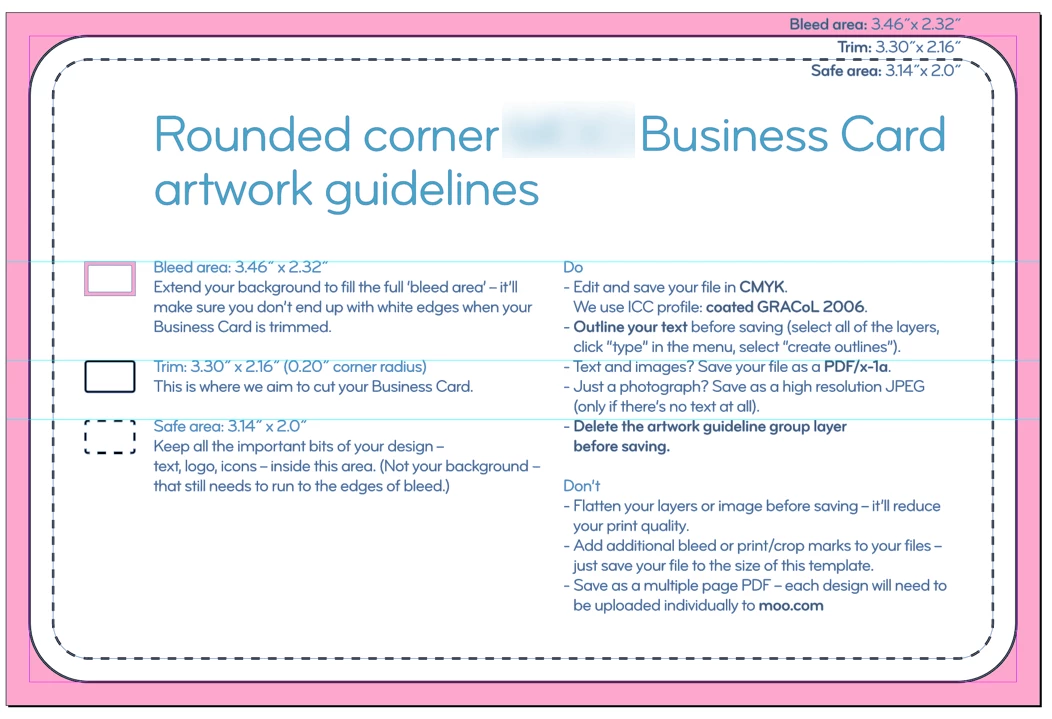
PDF/X-1a is a retrograde PDF/X specification appropriate for 1990s era workflows in which there is no live transparency and no content originally in RGB (such as digital imagery) with all content in DeviceCMYK as handed down at Mt. Sinai!!!!
Print Service Providers (PSPs) who require PDF/X-1a demonstrate that they either (1) have ancient RIPs and PDF workflow software that don't support anything newer (i.e., their stuff is nearly a decade old!), (2) they don't know that their RIPs and PDF workflow software indeed supports newer standards such as PDF/X-4, (3) are dramatically uniformed and/or scared of newer technology (latter day Luddites), and/or (4) have a “blame the customer” attitude by which if there is anything wrong with the colors as printed (and or the areas of transparency), since the customer and not the PSP did all the color conversions and transparency, the PSP can point to the customer as the party at fault!
For the record, RIPs incorporating Adobe's PDF Print Engine technology for direct PDF rendering or even Global Graphics' Harlequin technology from over the last 10 years will unconditionally produce quality and performance from PDF/X-4 files with live transparency and full ICC color management than equivalent pre-flattened (i.e., “ruined transparency”) PDF/X-1a files.
- Dov






 AdChoices