Participating Frequently
August 10, 2023
Answered

Need to match images with black backgrounds in PS to exact same black in InD frame

  • August 10, 2023
  • 1 reply
  • 741 views

Best regards:


I have photos with black backgrounds...dropping them into a book layourt in InD with black frames, that is black pages in InD. I need the blacks to be the same and they are not.

I see right way, well I used 1 color picker for PS, another in InD.

I need them to be the same, invisible to each other these blacks.

Seems the route is to change the black of the frames to, somehow, the prcise black of the PS images? Yes? As change black of the photos (which is the same in all photos) is more complex and time, the frames in InD are small element part easy to go through...


But I need to know, if you can help, how to get the blacks all the same?
This topic has been closed for replies.
Correct answer rob day

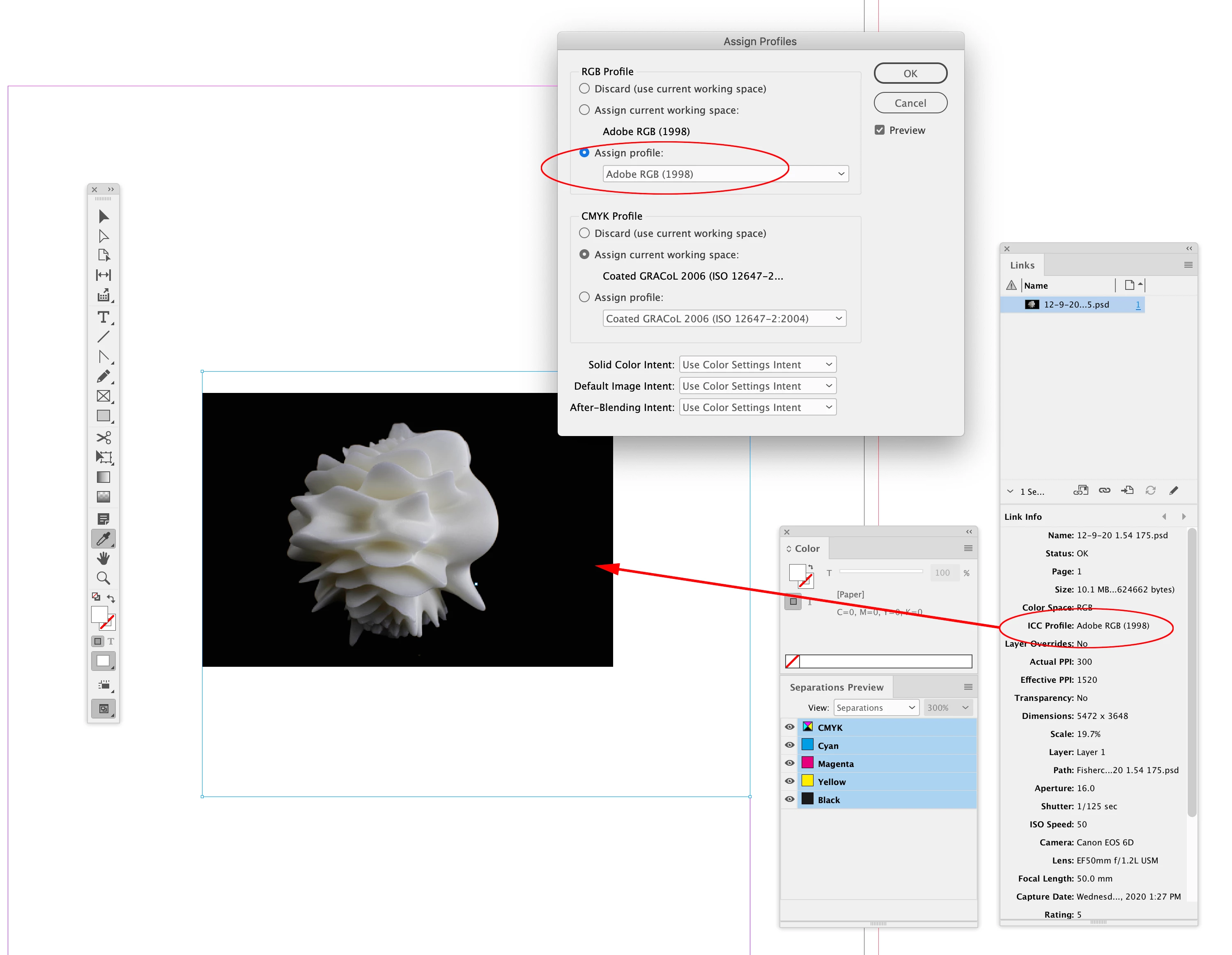
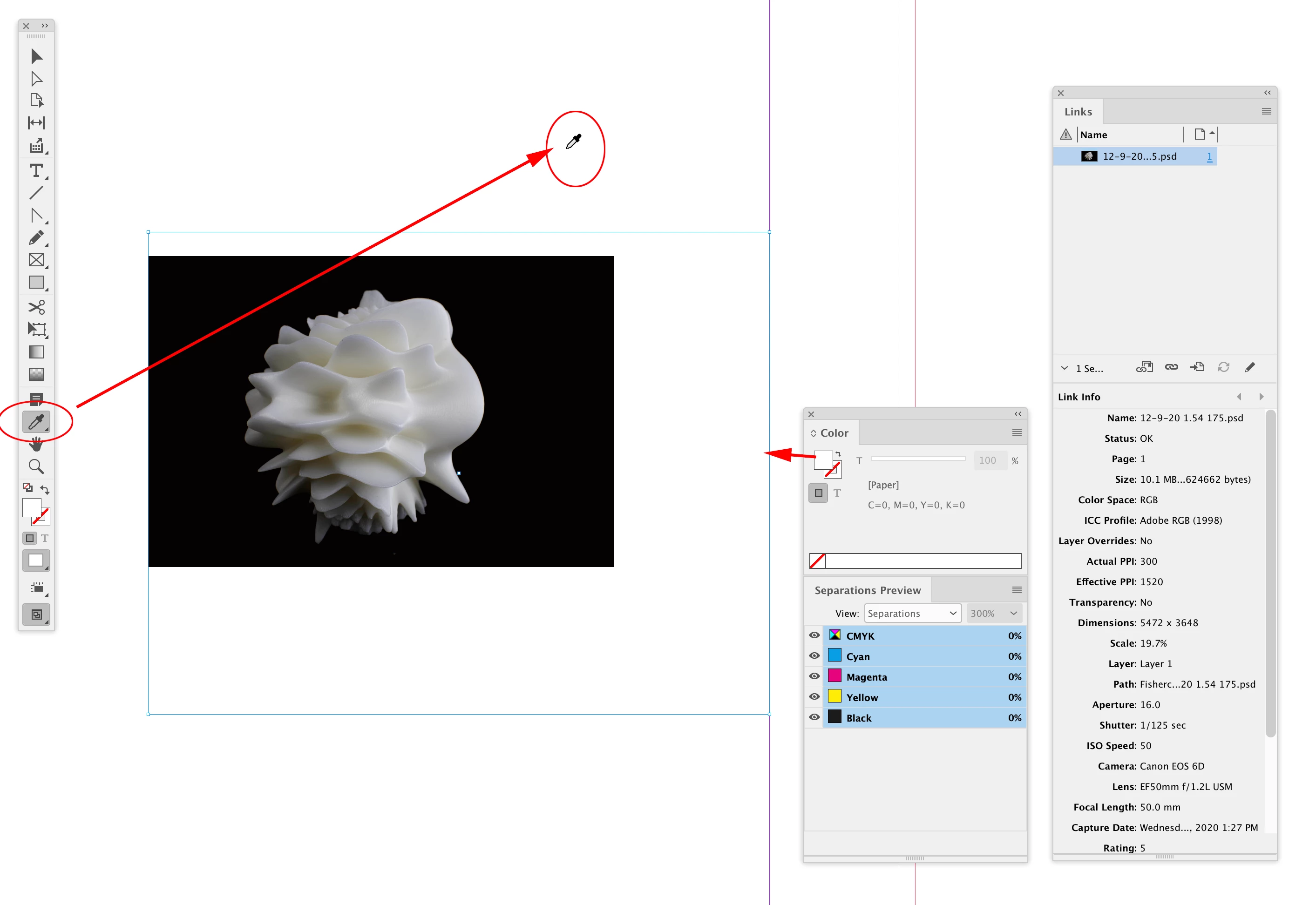
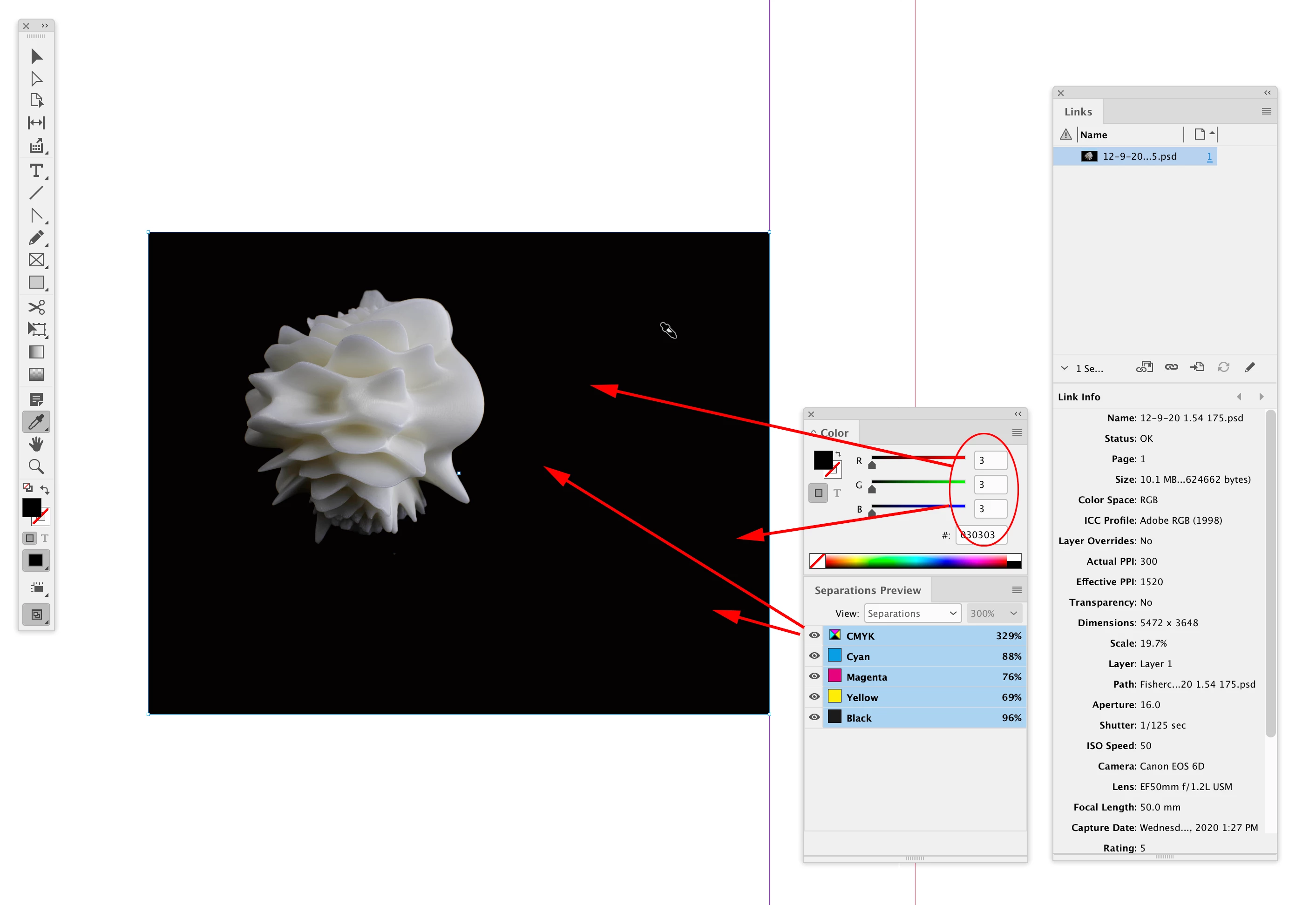
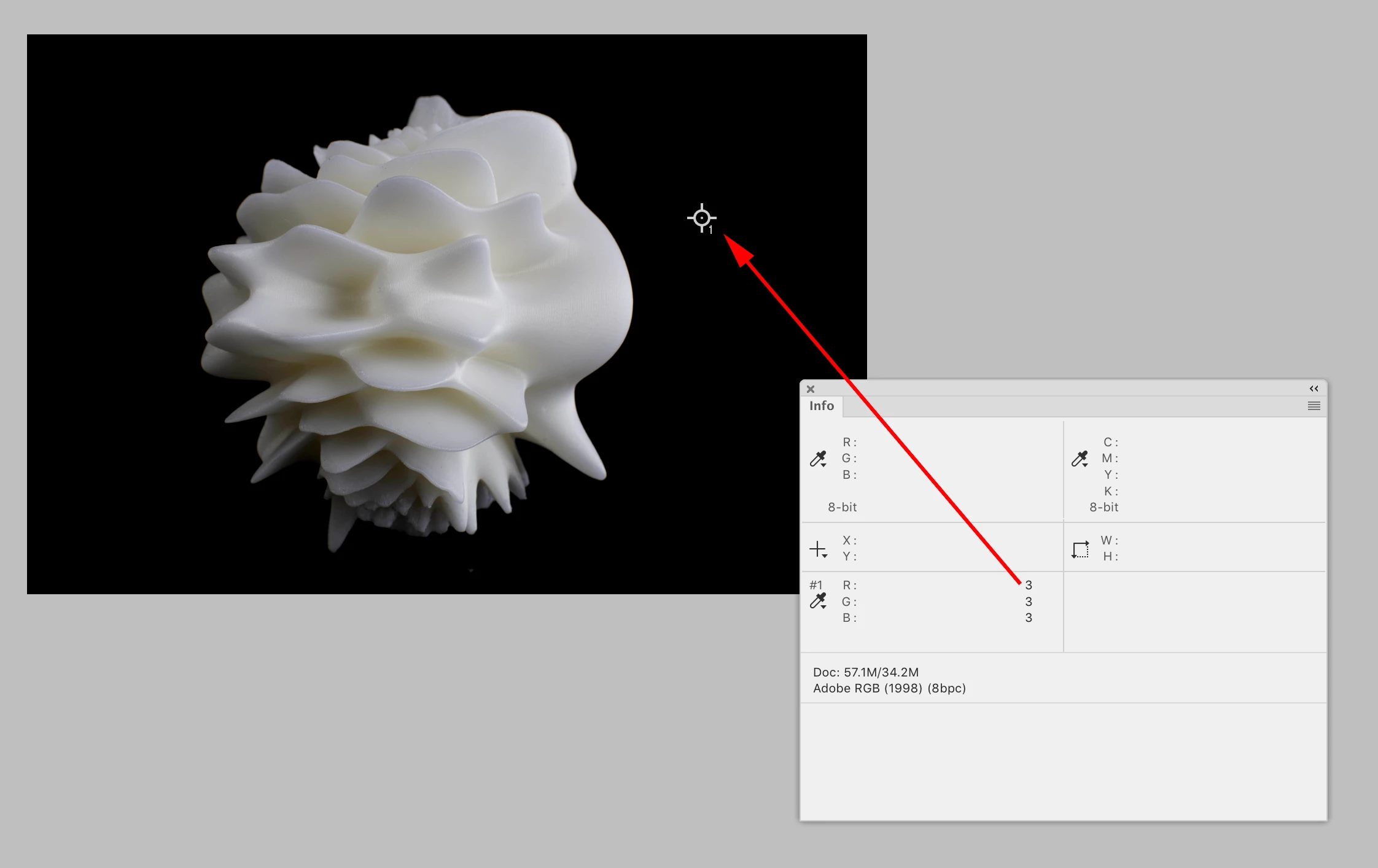
Hi @williamp86916270 , For images, InDesign’s Eyedropper tool will accuately sample a PSD’s pixel values. Keep in mind the sampled color will be in the color mode of the PSD, so to get a matching appearance the InDesign document’s color profile will have to match the image profile. Use PSDs not JPEGs:


The PSD Actual backgound color:


Placed in an ID doc with the same RGB Profile Assignment:


The Eyedropper with no color loaded (pointing left):


The sampled background RGB value 3|3|3. Separation output values match:


1 reply

rob day
Community Expert
rob dayCommunity ExpertCorrect answer
Community Expert
August 10, 2023

Hi @williamp86916270 , For images, InDesign’s Eyedropper tool will accuately sample a PSD’s pixel values. Keep in mind the sampled color will be in the color mode of the PSD, so to get a matching appearance the InDesign document’s color profile will have to match the image profile. Use PSDs not JPEGs:


The PSD Actual backgound color:


Placed in an ID doc with the same RGB Profile Assignment:


The Eyedropper with no color loaded (pointing left):


The sampled background RGB value 3|3|3. Separation output values match:


Participating Frequently
August 10, 2023
Thanks so much. I am a bit of a novice on finer points on InD, I never had
to work carefully for precise color matches before.

I will try this….I mastered all my images for the book in PS as TIFF documents
at 600 dppi, I found the tweaked dpi makes a difference, to my eye,
of the finished book with the publisher I use (i did several at 300 dpi, always TIFF).

William (I am in Italy)