Known Participant
February 18, 2021
解決済み

Numbered List Indented & Aligned

  • February 18, 2021
  • 返信数 6.
  • 5513 ビュー

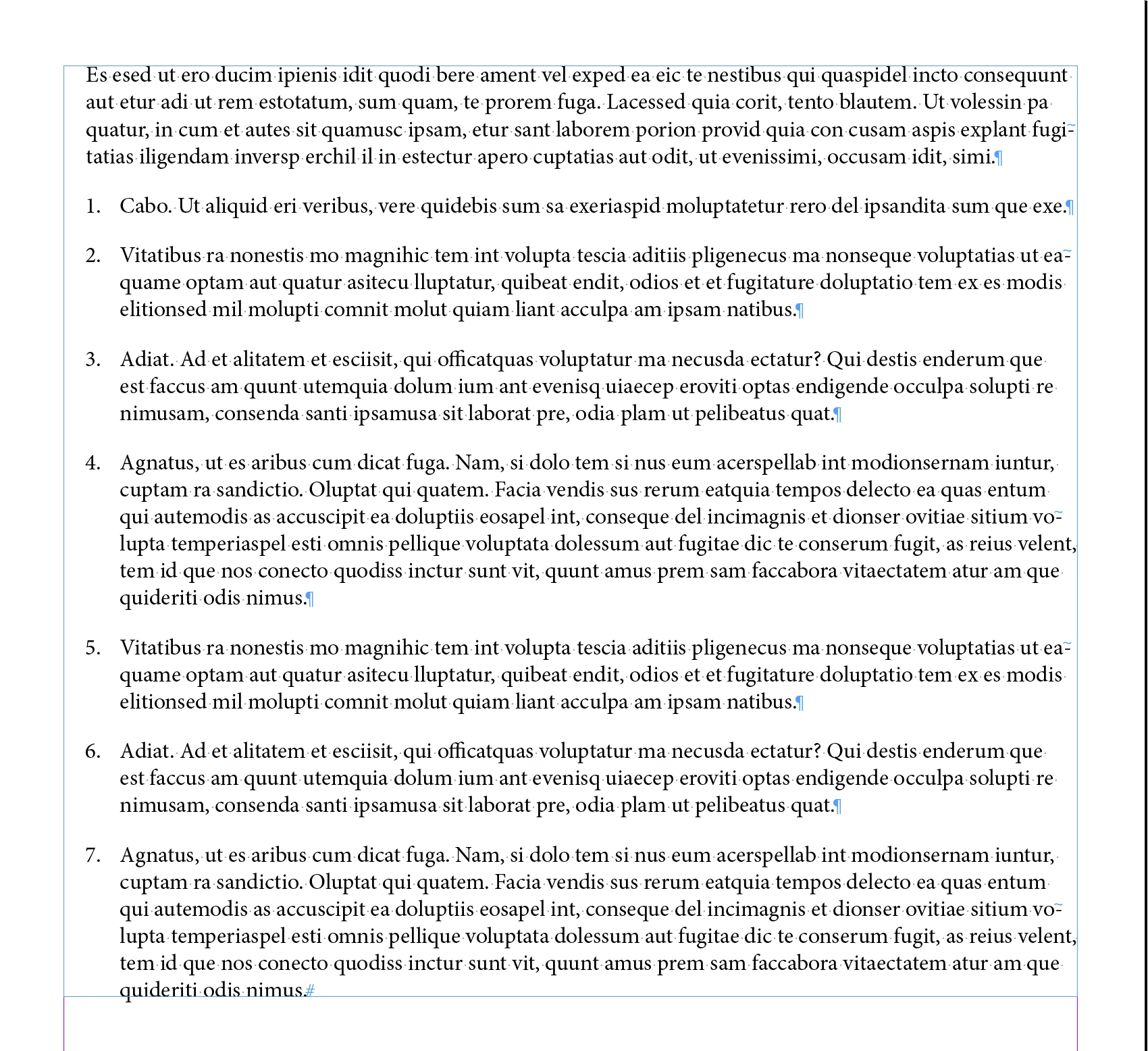
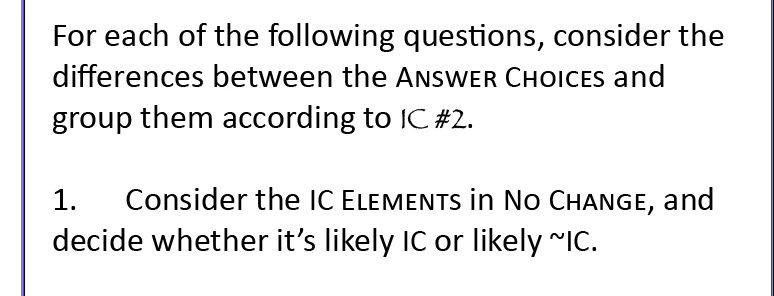
I am trying to create an indented and aligned numbered list. To do this I created a Body Text Paragraph Style (1st paragraph below) & a Body Text Numbered List Paragraph Style. The numbering is lined up where I want it, indented like the 1st paragraph. However, I would like the space between the numbering and the word "Consider" to be less, and the word "decide" in the 2nd line to line up with that.


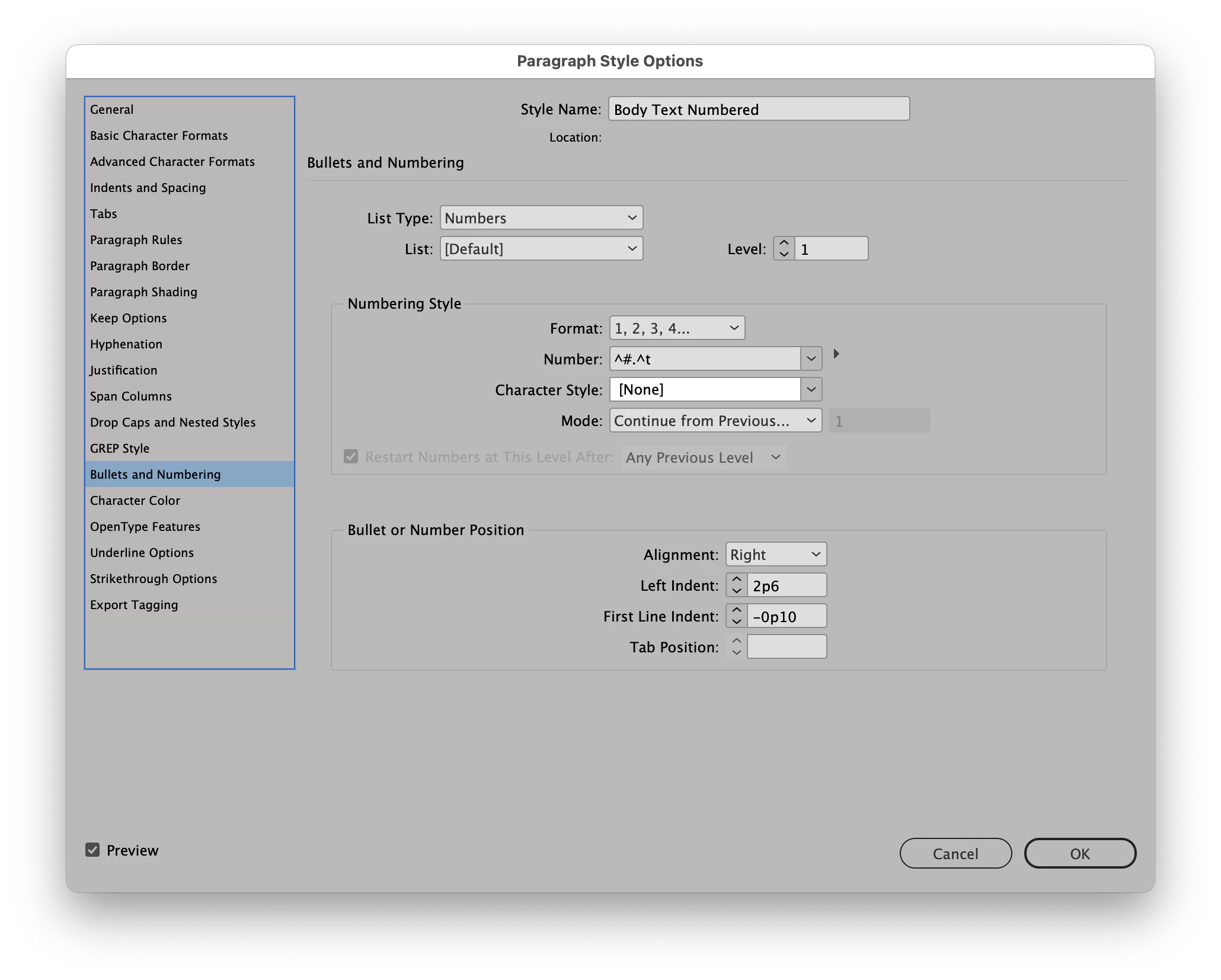
My settings are currently Left Indent: 10 in Indents & Spacing and Left Indent: 10 in Bullet or Number position. Seems like when I try to change these settings, I lose the indent that allows the list to line up underneath Paragraph #1.


Please lmk what I'm doing wrong. Thanks!!
 

このトピックへの返信は締め切られました。
解決に役立った回答 Scott Citron

How's this: 

返信数 6

Barb Binder
Community Expert
Community Expert
February 19, 2021

Hi @anthony01:


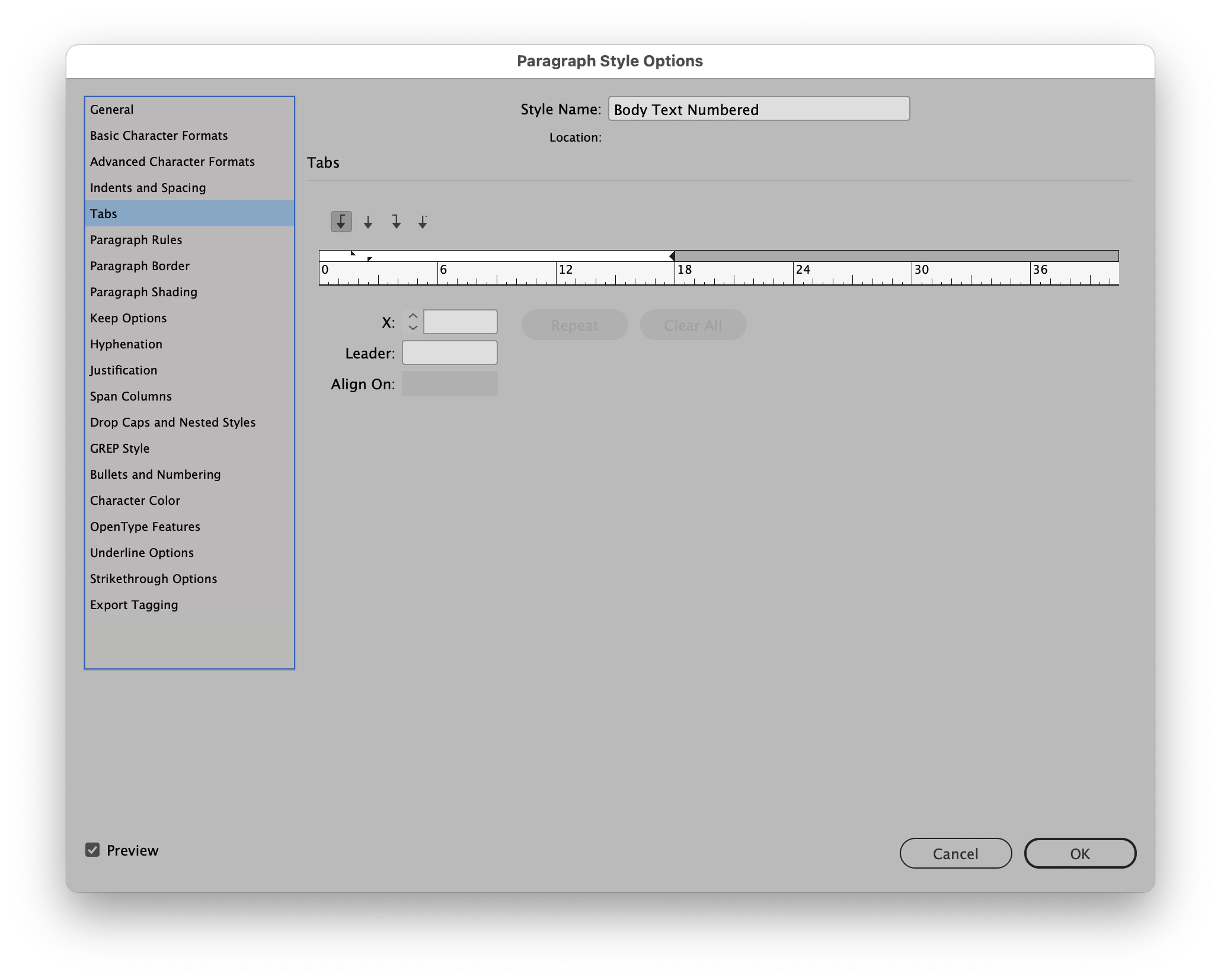
Try selecting the list, and click the Numbered list button off and back on again, does that help? If not, hold the Alt key (Opt on a Mac) and click the Numbered list button, then share the screen shot.


Also, this question is marked as answered. Is it? Because it sounds like you still aren't there.


~Barb 


~Barb at Rocky Mountain Training
Barb Binder
Community Expert
Community Expert
February 19, 2021

Hi @anthony01:


Interesting. Is there a reason you might use one over the other?

Yes. When you use auto-numbers—outlined on the top right of my screen shot—not only do you get an automatic hanging indent, the numbers will update when you add, remove and rearrange list items. 


~Barb 

~Barb at Rocky Mountain Training
anthony01作成者
Known Participant
February 19, 2021

The way I'm doing it, I'm not getting a hanging indent, but the numbers do update automatically. So not sure which method I'm using. ¯\_(ツ)_/¯


Barb Binder
Community Expert
Community Expert
February 18, 2021

Please compare your screen to mine. What is different?


~Barb at Rocky Mountain Training
Scott Citron
Legend
February 18, 2021

Barb, I think the diffence is that you're using a Bullets and Numbering paragraph style and anthony1 is using a normal text paragraph style. His numbers are not auto-generated, but added manually.

anthony01作成者
Known Participant
February 18, 2021

Interesting. Is there a reason you might use one over the other?


Barb Binder
Community Expert
Community Expert
February 18, 2021

You are showing a very small hanging indent. You will need to increase the left indent value and the negative first line indent value. What unit of measure are you using? If you are measuring in inches, try 0.5 in and -0.5 in.


~Barb 

~Barb at Rocky Mountain Training
anthony01作成者
Known Participant
February 18, 2021

I've tried that method, which I thought would work. This is what I get.

Scott Citron
Legend
February 18, 2021

Like this?

anthony01作成者
Known Participant
February 18, 2021

Almost like that. The only difference is I'm trying to make the numbers align with the edge of the 1st paragraph.


Scott Citron
Scott Citron解決!
Legend
February 18, 2021

How's this: 

vladan saveljic
Inspiring
February 18, 2021

did you try, for example, this settings?

anthony01作成者
Known Participant
February 18, 2021

I tried that, yes. This is what I get. 


anthony01作成者
Known Participant
February 18, 2021