


Inspiring
September 22, 2022
Answered

stroke of the textframe is not visible when image was aligned to left of the textFrame

  • September 22, 2022
  • 3 replies
  • 482 views

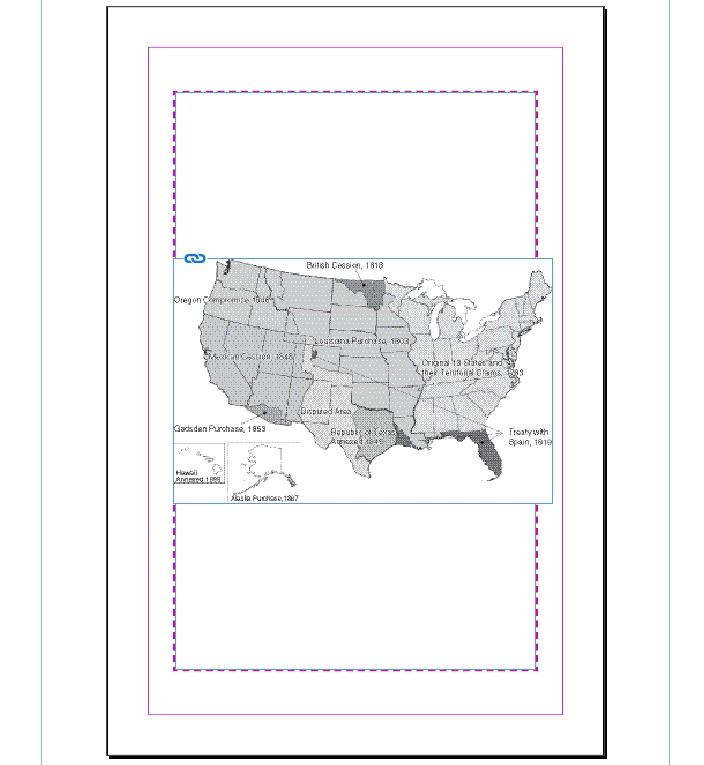
How to make the left side frame visible when image was aligned to left edges and vertical center of the page. I tried by aligning the stroke of the textframe to outside but that also not working.Please suggest a way!

var myDoc =app.activeDocument;
var mypage = myDoc.pages.item(0);
//var myImg = mypage.place(filesB[0]);
var imgok =app.activeDocument.allGraphics;
app.select(imgok[0]);
var sel = app.selection[0];
var txtFrame = mypage.textFrames[1];
myDoc.align(sel.parent, AlignOptions.LEFT_EDGES, AlignDistributeBounds.KEY_OBJECT, txtFrame);
myDoc.align(sel.parent, AlignOptions.VERTICAL_CENTERS, AlignDistributeBounds.MARGIN_BOUNDS);
txtFrame.strokeAlignment = StrokeAlignment.OUTSIDE_ALIGNMENT; //outside alignment
 

This topic has been closed for replies.
Correct answer Laubender

Hi @Karthik SG ,

simply change the stacking order of elements.

Bring the text frame with the red border in front of the graphic frame.

txtFrame.bringToFront( imgok[0].parent );


Regards,
Uwe Laubender
( Adobe Community Expert )

3 replies

LaubenderCommunity ExpertCorrect answer
Community Expert
September 22, 2022

Hi @Karthik SG ,

simply change the stacking order of elements.

Bring the text frame with the red border in front of the graphic frame.

txtFrame.bringToFront( imgok[0].parent );


Regards,
Uwe Laubender
( Adobe Community Expert )

Inspiring
September 22, 2022

Thank You @Laubender, Its working now!

Community Expert
September 22, 2022

Hi @Karthik SG ,

please share a sample document.

You could leave out the graphic showing inside its container frame; instead replace it with a dummy graphic if the graphic is confidential.


Thanks,
Uwe Laubender
( Adobe Community Expert )

Inspiring
September 22, 2022

Hi @Laubender ,

for your reference attached the sample document!


Eric Dumas
Community Expert
Community Expert
September 22, 2022

If I understand correctly, you do not want the image to cover the dashed edge of the frame.

it looks like the image aligns to the left edge of the stroke, is it the same if you make the stroke even wider? i.e. the image aligns even further to the left?

Can you specify a stacking order, for the image to be 'behind' the frame (not sure where I am going with this...)