Bedazzled532
Inspiring
May 2, 2024
Answered

Thread Frames through script

  • May 2, 2024
  • 3 replies
  • 3734 views

I have some circled textframes which I want to thread together using script and in each text frame I would like to place a counter of my choice. The counter is a number which I want to give manually.


Some examples of the counter is:

ex1: A-2234 onwards ...eg A-2235, A2236, A-2237 respectively in separate text frames.

ex2: B-0001 onwards...eg B-0002, B-0003, B-0004 respectively in separate text frames.


I have written a script to thread the frames but its threading hapazardly.

I have attached a screenshot with before and after run of the script. Also when the script ends, it gives an error.


Here is the script. It just threads. Once threading is perfect, I will place the counters using a variable.


frames = app.selection;
//alert(frames.length);
for(i=0;i<frames.length;i++){
frames[i].nextTextFrame = frames[i+1];
}


Currently the matter is in one page. It may run through multiple pages.


What mistake am I doing ?


Thanks

This topic has been closed for replies.
Correct answer Robert at ID-Tasker

@Robert at ID-Tasker I have come up with the following script where I have followed process mentioned by @Laubender and assigned the story to frame by the process suggested by you, but still it shows only 1 \n char in first frame only. I have tried with 5 textframes only for testing. Screenshot of the output is attached.


var output = String('\n', 5);
var textFramesSelected = app.selection;
for( n=1; n<textFramesSelected.length; n++ )
{
textFramesSelected[n].previousTextFrame = textFramesSelected[n-1];
};
textFramesSelected[0].contents=output;


quote

@Robert at ID-Tasker I have come up with the following script where I have followed process mentioned by @Laubender and assigned the story to frame by the process suggested by you, but still it shows only 1 \n char in first frame only. I have tried with 5 textframes only for testing. Screenshot of the output is attached.

var output = String('\n', 5);


By @Bedazzled532


Looks like this doesn't work as per example I've found on some website, sorry.

And you should use '\r' rather than '\n'.


This should work:


var output = new Array(5).join('\r');
var textFramesSelected = app.selection;
for( n=1; n<textFramesSelected.length; n++ )
{
textFramesSelected[n].previousTextFrame = textFramesSelected[n-1];
};

app.selection[0].contents = output;
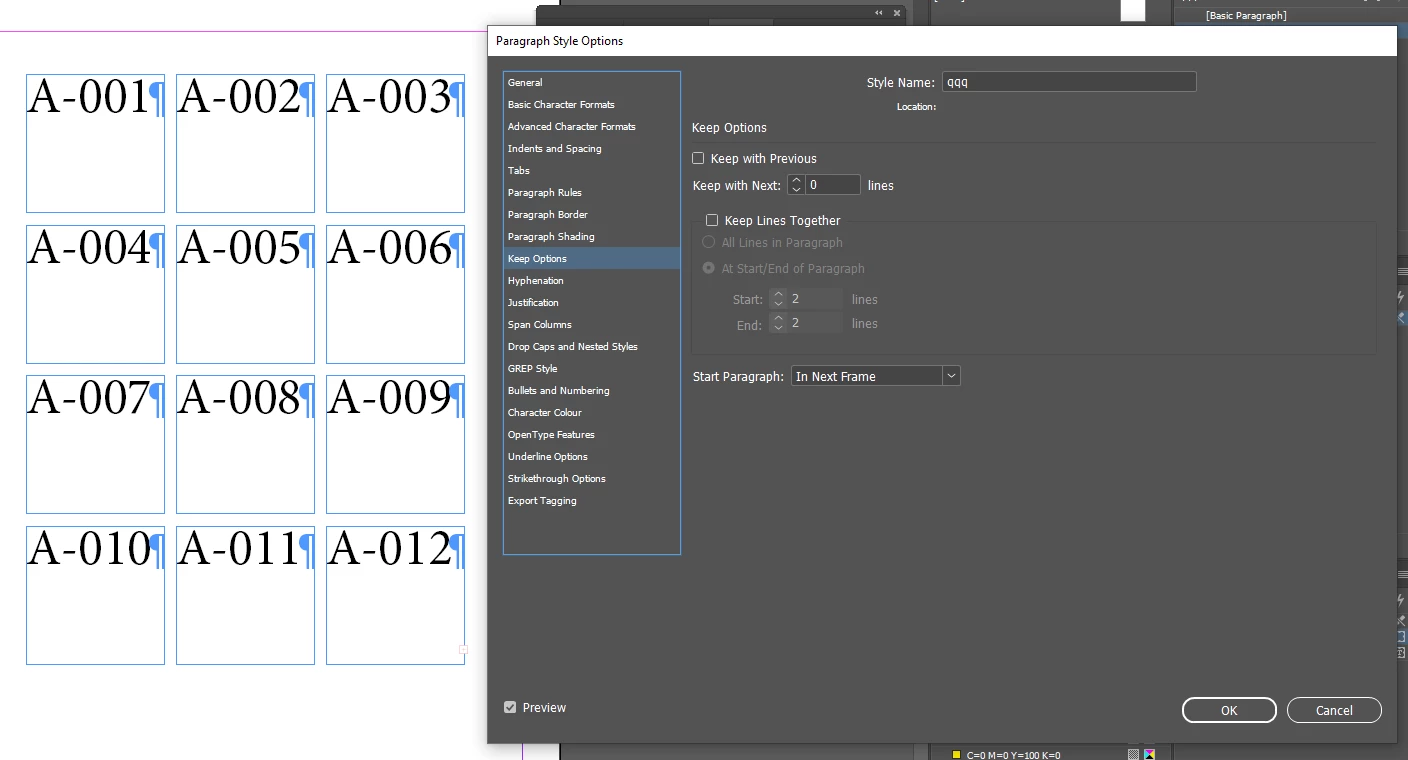
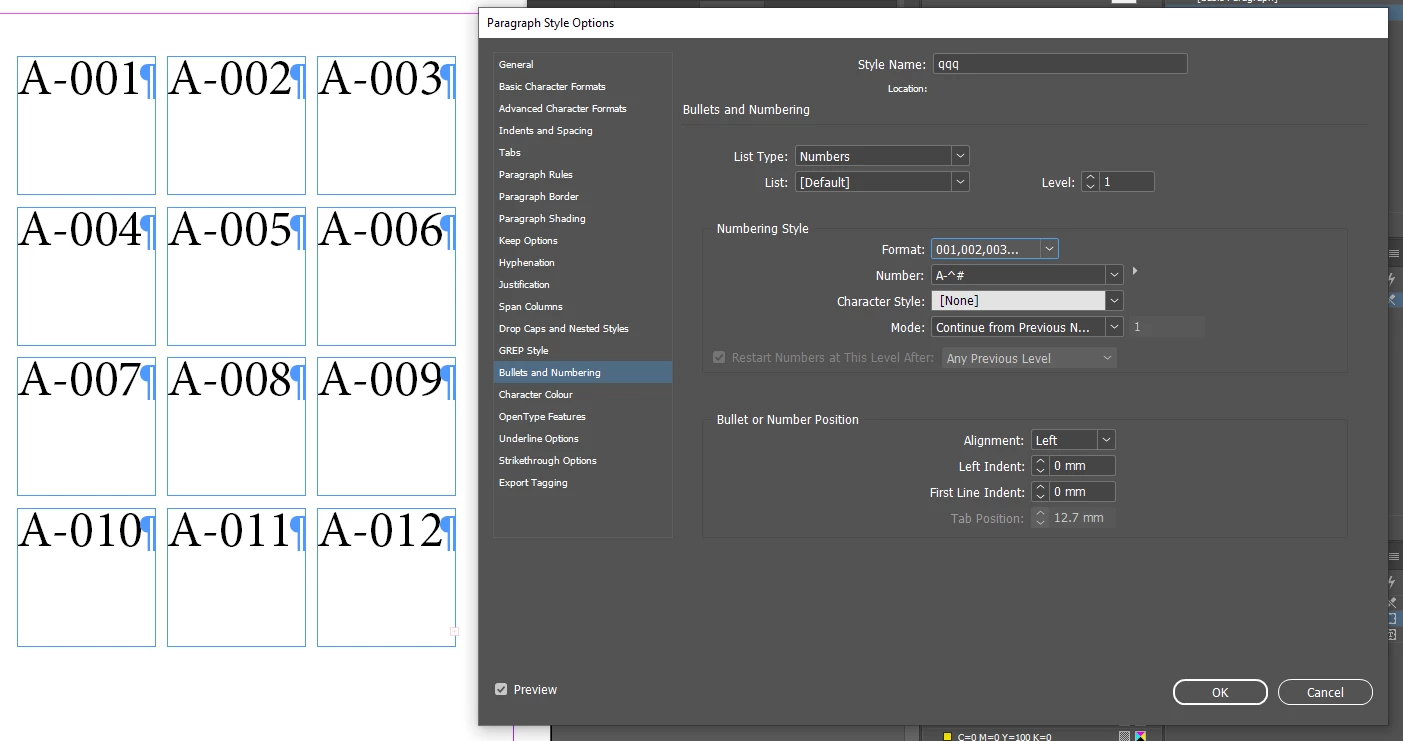
app.selection[0].parentStory.appliedParagraphStyle = app.activeDocument.paragraphStyles.item('qqq');


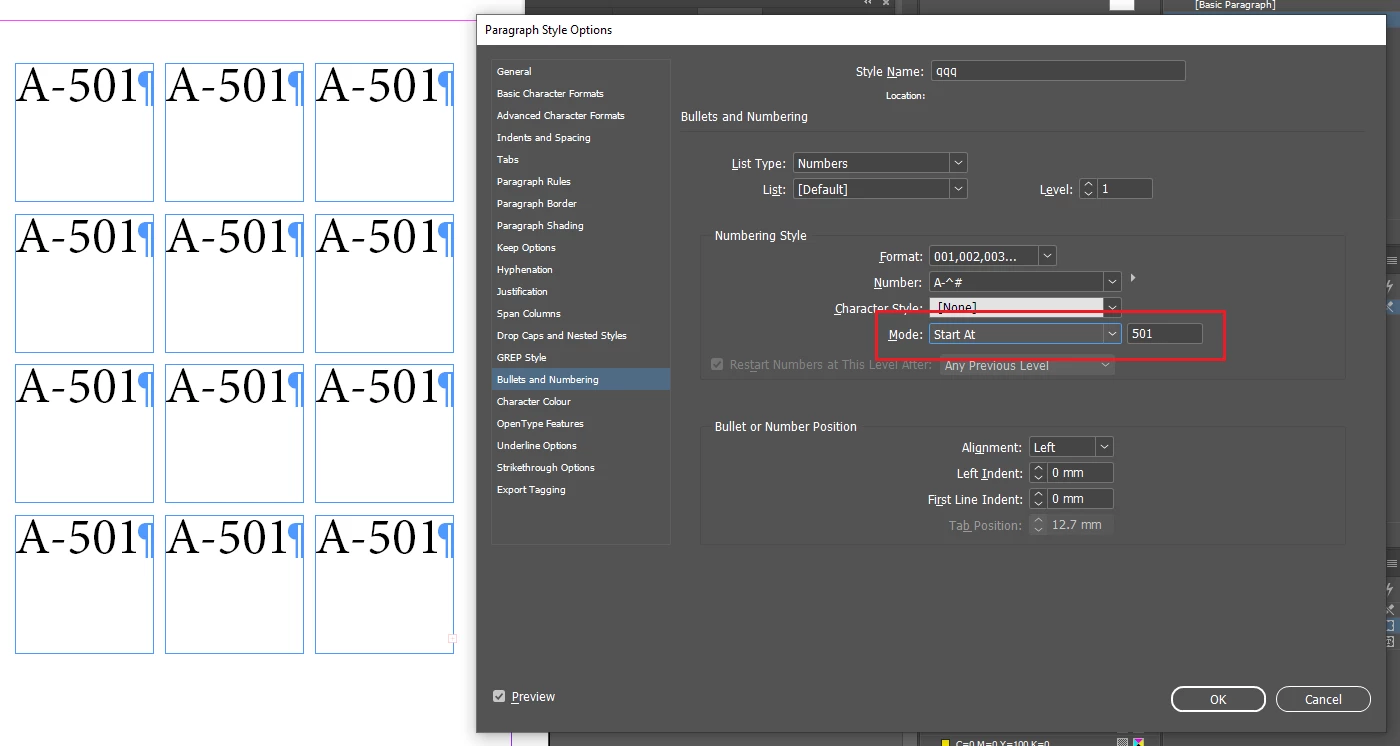
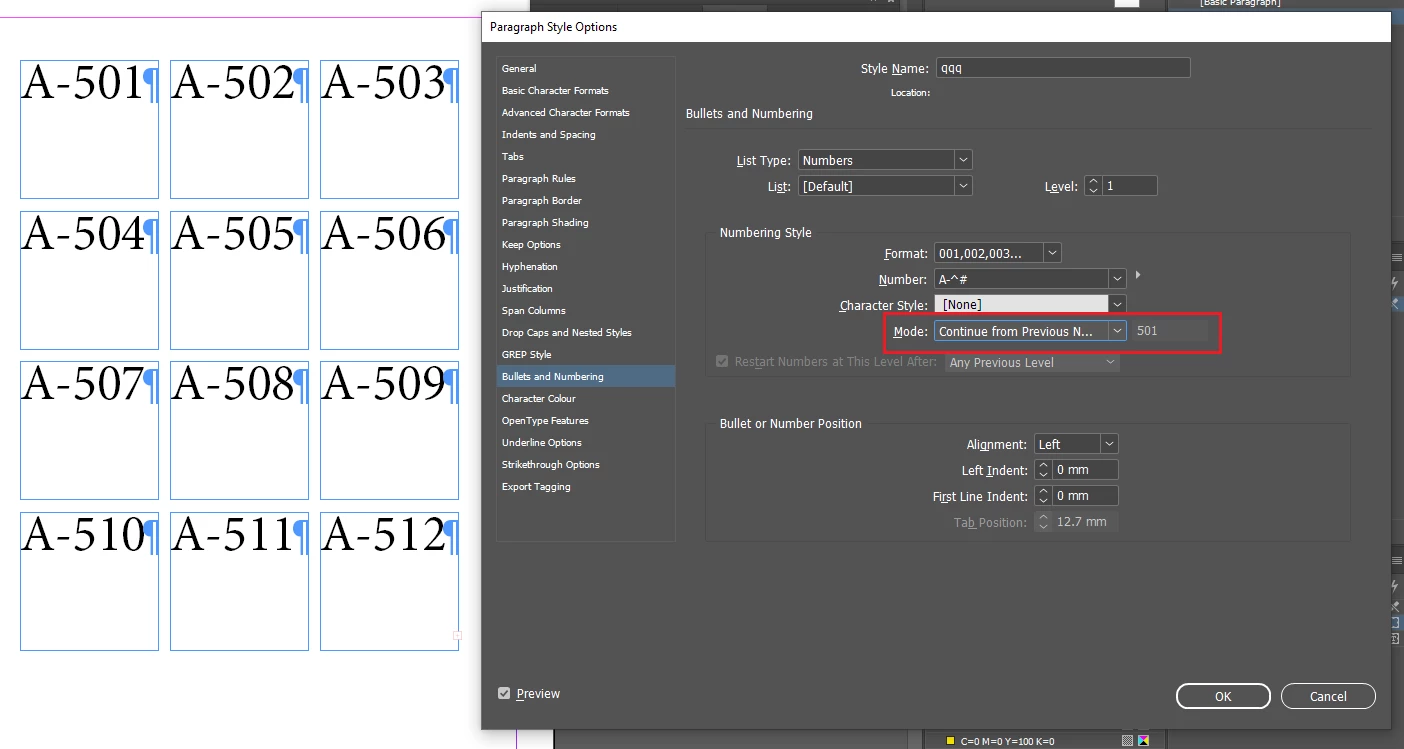
If you want to start not from "1", then you need to set Mode->Start At:


then switch back to Continue:


3 replies

Community Expert
May 3, 2024

Hi @Bedazzled532 ,

if you are working with a selection of text frames your script will work in the order you have selected the frames.

So, if you want the order from left to right and top to bottom select the frames one by one in that order using the Shift key with click.


FWIW: performance is no issue with a couple of text frames.

But in case you want to accelerate your script's performance use property previousTextFrame instead of nextTextFrame.

var textFramesSelected = app.selection;

for( n=1; n<textFramesSelected.length; n++ )
{
	textFramesSelected[n].previousTextFrame = 
	textFramesSelected[n-1];
};


Regards,
Uwe Laubender
( Adobe Community Expert )

Bedazzled532
Inspiring
May 8, 2024

@Laubender Thanks.  I am using few text frames with only a counter that would run from 1 to 200 or A-0001 to A-0200.

I will try your method of previousTextFrame also. Currently I am stuck with generation of counters and applying a style to them.

Thanks

Robert at ID-Tasker
Legend
May 8, 2024
quote

Currently I am stuck with generation of counters and applying a style to them.


By @Bedazzled532


What's the problem? 


rob day
Community Expert
Community Expert
May 2, 2024

Hi @Bedazzled532 , The error is happening because your loop is from 0 to the frames.length—it should be 0 to frames.length-1:


frames = app.selection;
//alert(frames.length);
for(i=0;i<frames.length-1;i++){
    frames[i].nextTextFrame = frames[i+1];
}


This works with the IDML you shared:


But note that your loop is threading via the text frame index (your i variable), and the index is determined by the order the frames were added to the page. So, if I cut and paste the center circle its index becomes 0 and i get this:


Bedazzled532
Inspiring
May 2, 2024

First of all thank you so much for the correction.

Secondly, I know about the gridify feature.  Actually I am making one circle then applying object style. Then I am using gridify feature to create the grid of circles. Then I will run the script to thread the frame and then the last step would be to populate the circles with the counters.


I made the corrections and it worked. However, one thing is bothering me. When I select the circle one by one and then run the script, it threads perfectly. But when I do a select all OR select it by using the mouse drag, the threading again acts weirdly.


What modification do I need to do so that if I do a select all or select using mouse drag, the threading is perfect.


If I want to thread by order of creation, what modification do I need to do ?

Thanks

Robert at ID-Tasker
Legend
May 2, 2024
quote

[...] Actually I am making one circle then applying object style. Then I am using gridify feature to create the grid of circles.

[...] 


By @Bedazzled532


Make your circle as a TextFrame - not a Graphic Object - InDesign will automatically thread them together. 


Robert at ID-Tasker
Legend
May 2, 2024

You can create a "grid" using InDesign - and all TextFrames will be threaded automatically:

https://creativepro.com/tip-week-gridify-magic/