


Participating Frequently
September 24, 2020
解決済み

When working with alternating fills on tables, why can I only choose from ten color options?

  • September 24, 2020
  • 返信数 1.
  • 250 ビュー

Forgive the basic question. I am very new to indesign. I would like to have alternating gray table rows, but I can't figure out how to change the color from one of the few listed in the table options. These are the only options I see: 
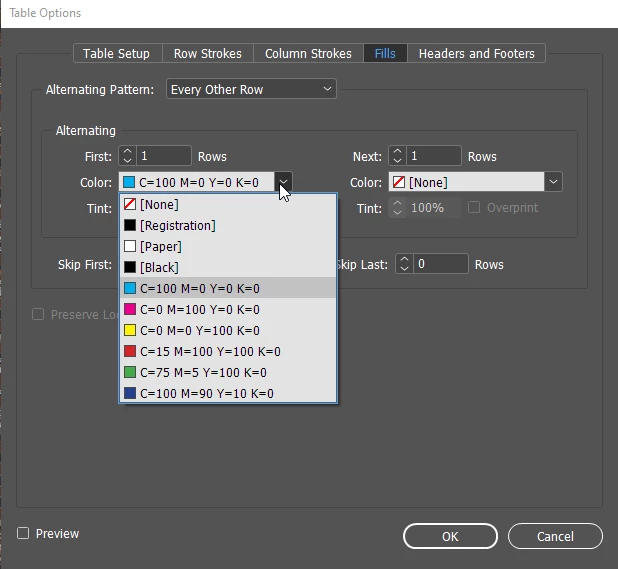
Is there not a custom color option?


このトピックへの返信は締め切られました。
解決に役立った回答 SJRiegel

You can chose whatever is in your Swatch Pallet. Create the colors you want in the pallet, and then they will be available in that drop-down menu.

返信数 1

SJRiegel解決!
Legend
September 24, 2020

You can chose whatever is in your Swatch Pallet. Create the colors you want in the pallet, and then they will be available in that drop-down menu.

Legend
September 24, 2020

If you don't see your Swatches pallet, look under Window > Color > Swatches to select it.