



Lightroom Classic doesn't export date of capture of the photos
Hello Community,
I use Lightroom Classic to keep my photos organiced as I want and to edit them.
Also, I use Photos.app (from Apple) to syncronice between my devices just a selected amount of all my photos (the good ones).
The problem is that when I try to export a photo with Lightroom, it replaces the "Creation" date and the "Content creation" date, so when I try to import an old photo to Photos.app, it doesn't sort it correctly.
I will put an example (sorry, I'm from Spain and all my setup is in spanish):
1. This is the metadata of the photo in Lightroom:
"Fecha de captura" means "Date of capture"

2. This is the metadata of the original photo in Finder:
"Creación" means "Creation"
"Creación del contenido" means "Content creation"
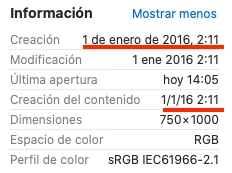
3. This is the metadada of the exported photo in Finder:
"Hoy" means "Today"
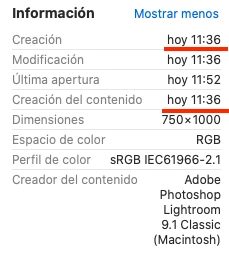
As I read in other threads, it is normal that the "Creation" and "Modification" date points to today, but my problem is that I think that Photos.app looks to the "Content creation" date in order to sort the photo.
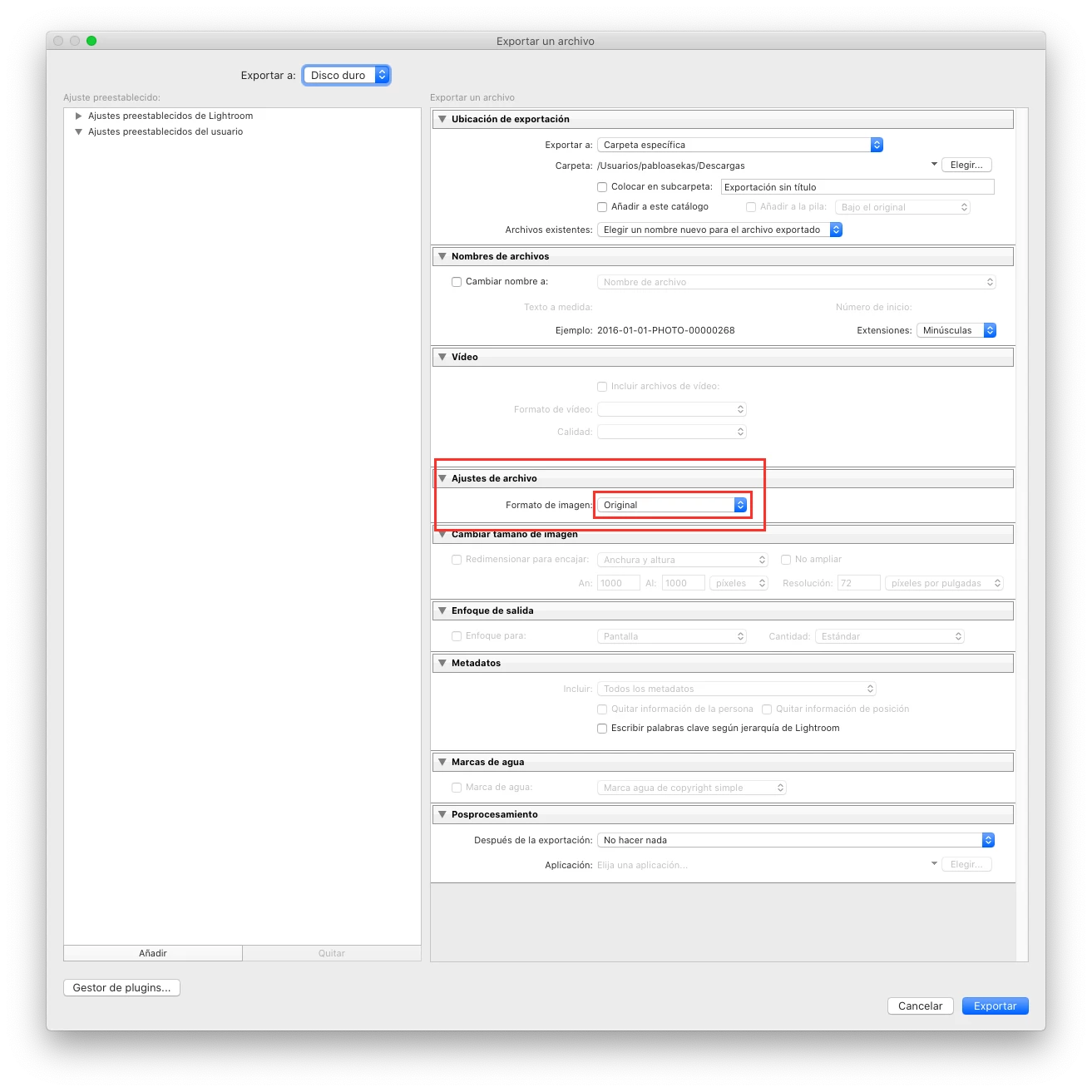
Am I doing something wrong? I have attached a screenshot of my export settings.
Please help me because I'm trying to import to Photos.app a buch of years and I don't want to set all the dates manually.
Thank you so much for your help.
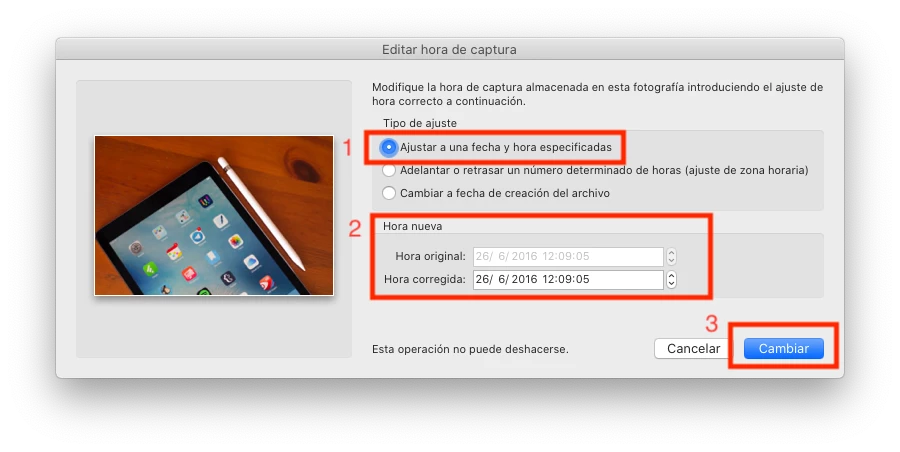 1. Select all your images that you think can give you problems.
 AdChoices