


Known Participant
January 10, 2024
Answered

Probleme rafraichissement nombre d'images dans la bibliotheque

  • January 10, 2024
  • 1 reply
  • 222 views

Bonjour, depuis quelques jours je constate un problème au niveau du nombre d'images lors d'un import de fichiers depuis mon boitier. Dans le module bibliothèque, le nombre d'images reste à 0 alors que l'import a bien eu lieu et que les fichiers sont bien présents. Et les mots clés définis à l'importation n'apparaissent pas. Et enfin, lorsque je supprime un fichier du disque, le nombre d'images apparait en négatif comme dans la capture d'écran ci-jointe.
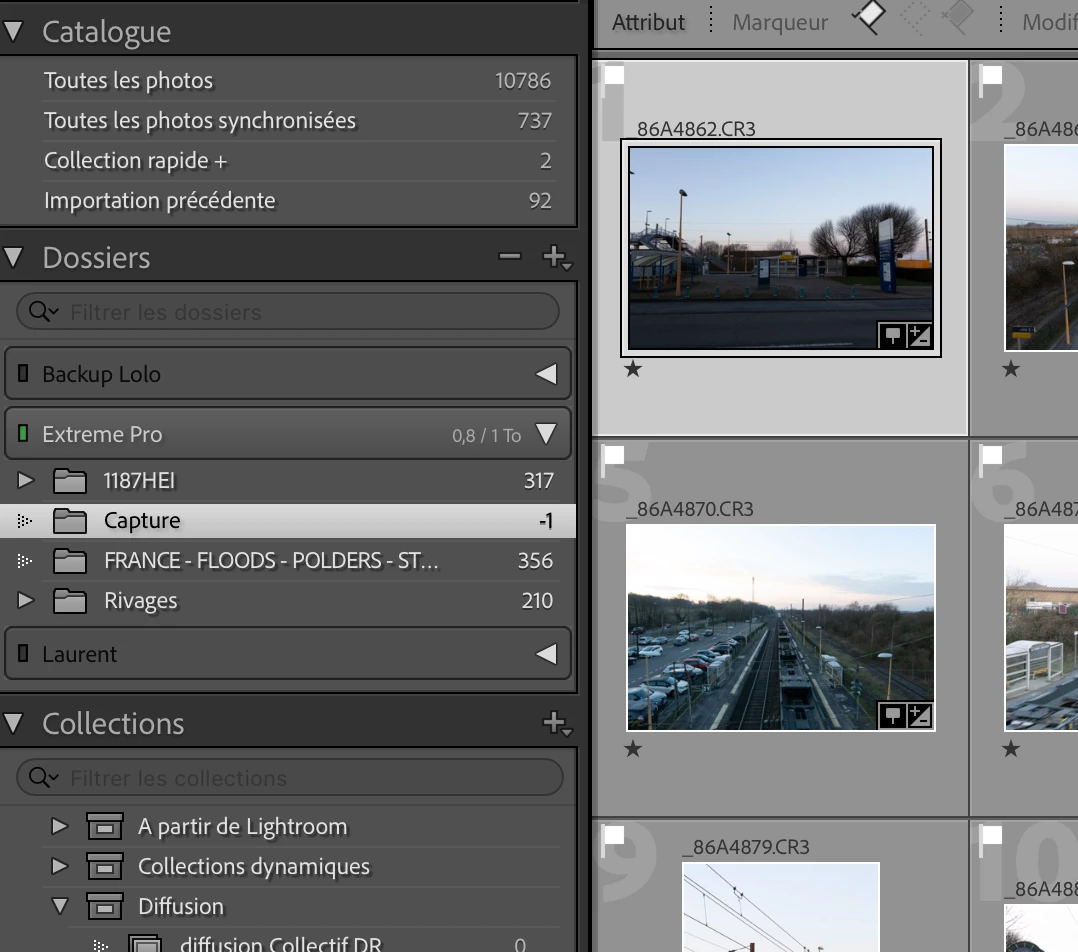
This topic has been closed for replies.
Correct answer johnrellis

Try deleting the Helper.lrdata file:


a) Do Catalog Settings > General > Show to open Finder / File Explorer on the current catalog folder.
b) Exit LR.
c) In that folder, delete the file "<catalog> Helper.lrdata".
d) Restart LR, and it will rebuild the file.


The Helper.lrdata file caches information about metadata, keywords, folders, collections, and other things to speed the performance of LR and it can sometimes get corrupted. In recent versions, LR has used it more heavily to improve the speed of displaying metadata, and there have been a fair number of bugs with it.

1 reply

johnrellis
johnrellisCorrect answer
Legend
January 10, 2024

Try deleting the Helper.lrdata file:


a) Do Catalog Settings > General > Show to open Finder / File Explorer on the current catalog folder.
b) Exit LR.
c) In that folder, delete the file "<catalog> Helper.lrdata".
d) Restart LR, and it will rebuild the file.


The Helper.lrdata file caches information about metadata, keywords, folders, collections, and other things to speed the performance of LR and it can sometimes get corrupted. In recent versions, LR has used it more heavily to improve the speed of displaying metadata, and there have been a fair number of bugs with it.

Known Participant
January 11, 2024

thanks John ! Pb seems to be fixed. 

Rgds