Participating Frequently
May 24, 2023
질문

How to saturate/edit parts of a photo

  • May 24, 2023
  • 1 답변
  • 1521 조회

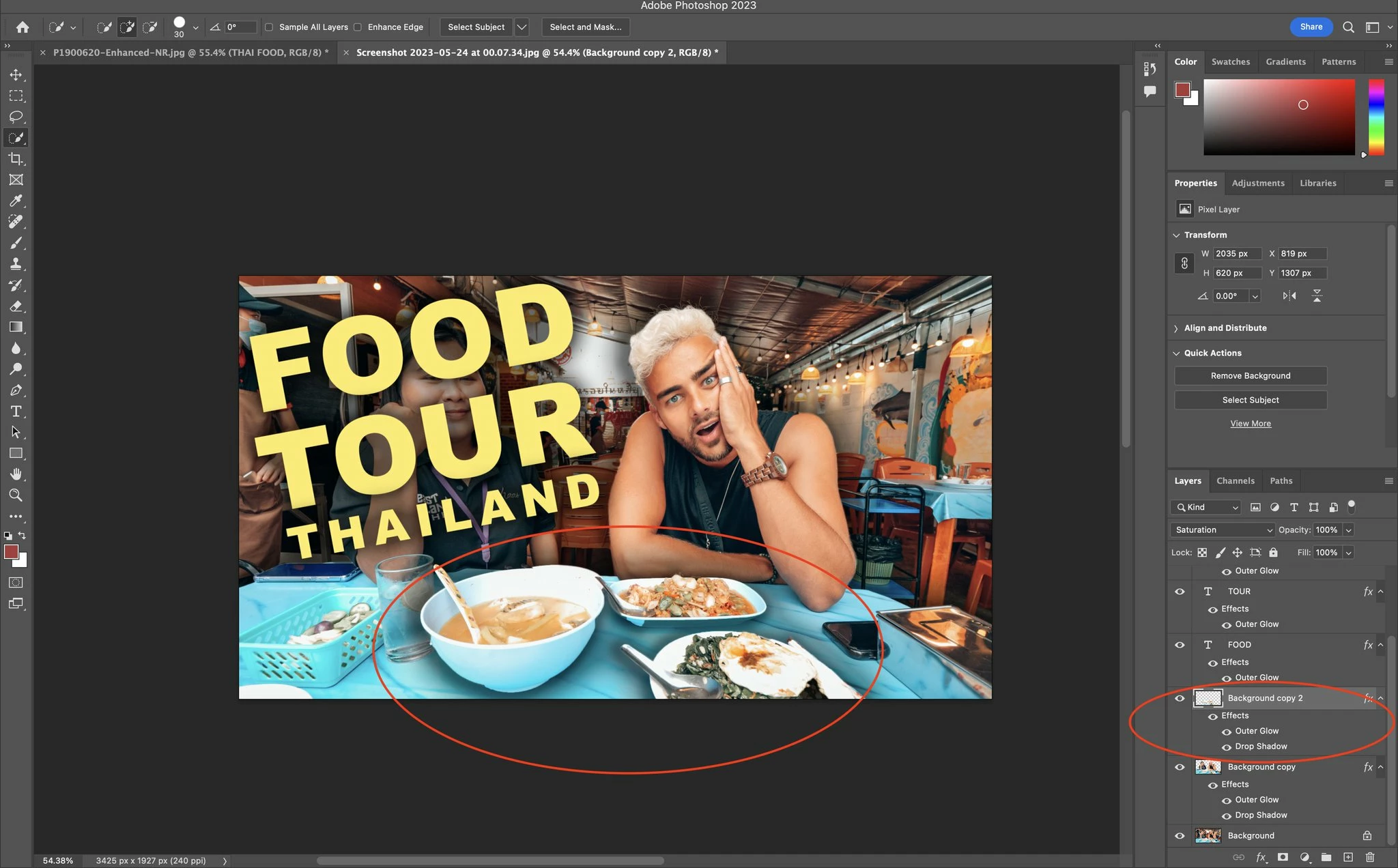
hi there, can you please tell me how to increase the colour saturation/edit a certain mask (the parts circled red) - specifically in this case, I have created a new layer/mask of the food in the bowls on the screen, but there doesn't seem to be any way to only edit the colour of the food since it currently looks a bit washed out. can you explain how please?

이 주제는 답변이 닫혔습니다.

1 답변

Myra Ferguson
Community Expert
Community Expert
May 24, 2023

It looks like you have the food on a separate layer and isolated (I can see the transparency around the food items. You can also select them and make a layer mask to isolate them). 


Next, I would suggest adding a Hue/Saturation adjustment layer. Click on the middle icon at the bottom of the Layers panel and select Hue/Saturation. The adjustment layer will affect all layers below it unless you clip it to just the food layer. To make a clipping mask with the adjustment layer, select the Hue/Saturation adjustment layer and go to Layer > Create Clipping Mask--you can also Alt (Windows) or Option (macOS) + click between the adjustment layer and the layer below it to create the clipping mask.


Then with the Hue/Saturation thumbnail (not the layer mask for it) selected, go to the Properties panel (Window > Properties) and drag the Saturation slider to the right to increase the saturation.

Matt5EDF작성자
Participating Frequently
May 24, 2023

hey thanks for your comments! i followed your steps however, I cannot seem to only adjust the saturation of the layer mask I have created a clipping of. 


as you can see, I followed your steps and tried to move the saturation slider and unfortunately it is saturating everything, not only the food bowls.


what do you advise please?

Earth Oliver
Legend
May 24, 2023

Unclip the bowl layer, then clip Hue back into bowl. Ps doesn't support nested clipping, but it should. 

Or you can also tap ctrl/cmd-U to add a Hue adjustment as a smart filter to the Bowl layer.