


Participant
August 22, 2018
Answered

I can not drag and drop my actions into another folder_Trying to organize

  • August 22, 2018
  • 3 replies
  • 2386 views

Hi,

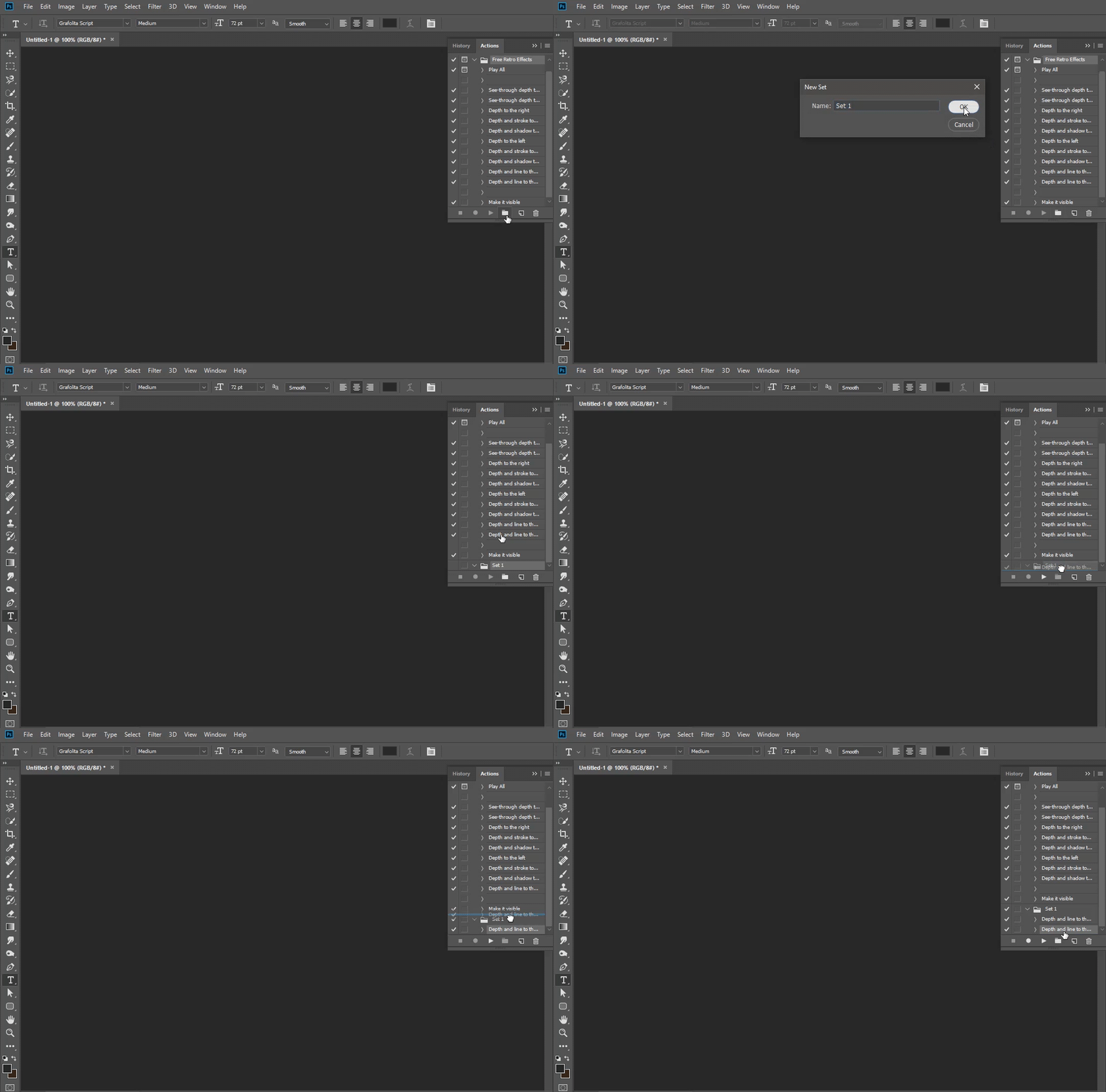
I have searched and searched and search and from what I find I should be able to drag and drop my actions into the folder I want them in. This feature is not working for me. For example, I created a folder titled Skin - and want to drop all of my skin actions in there, Drag and drop method does not work.

I am using adobe creative cloud 2018, it has been updated today.
    This topic has been closed for replies.
    Correct answer Bojan Živković11378569

    I just have tested with 19.1.6 Release of Photoshop on Windows and everything works just fine, as expected.

    3 replies

    Bojan Živković11378569
    Community Expert
    Community Expert
    August 23, 2018

    I just have tested with 19.1.6 Release of Photoshop on Windows and everything works just fine, as expected.

    Participating Frequently
    December 23, 2018

    I have Photoshop CC 20.1 and I am unable to move any actions into an action set. When I click and drag it only moves the action to a new position.

    Wayne

    Bojan Živković11378569
    Community Expert
    Community Expert
    December 23, 2018

    Do you mean you cannot drag actions from one set to another? I have tested Photoshop 20.0.1 on Windows just before typing answer and everything works fine.

    Ussnorway7605025
    Legend
    August 23, 2018

    the action toolbar menu is where you load | save actions in Photoshop

    JJMack
    Community Expert
    Community Expert
    August 23, 2018

    That is a list of Adobe Sample Action Sets the adobe install with Ogotoshop. you candouble click on them to load the into the Action Palette. That is not a an editable list you can not drag and drop Acrion sete into ther or out od the from that many.   You Mag ma able to change the menu list by draginag and dropen to/from  Arobe Photoshop version  Presets\Actions\ folder but I woul not suggest that.  You can load and save actions sete in anf folder yoe wanf.  Adobe sets up a Usete ID Photoshop Version prestets\Actioms for you user ID.  I also do not use that I like to keem my actions seets whaere I know they are.  

    You can drag and drop in the Actions palette in Action sets and actions and between Actions Set and actions .

    JJMack
    JJMack
    Community Expert
    Community Expert
    August 23, 2018

    Do you mean Action set folder in the Action palette?  Are you dragging action between actions sets? You should be able to move  and copy actions between sets .using Drag drop and alt+drag Drop.  Photoshop's Action palette is a bit touchy when it come to the drop possion.

    Crafting Actions Package UPDATED Aug 10, 2014 Added Conditional Action steps to Action Palette Tips.

    Contains

    Example

    Download

    JJMack