


Participant
August 23, 2024
Question

"Image sequence" checkbox doesn't appear in Photoshop CC to allow creation of time lapse video

  • August 23, 2024
  • 1 reply
  • 421 views

Hi there, i've created time lapses in the past successfully but not this time.


I've exported the files from Lightroom as suggested in various how to tutorials.  I have a sequence of files in a folder with filenames PG.00001 , PG.00002 etc.


When I choose File-Open in Photoshop and select the top file I expect to see the "Image sequence"box appear so I can tick it but it doesn't!?  See below image.
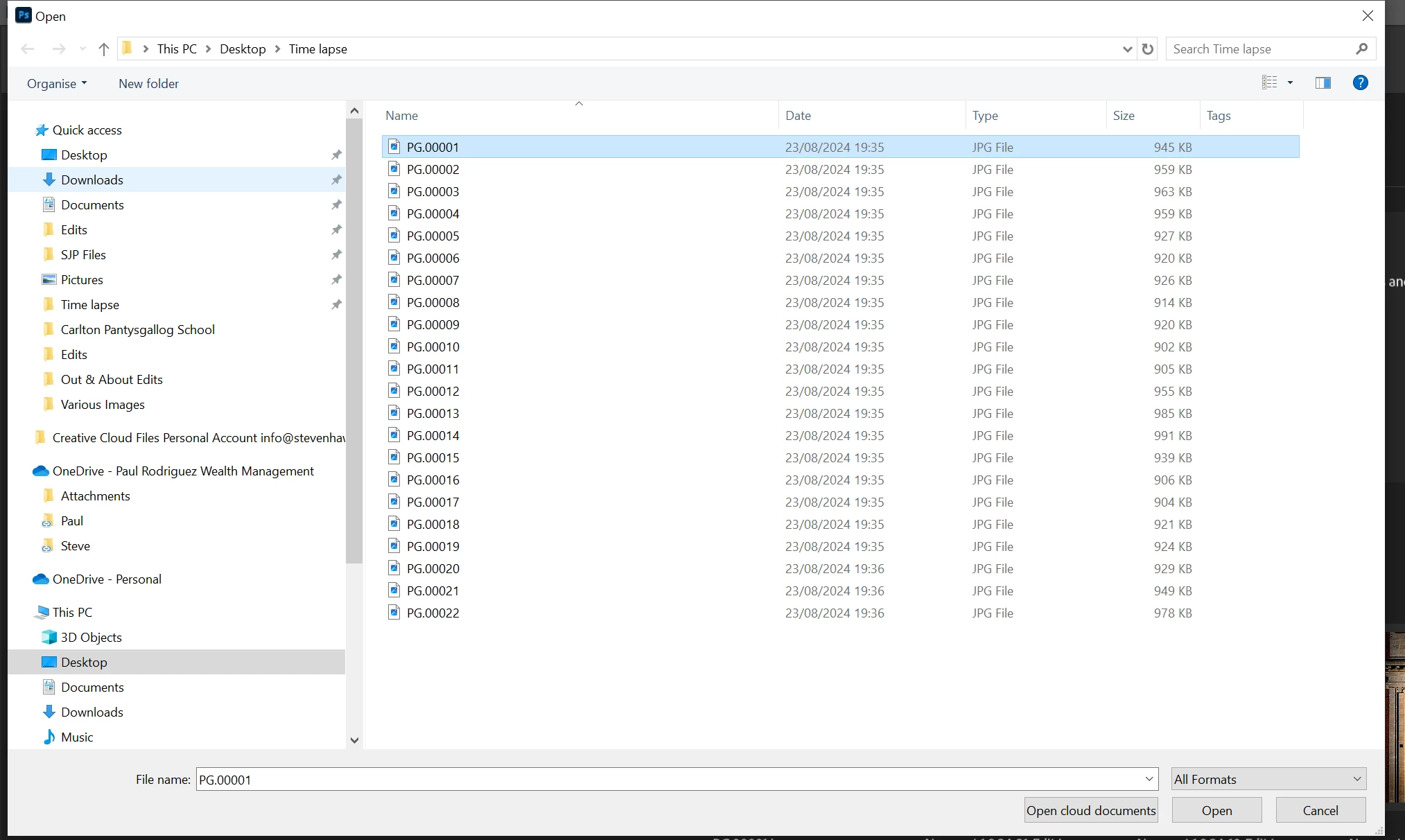
 

Any ideas/suggestions?

Steve.

This topic has been closed for replies.

1 reply

Myra Ferguson
Community Expert
Community Expert
August 23, 2024

I'm on Window 10 using Photoshop 25.11.0, and I am able to see the Image Sequence option for either sequences using JPGs or PNGs.


If you're using a different version, then you might update Photoshop.


You could also try resetting your preferences:

https://helpx.adobe.com/photoshop/using/preferences.html#reset-preferences


Or you could try unintalling and reinstalling Photoshop in case there's an installation issue.


Finally, you could try using the Adobe Creative Cloud Cleaner Tool:

https://helpx.adobe.com/creative-cloud/kb/cc-cleaner-tool-installation-problems.html


Participant
September 1, 2024

Thanks Myra!

In the end I couldn't waste any more time on it so I downloaded Photoshop on my wife's laptop. That had the Image Sequence option and the time lapse was done in 10 minutes.