Participant
March 28, 2023
Answered

Modifier keys panel is missing

  • March 28, 2023
  • 3 replies
  • 1484 views

I can't find the modifier keys window since the last update. The search panel doesn't show any results. Does anyone else have this issue, and have you been able to fix it?

This topic has been closed for replies.
Correct answer Phyan

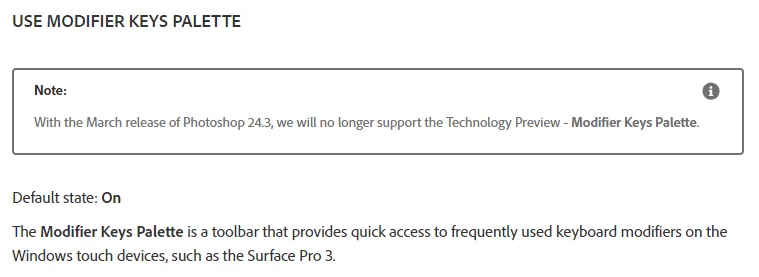
With the latest update (Photoshop 24.3) their support was discontinued

You can try to rollback your Photoshop version using this guide if needed
Or use 3rd party app like Numpad Emulator to bring them back.

3 replies

Participant
November 13, 2024

Hi,

I also miss the modifier keys - would be great to get back.

PhyanCorrect answer
Participating Frequently
April 1, 2023

With the latest update (Photoshop 24.3) their support was discontinued

You can try to rollback your Photoshop version using this guide if needed
Or use 3rd party app like Numpad Emulator to bring them back.

Kevin Stohlmeyer
Community Expert
Community Expert
March 28, 2023

Hi @Ozwy CG "modifier keys window" - do you mean the keyboard shortcuts window?

Go to Edit>Keyboard Shortcuts.


Ozwy CGAuthor
Participant
March 28, 2023

Hi @Kevin Stohlmeyer, no that's not the one I meant. I'm talking about a small panel with 3 buttons with the functions of the keys "shift", "ctrl" and "alt", that's pretty useful when drawing on a tablet to set on hold a specific function without the keyboard. It used to be on Window>Modifier Keys but it doesn't appear anymore and the search bar doesn't display any results.

Kevin Stohlmeyer
Community Expert
Community Expert
March 28, 2023

Hi @Ozwy CG try going to Preferences/Technology Preview and see if you have "Use Modifier Keys Palette" checked.