Hi,
Please answer the following queries regarding your issue:
- Since you deleted the files from Windows explorer/Bridge, are you able to see them in older catalogs in PSE as missing files?
Missing files look like this, with a question mark icon over them:
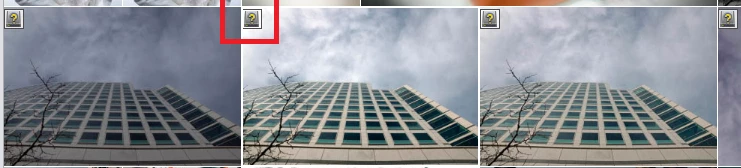
- If these files still show up in newer catalogs, as you mentioned, select one such file. click on "Location" under information tab in right panel.
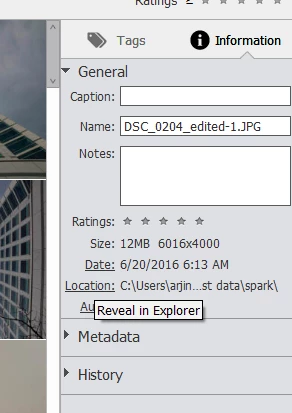
If it opens up in the windows explorer then that means the files are still present on your system which is why they are showing up.
- In Organizer, open the desired catalog where you see this issue. Go to Find menu> All missing files.
This will list all the files which don't exist on their location, either because they have been deleted or their location have been changed from outside of EO. You can select them and delete them.
Note: As a precautionary step for future, you should delete the files from within EO by checking the following option:
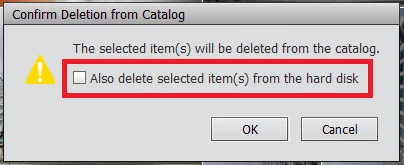
This would delete the files from hard disk as well as EO.
Please get back with your responses and I would be glad to assist you further.
Thanks,
Arshla





 AdChoices