


Participant
September 28, 2022
Question

360 files not showing in import list in Premiere Pro

  • September 28, 2022
  • 1 reply
  • 2134 views

I created a new project in Premiere Pro. When I try to import my .360 files from my gopro max the .360 files needed don't show. Why doesn't Premiere Pro show these? They showed in my last project. 


I've attached a word file with screen shots showing 1) the files on my windows PC and 2) that they don't show im Premiere Pro
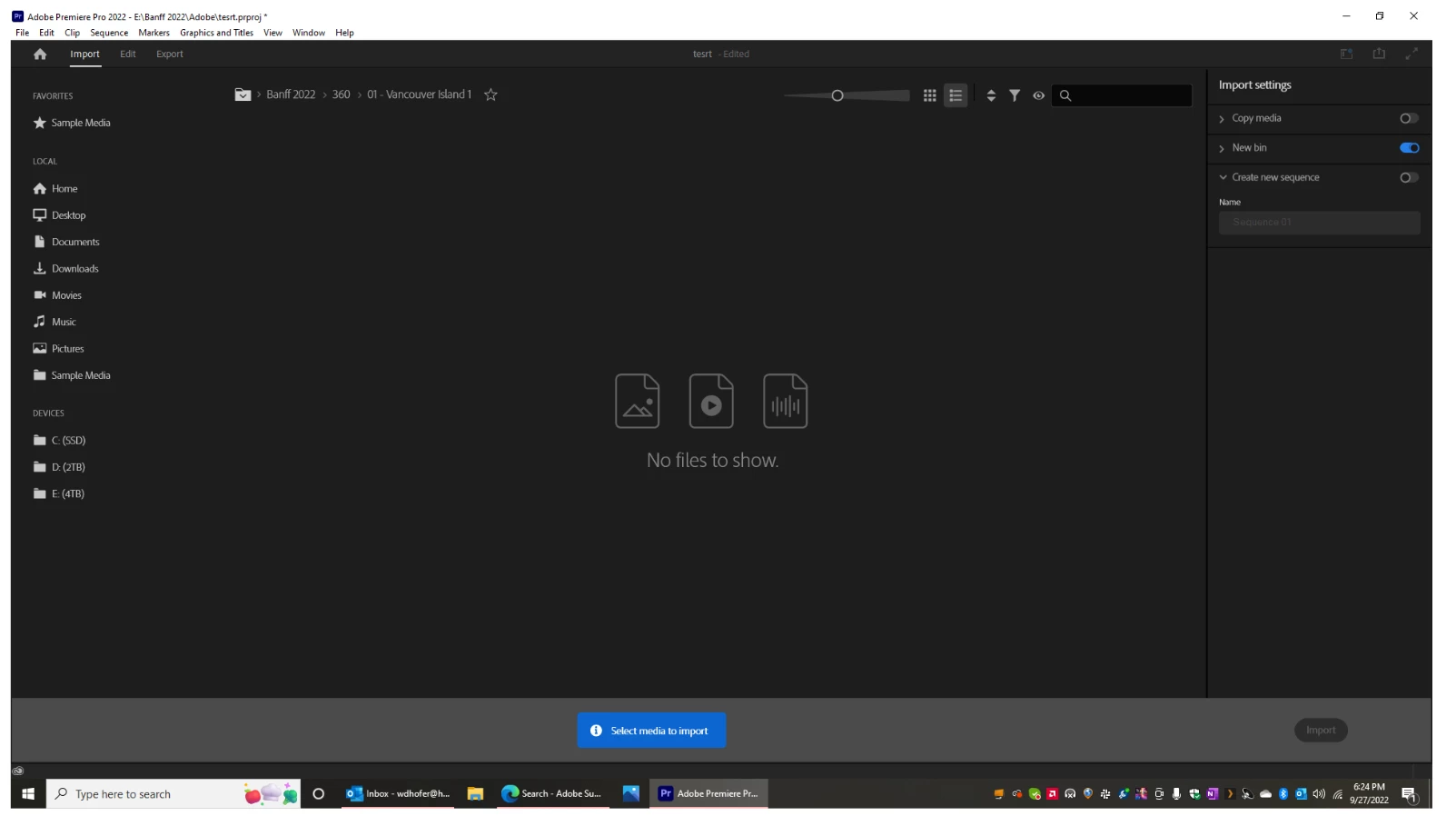
[Please embed screenshots into the forum> pulled this one from the Word doc. MOD]

This topic has been closed for replies.

1 reply

Stan Jones
Community Expert
Community Expert
September 28, 2022

Do the .360 files require a plugin? Is it installed?


Make sure that a) you have nothing entered in the search box, and that the filter is set to "all files," not just "supported files."


Stan


Participant
September 28, 2022

Yes and yes.


There is no 'all files' option for the import filter. Regardless, the .360 file format is supported by Premiere Pro.

Stan Jones
Community Expert
Community Expert
September 28, 2022

Sorry, correct. Use Media Browser which does have "all files." When I simply put a file named "xyz.360," the Import mode screen does not see it. In Media Browser, "all supported files" did not see it - "all files" did.


I see an older thread that discussed plugins, and the omission from supported types made me wonder.


Stan