


Participant
March 1, 2023
Answered

BorisFX Sapphire & Continuum isn't showing up in Premiere Pro

  • March 1, 2023
  • 3 replies
  • 2248 views

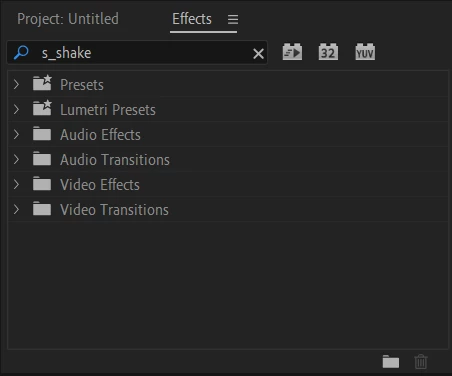
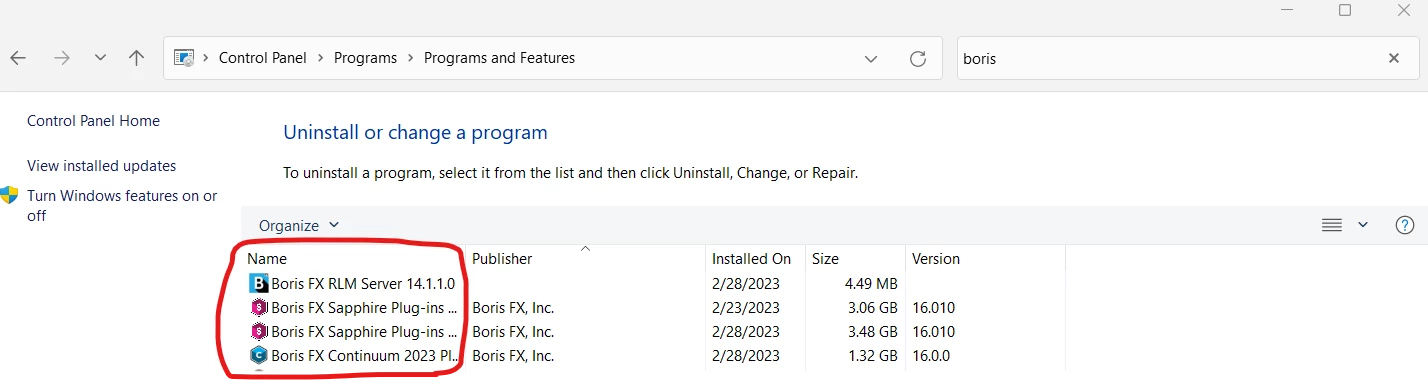
I am having this issue since yesterday on both After Effects & Premiere Pro. My version of Premiere Pro is: 23.2, my platform and OS version is Windows 11. I have installed BorisFX Continuum and SapphireFX with bought licenses, I had the other previous versions before and I had upgraded to the newest version of Sapphire & Continuum. The thing is, however, is that prior to this problem it worked just fine and when I was loading into Premiere Pro it totally would show S_Shake when launching into Premiere Pro.. So now whenever I launch Premiere Pro now with a newer version of SapphireFX & Continuum, it totally doesn't show anything on the launch screen and whenever I try to look for S_Shake or whatever special effect I am trying to look for in the effects window, it doesn't show up. There is nothing there, so I've been frustrated about this recently, and hopefully I can get the problem ironed out with the community's help. Please let me know if there is any fix to this, I will attach two images that shows what is going on, thanks!


This topic has been closed for replies.
Correct answer Jennifer233753083eoa

Sorry everyone! I found out the problem and it was because I downloaded OFX and not the one for Adobe After Effects, thanks for the help! I had contacted support a while back and they solved it.

3 replies

Jennifer233753083eoaAuthorCorrect answer
Participant
June 27, 2023

Sorry everyone! I found out the problem and it was because I downloaded OFX and not the one for Adobe After Effects, thanks for the help! I had contacted support a while back and they solved it.

Harry J. Frank
Participating Frequently
April 19, 2023

Hi Jennifer! I am sorry that you are running into issues with Sapphire installation. I can offer up a couple options for you: 


1) Submit a support ticket to the support team here: https://support.borisfx.com/hc/en-us/requests/new


2) Visit our forum at https://forum.borisfx.com/ to ask the team, inluding the product specialists, managers and developers. (Although in your case with a licensing issue, I'd still recommend the first option.)


I hope that helps. Please let me know if you need further help getting this resolved.


Harry Frank | Director of Communities, BorisFX
Ann Bens
Community Expert
Community Expert
March 1, 2023

Best is to contact vendor.