flbreen9380904
Inspiring
May 5, 2024
Question

Multi Camera Program Layout Problem

  • May 5, 2024
  • 5 replies
  • 433 views

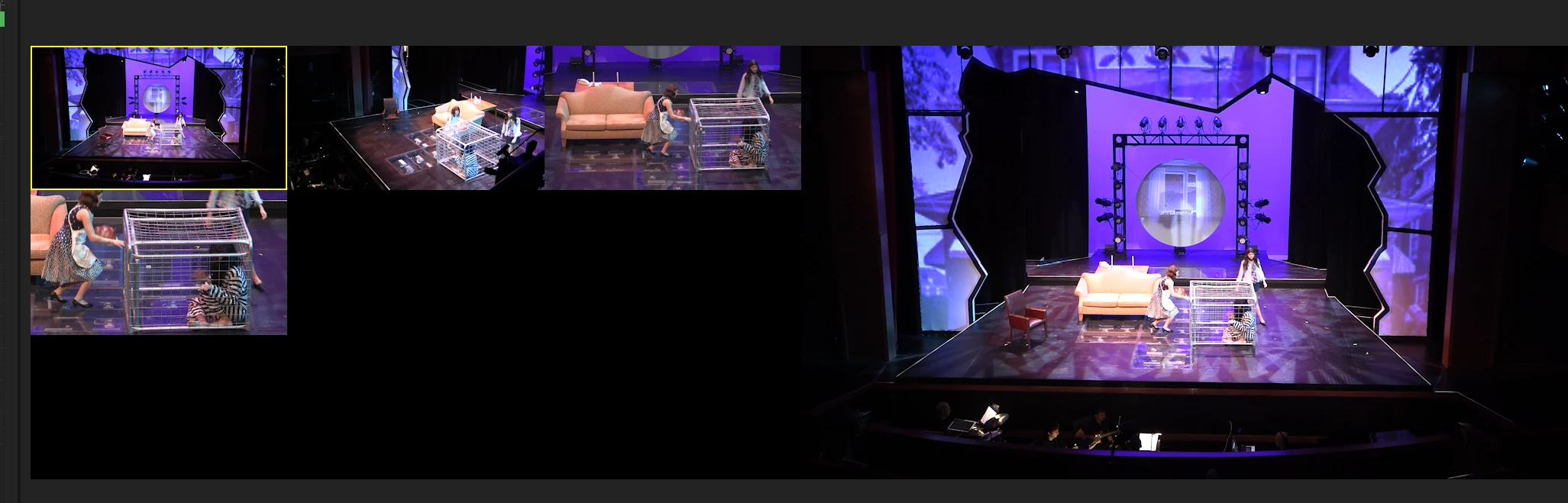
The problem is that I want 2 columns rather than the 3 shown here. I cannot figure out how the change the way the program window displays the camera angles.

This topic has been closed for replies.

5 replies

Ann Bens
Community Expert
Community Expert
May 6, 2024

Just tested this 4 cameras and 1 extra audio track will trigger 3 in a row.

Maybe next time start with just the cameras and add the audio after multicam is enabled.

flbreen9380904
Inspiring
May 8, 2024

It was not the audio tracks that were causing the 3rd column. There was an empty 5th video track on top of the 4 filled video tracks that was causing the 3rd column. There were always only 4 filled audio tracks. I deleted a 5th empty audio track and that did not help. I deleted the empty 5th video track and the problem was solved. Thanks, you gave me the idea to delete tracks.


flbreen9380904
Inspiring
May 6, 2024

It was always 4 video tracks. I may have had 5 audio tracks when I enabled multi-camera.

Ann Bens
Community Expert
Community Expert
May 5, 2024

Sorry you can have 2 by 2.

Did you start out with 4 cameras?

flbreen9380904
Inspiring
May 5, 2024

Why is 3 a default here? I have made several 4 camera setups and it comes out to 2 columns and 2 rows.

Ann Bens
Community Expert
Community Expert
May 5, 2024

It's a default setting 3 to one row. Cannot change this.

Moving request to Idea Board.