


rungun88
Participant
November 21, 2018
解決済み

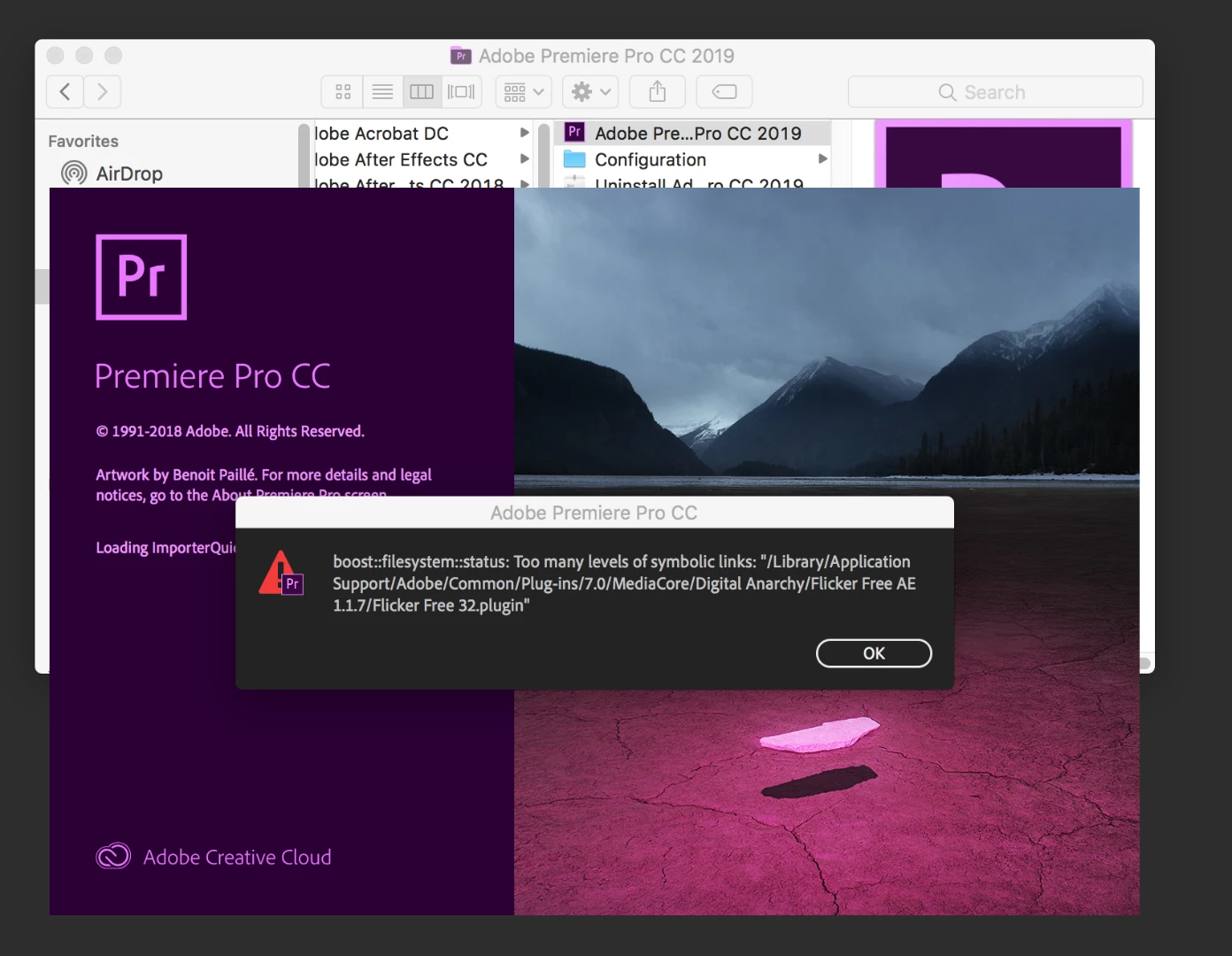
Premiere CC 2019 Won't Open - "Too many levels of symbolic links"

  • November 21, 2018
  • 返信数 2.
  • 3599 ビュー

Hi all,

In a major bind trying to finish an edit and ever since I installed Digital Anarchy's Deflicker, Premiere won't open and throws the error in the screen capture posted below.  I uninstalled Digital Anarchy to no avail.  I also uninstalled the entire creative suite and reinstalled and still getting the same error.  I'm assuming there is a cache or some setting syncing with my old settings when I reinstall.

Anybody know how I can resolve this or know how I can completely remove all Adobe settings, presets, etc off my computer for a brand new fresh install?

Edit: Also when I follow the path below to see the files in question, there is no plug-ins folder in Common.

Any and all help appreciated, Thank you.
このトピックへの返信は締め切られました。
解決に役立った回答 rungun88

Not exactly, but I appreciate the response.

Sorry i Forgot to come back and update, but after trying nearly everything I finally found buried in a cached folder an old version of flicker free installed for an older version of premiere (2016).  inside that folder was a broken uninstall file and a broken 32bit file and once deleted premiere started back up with no issue.

Hope this helps anyone with the same troubles.

返信数 2

caroline_edits
Community Manager
Community Manager
November 30, 2018

Hey RunGun!

Were you able to get back to work with BikeVeloce's suggestion?

-Caroline

rungun88
rungun88作成者解決!
Participant
December 1, 2018

Not exactly, but I appreciate the response.

Sorry i Forgot to come back and update, but after trying nearly everything I finally found buried in a cached folder an old version of flicker free installed for an older version of premiere (2016).  inside that folder was a broken uninstall file and a broken 32bit file and once deleted premiere started back up with no issue.

Hope this helps anyone with the same troubles.

Roddega
Participant
December 5, 2018

Was curious where you found this folder? I'm in a similar bind right now!

Participant
November 27, 2018

Need to uninstall the plugin and make sure it's removed from Premiere 2018 preferences, then reinstall Premiere 2019.