Participant
May 3, 2023
質問

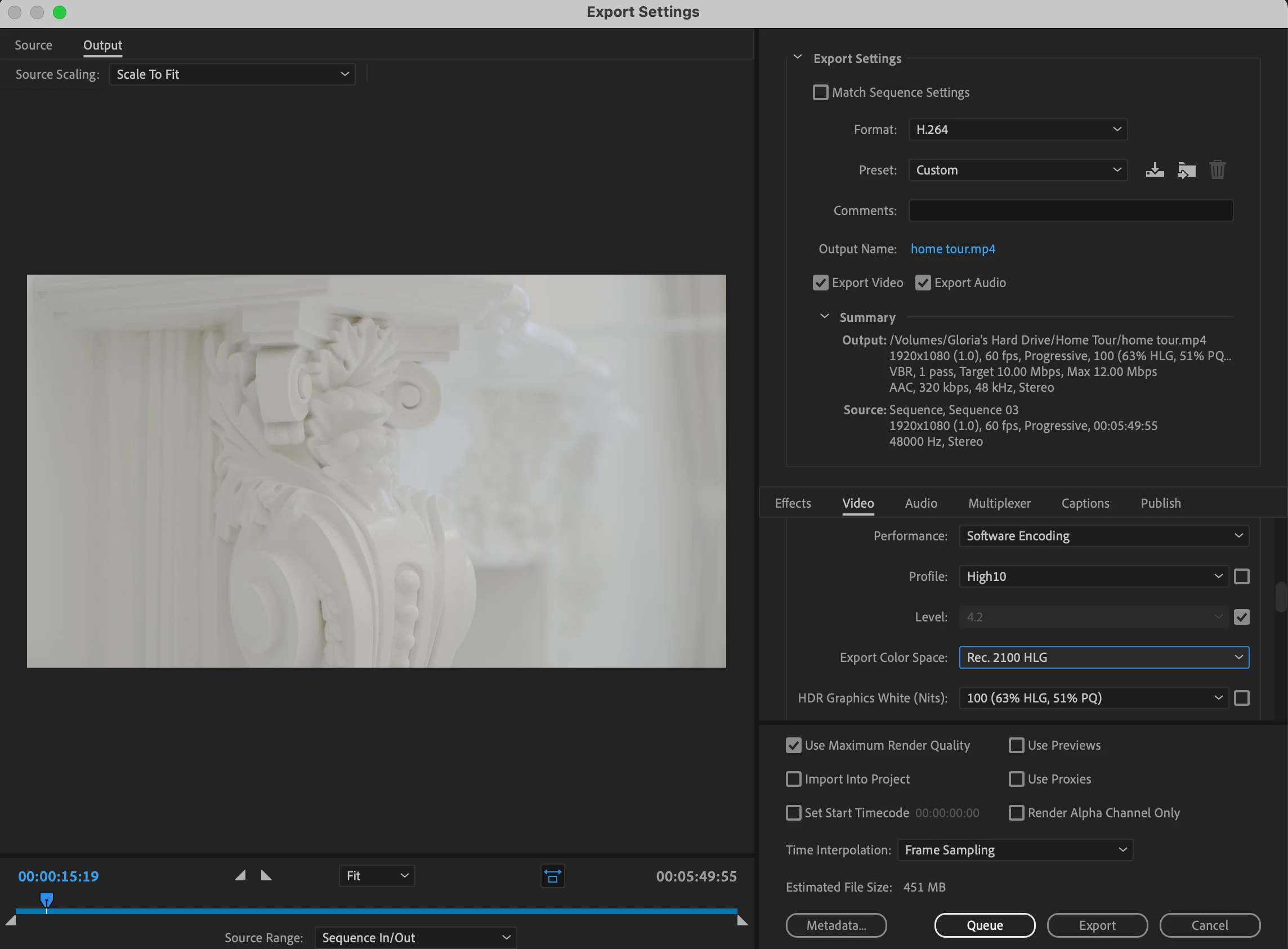
Premiere Pro Rec.2100 HLG export footage turned purple

My 2100 HLG footage looks fine when I edit in Premiere Pro 2022 (I set the sequence setting to 2100 HLG),  and I also changed the export setting to High10/ Rec. 2100 HLG. The footage looks normal while I'm exporting, but as soon as it gets exported, the video looks purple and it's also not a compatible format with QuickTime Player. I read all the articles but no one mentions this issue. Please help! 
 

このトピックへの返信は締め切られました。

返信数 3

Participant
May 3, 2023

I think you're onto something here... I changed the export format to HEVC (H.265), the purple issue is gone! The only problem remaining is that some footage appear more red than my original footage... Those were shot as Rec. 709 but I override them as 2100 HLG to keep it consistent, otherwise they would look washed out. Any idea how to rectify that? 

Participant
May 3, 2023

I think you're onto something here... I changed the export format to HEVC (H.265), the purple issue is gone! The only problem remaining is that some footage appear more red than my original footage... Those were shot as Rec. 709 but I override them as 2100 HLG to keep it consistent, otherwise they would look washed out. Any idea how to rectify that? 

Shebbe
Community Expert
Community Expert
May 3, 2023

I could be wrong as I don't have experience delivering HDR formats but aren't those only possible in 10bit H265 4K?