Participant
May 10, 2020
解決済み

Shot in 60 FPS but file properties showing as 23.976 - trying to get to play at normal speed

  • May 10, 2020
  • 返信数 1.
  • 3936 ビュー

Shot project on a Sony FX9. We shot what I thought was 60 FPS with the intent to have quality slow motion for small parts (normal 24 for most of it). I have done this before with other footage from other cameras and never had a problem. 


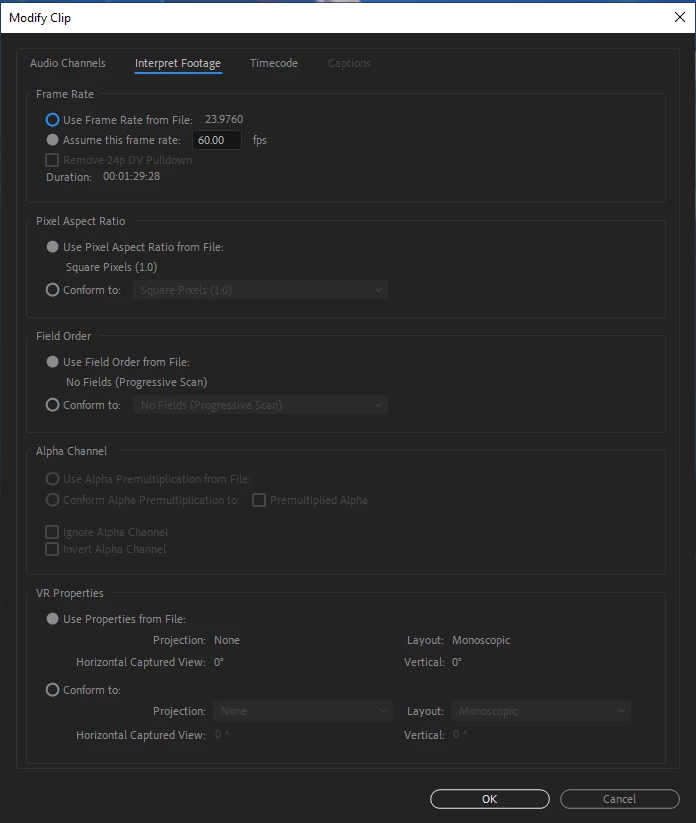
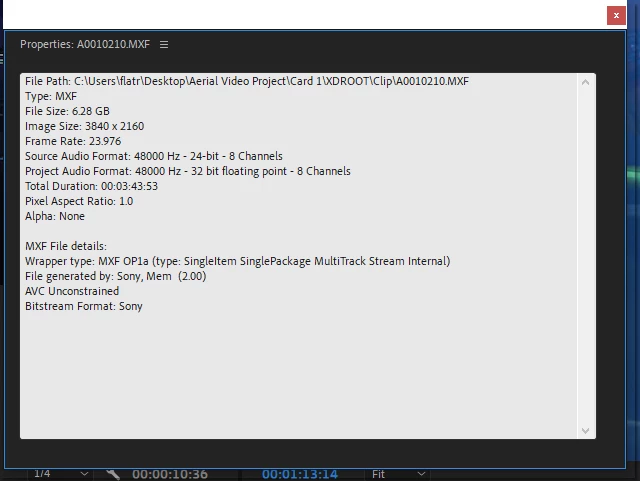
All that said, when I look at the properties for these clips, they show 23.976 FPS (see screenshot) even though I know they are not. When I play them in the viewer, they play slow motion. 


I understand the process of enterpriting the footage but when I try that (and render it), it seems to play faster than I would expect. Is there a correct ratio or frame rate that this footage should be set to be enterprited? I have tried 60 and 59.94 and again, it seems fast and slighly choppy. 


As a side note, I don't have any audio on these clips so thankfully that is not an issue that has to be dealt with. 
 

このトピックへの返信は締め切られました。
解決に役立った回答 Ovenbird55

Thank you MTD. Very thorough and helpful. It turns out it was shot with a frame rate of 60 and laid down 23.976. I tried your suggestion of setting to 250+ on a 23.976 sequence and it looked pretty good. 


Is 250 the right number or can it vary? I am looking for as close to perfect that I can get. 


Also for the Time Interpolation setting, do you suggest leaving it at the default "frame sampling" or using "frame blending" or "optical flow". 


I really appreciate the effort in your response!

返信数 1

Inspiring
May 10, 2020

Did you set the FX9 to a frame rate of 60 fps, or set it to 23.976 and then use the Slow & Quick Motion feature to set 60fps? If the latter then the camera creates the file at 23.976 with the footage running in slow motion. See the manual page 42:

My suspicion is that the apparent "seems to play faster than I would expect" may be from having viewed the footage in slowmotion and then comparing it with real time (corrected speed) playback.

If you are seeing choppiness have you rendered the footage on the timeline?

Place a clip of your slowmotion footage on a 23.976 timeline, then set the speed of the clip to +250,  render the clip and check playback.

MtD

Ovenbird55作成者解決!
Participant
May 10, 2020

Thank you MTD. Very thorough and helpful. It turns out it was shot with a frame rate of 60 and laid down 23.976. I tried your suggestion of setting to 250+ on a 23.976 sequence and it looked pretty good. 


Is 250 the right number or can it vary? I am looking for as close to perfect that I can get. 


Also for the Time Interpolation setting, do you suggest leaving it at the default "frame sampling" or using "frame blending" or "optical flow". 


I really appreciate the effort in your response!

Inspiring
May 10, 2020

When you do the math it is 249.958298582151793, which if you try to enter Premiere will round to 249.96. I've never had problems with 250, but have not had a situation where there was sync sound on a 10 minute take to see if it drifted off or not.

Regarding Interpolation, that is your call, although my understanding is the the Interpolation options are designed to improve footage that is slowed down, to smooth over the stepping quality. I haven't used it for speeding up footage, but maybe some one else does and can tell you if it is worth it or not. You can always test and see if you are happier with the look.


MtD