


- Home
- After Effects
- Discussions
- After effects Sum Numbers & expressions
- After effects Sum Numbers & expressions

Copy link to clipboard
Copied
Goodmorning guys and to all forum!
I would like to ask a question...I would like to build a project which I will change two numbers and all of the following take place automatically! Explain...
Part 1:
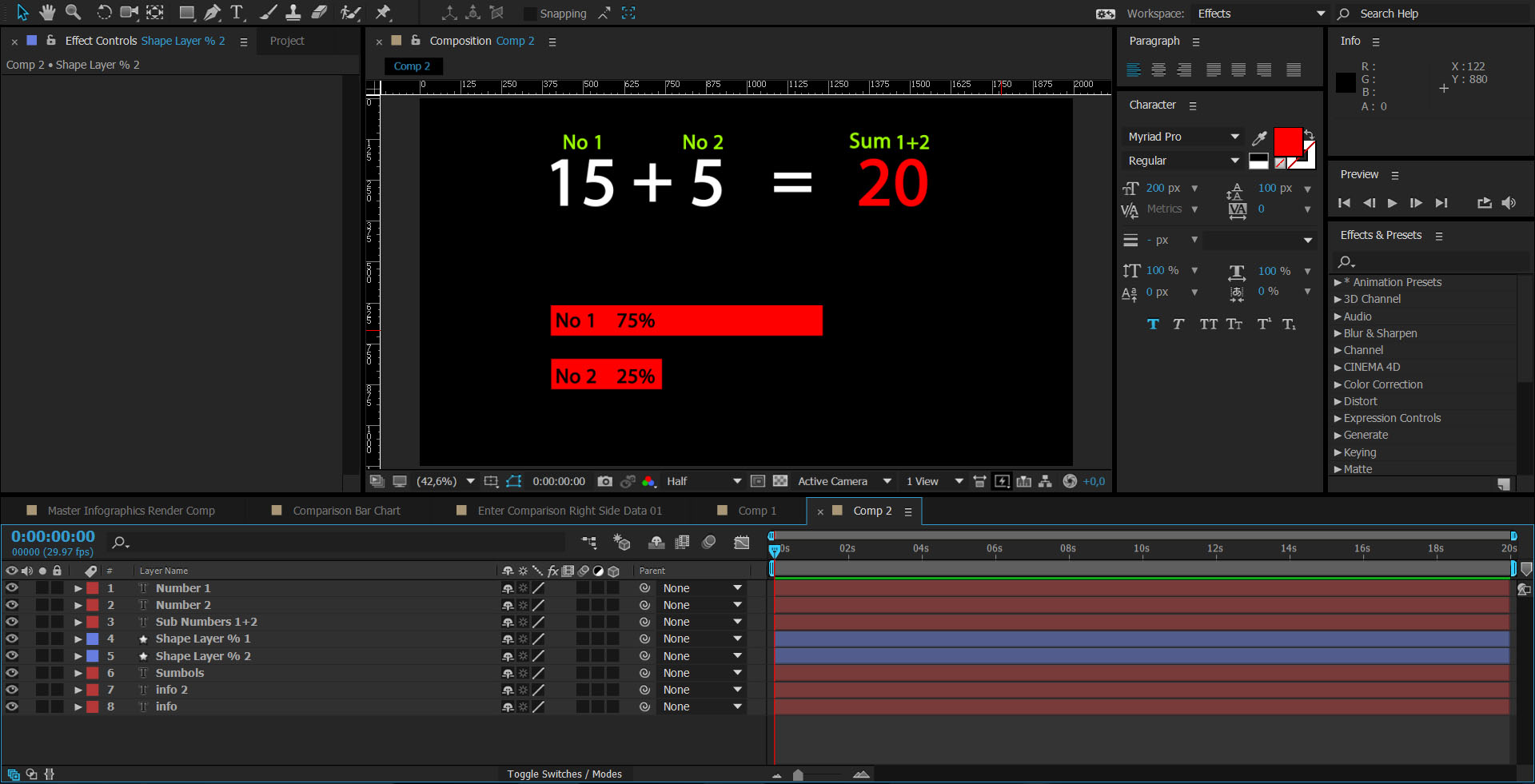
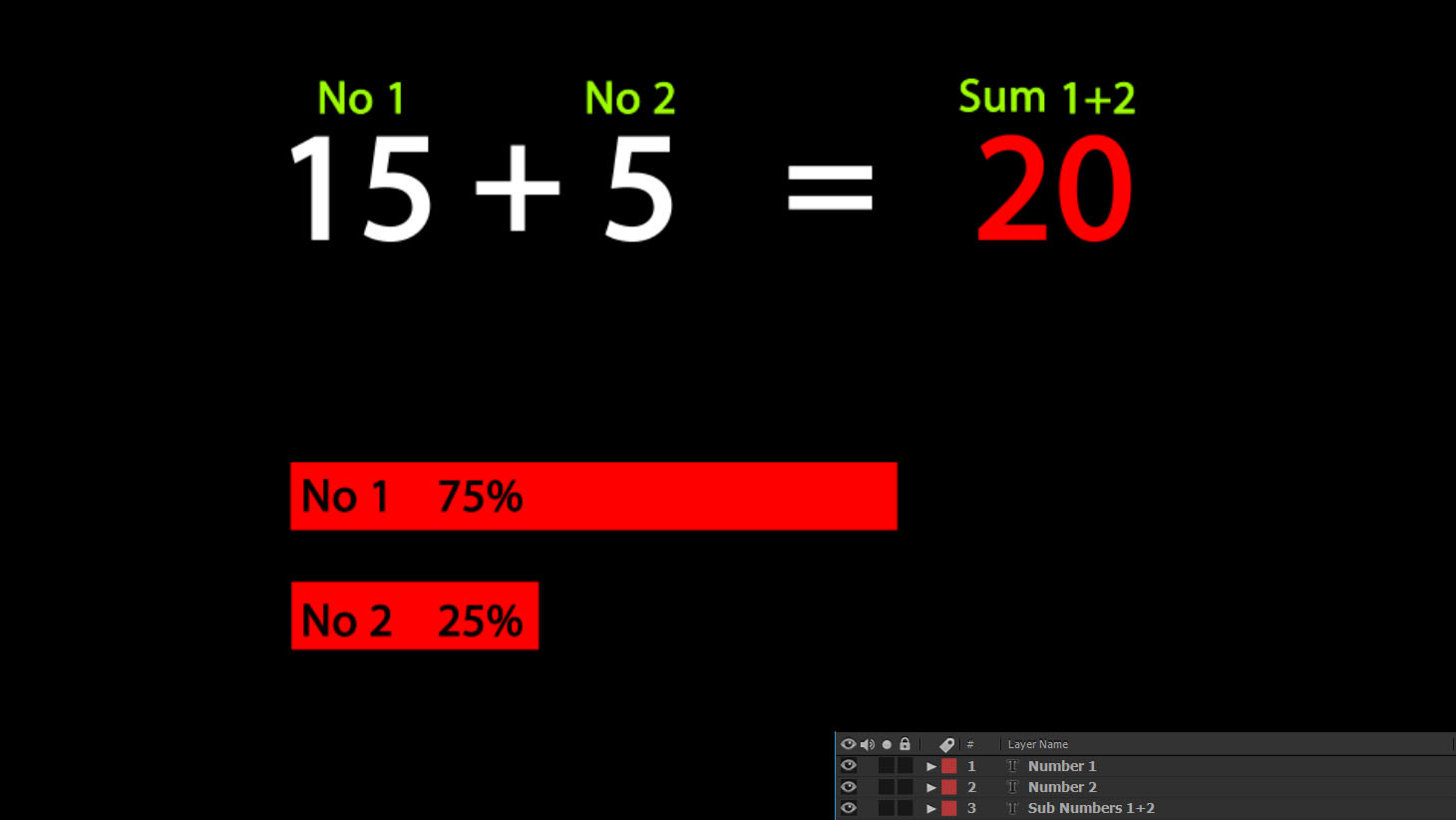
I have to layers, Number 1 and Number 2. Suppose I put to the No1 the value 15 and to the No2 the value 5. Automatically i want to a new layer sum this numbers (20) like the photo.
Part 2:
Next, I would like to built a chart below take the prices automatically according to the numbers that I gave. Explain...
From the above sum, i want the layer with the value 20 understands automatically that is the 100%. So to the chart the shapes changes automatically and understands that for the No1 with the value 15 is the 75% (15*100/20) and for the No2 with the value 5 is the 25% (5*100/20).
Probably i need for the value of the mumbers a Solid with Numbers effect and not a text? And if someone knows the expressions...
Sorry for my english, is not very well
Thank you all - Σας ευχαριστώ όλους (in Greek)
friendly John K.


 1 Correct answer

In your code the reference merely points to the layer name. A correct notation would be
thisComp.layer("A").text.sourceText
Mylenium

 12
Replies
12
12
Replies
12

Copy link to clipboard
Copied
No requirement for any Numbers effect. Native text layers can happily accept all kinds of expressions in their source Text property and in case of an addition, it works just like in the real world: a+b=c. Conversely, converting to percentages would be merely another division and multiplication, though yopu would wire it through a linear() interpolator. Therefore you get:
a=15;
b=5;
c=a+b;
percent_a=linear(a,0,c,0,100);
percent_a=linear(b,0,c,0,100);
The same formulas could then be applied to the scale of a rectangle or a linear wipe effect to control the length of your bars. You really don't need much more than this trivial stuff. Of course you may want to link the inputs to sliders or the actual input text layers for easy changes.
Mylenium

Copy link to clipboard
Copied
...however, I reecommend that you avoid LARGE numbers. You would soon run out of room on the screen.
Copy link to clipboard
Copied
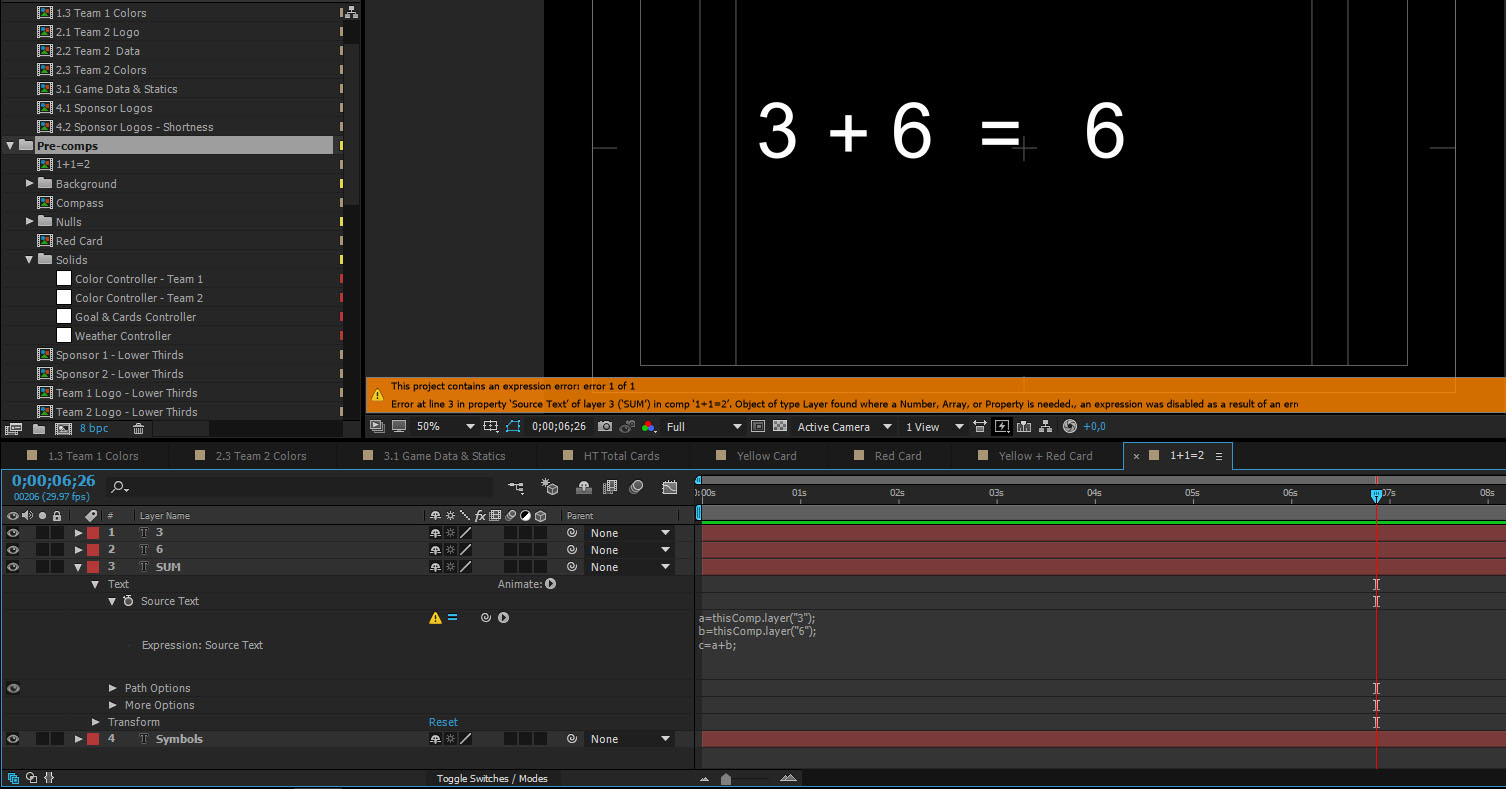
thank you my friend for immediate response! But this works only if you change the value in expression. When I connect with text layer and change from there the value, display problem in expression  . I want to change the value in first text layer, then in the second text layer and the third layer take the sum of this automatically...If in first text give the number 10, in second 20, should the third layer give the number 30 automatically... Thanks you again...John K.
Copy link to clipboard
Copied
In your code the reference merely points to the layer name. A correct notation would be
thisComp.layer("A").text.sourceText
Mylenium
Copy link to clipboard
Copied
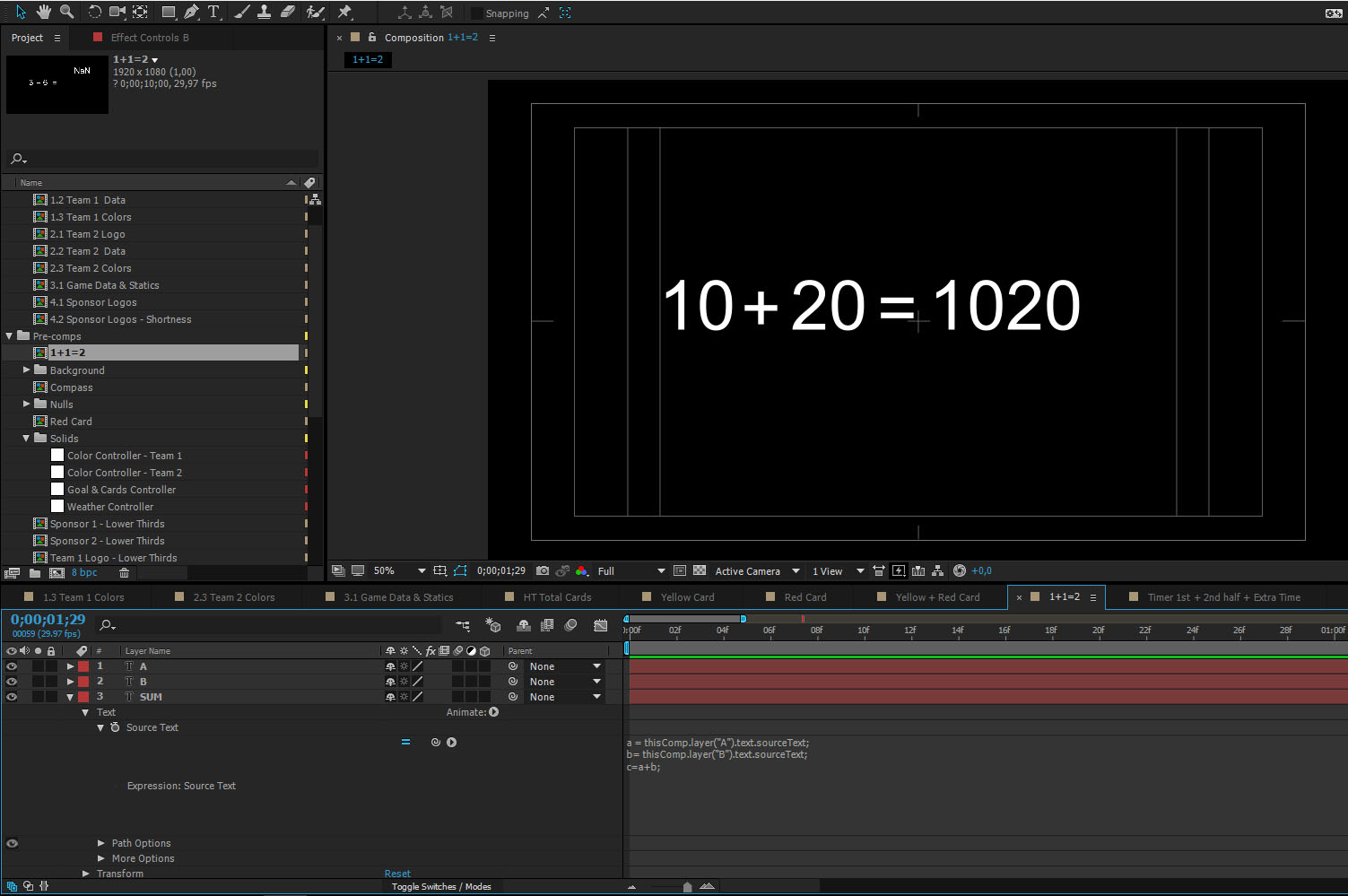
Sorry for the inconvenience again, but joins me numbers, no adds them...
Thanks you again for your time my friend!
Copy link to clipboard
Copied
Yeah, sorry. AE treats them as strings. You neet to convert them to numbers again:
parseInt(thisComp.layer("A").text.sourceText)
Mylenium
Copy link to clipboard
Copied
You are Master, Faster, Sweet Disaster! 
Thanks my friend! You are welcome! 

Copy link to clipboard
Copied
Hi Hello.
Good morning. So I am trying to get 3 different source text layers to come to a total number and I am not able to figure this one out so far.
This is the expression I wrote:
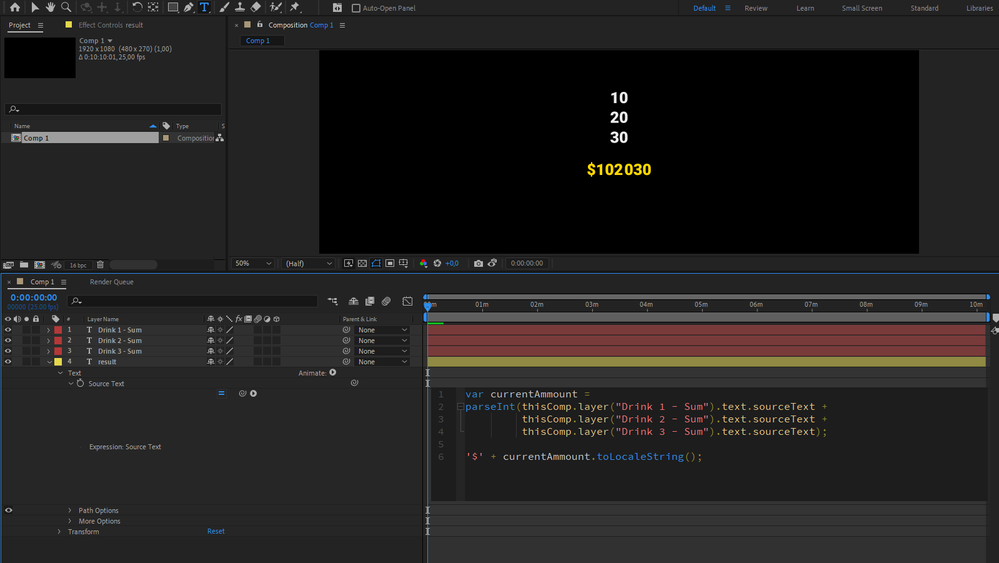
var currentAmmount = parseInt(thisComp.layer("Drink 1 - Sum").text.sourceText + thisComp.layer("Drink 2 - Sum").text.sourceText + thisComp.layer("Drink 3 - Sum").text.sourceText);
'$' + currentAmmount.toLocaleString();
The result is $ NaN .... ????
Thank you for any helping voice out there

Copy link to clipboard
Copied
For me your expression doesn't return NaN but the concatenation of values
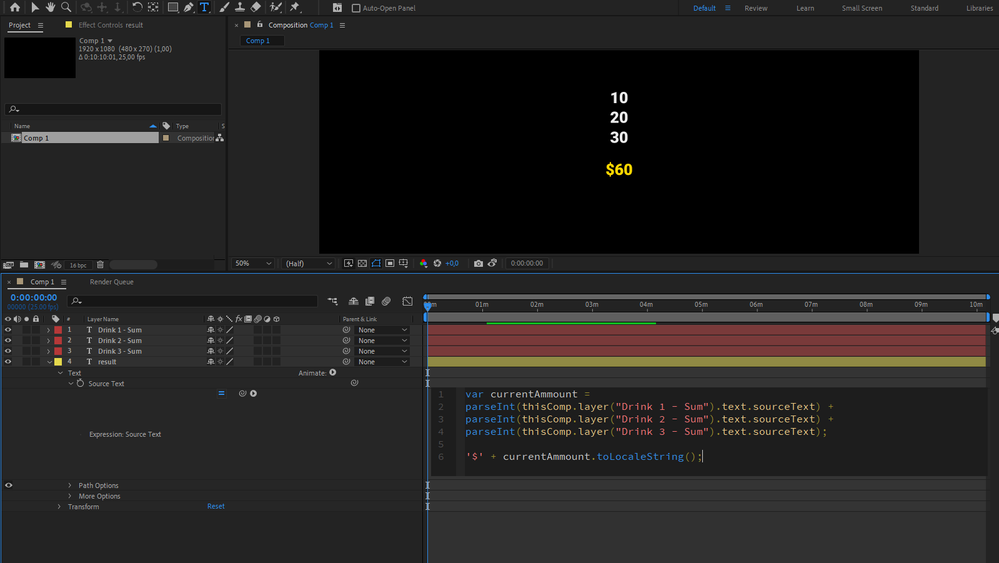
try this expresion:
var currentAmmount =
parseInt(thisComp.layer("Drink 1 - Sum").text.sourceText) +
parseInt(thisComp.layer("Drink 2 - Sum").text.sourceText) +
parseInt(thisComp.layer("Drink 3 - Sum").text.sourceText);

'$' + currentAmmount.toLocaleString();
Copy link to clipboard
Copied
Gotcha! That makes a lot of sense. Sorry I am a total newbie at this stuff
🙂
Copy link to clipboard
Copied
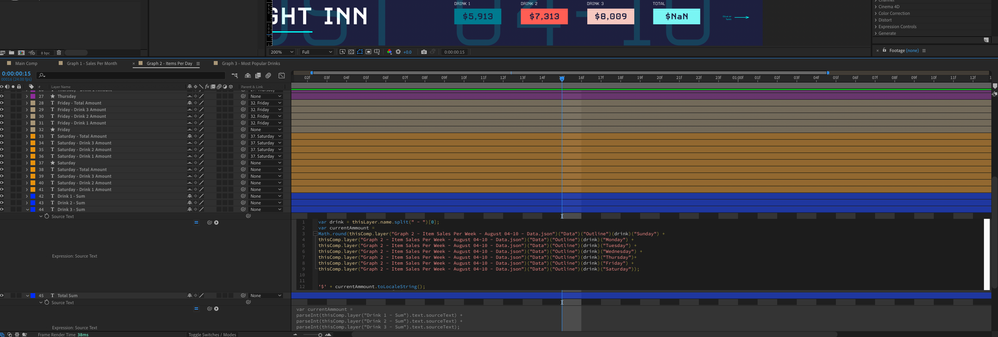
I guess I jumped the gun. I thought it would work but the source for each "drink" is not a number but a function with a sum of data relating to a series of days... I tried your expression and it still doesn't work. What's NaN?
Thank you
Copy link to clipboard
Copied
You need to use parseInt() :
parseInt(thisComp.layer("data.json")("Data")("Outline")(drink)("Sunday")) +
parseInt(thisComp.layer("data.json")("Data")("Outline")(drink)("Monday")) +
// and so on...


Get ready! An upgraded Adobe Community experience is coming in January.
Learn more
 AdChoices