Copy link to clipboard
Copied
I have an AI file that I exported as a PSD to import into AE. Some of the layers have the multiply blend mode. The effects carried over from AI to PS just fine. In AE, I can see the layer's blend mode is Multiply, but it's not actually working. Just for fun, I tried different blend modes and saw no changes. Is this a thing I don't know about? If not, how can I fix it? I have CC 2018 and AE 15.1.1 build 12 (and the previous version did work either), PS 19.1.5, and AI 22.1.
There's a sunburst switch in the timeline switches column. near the shy switch. Turn it on. It's will pass through the blend modes into the master comp. same as a layer group in photoshop defaults to "pass through"
Copy link to clipboard
Copied
Might be stating the obvious but do the layers with the blend mode have other layers beneath them? If so, it should work - show us a few screenshots where everything is fully visible.
Copy link to clipboard
Copied
Yes and no. The PSD I'm using is filled with groups. Within the individual groups, no, the blended layers don't have layers beneath. But, when I put the background I am to use on the bottom layer, the layers blend correctly. In After Effects, many of the groups are comps. Within the comps, there is not a layer under the blended layer because they all need to be translucent to show correctly on the background.
Here is the whole thing in PS.

This is just the logo in PS. The highlighted layer is one that should be on the multiply blend mode. As you can see, the effect doesn't show right now because there is no layer underneath. But as you can see above, it works when something is underneath.
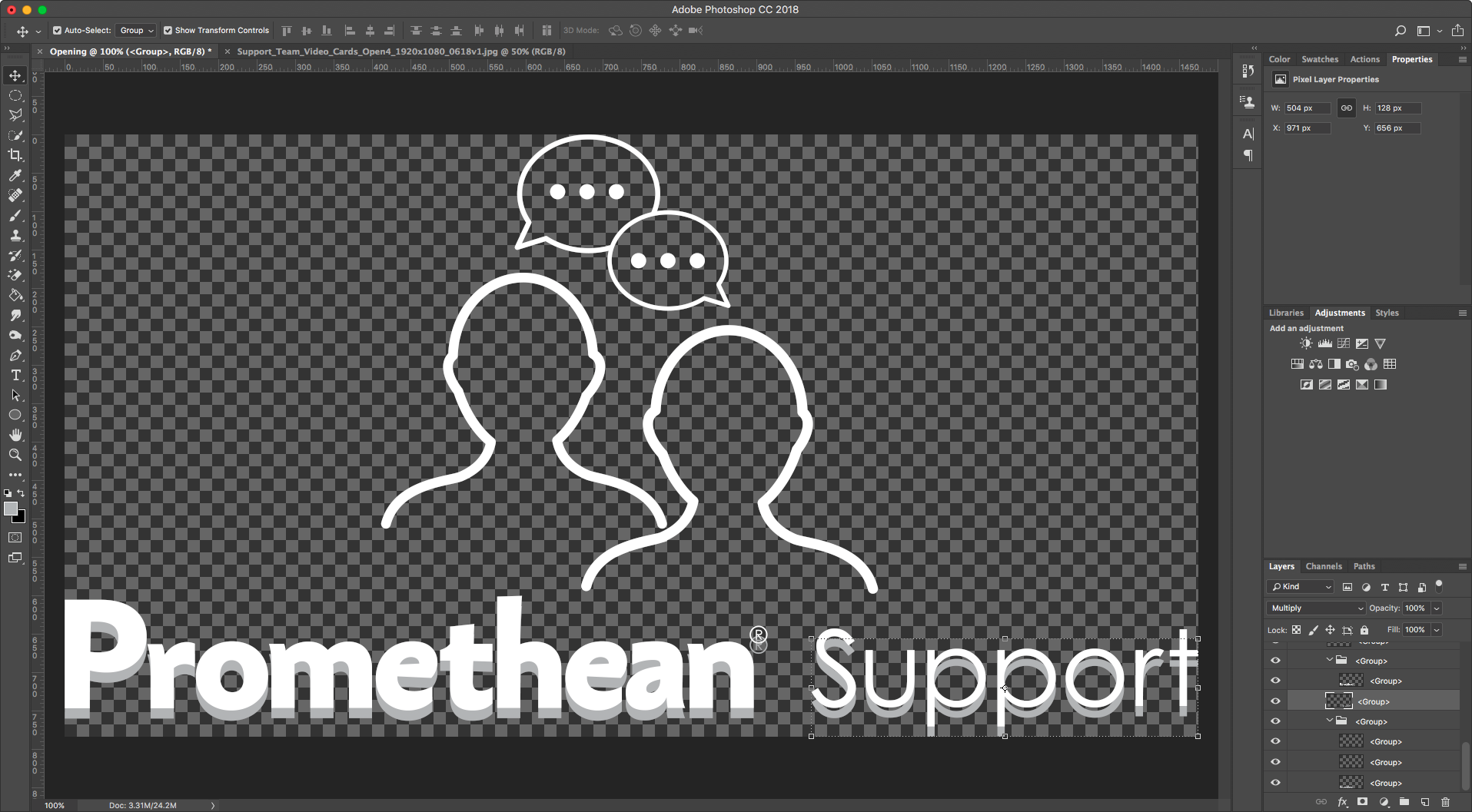
In AE, you can tell that the layer mode did import.

But, the effect does not show.


Copy link to clipboard
Copied
There's a sunburst switch in the timeline switches column. near the shy switch. Turn it on. It's will pass through the blend modes into the master comp. same as a layer group in photoshop defaults to "pass through"
Copy link to clipboard
Copied
Ah HA! Thank you very much!
Get ready! An upgraded Adobe Community experience is coming in January.
Learn more

