Thanks so much, that incredibly precise answer and an hour of my time solved the problem. I do hope I did not pull you away from your work at the State Department too long. Say Hi to Rex for me.
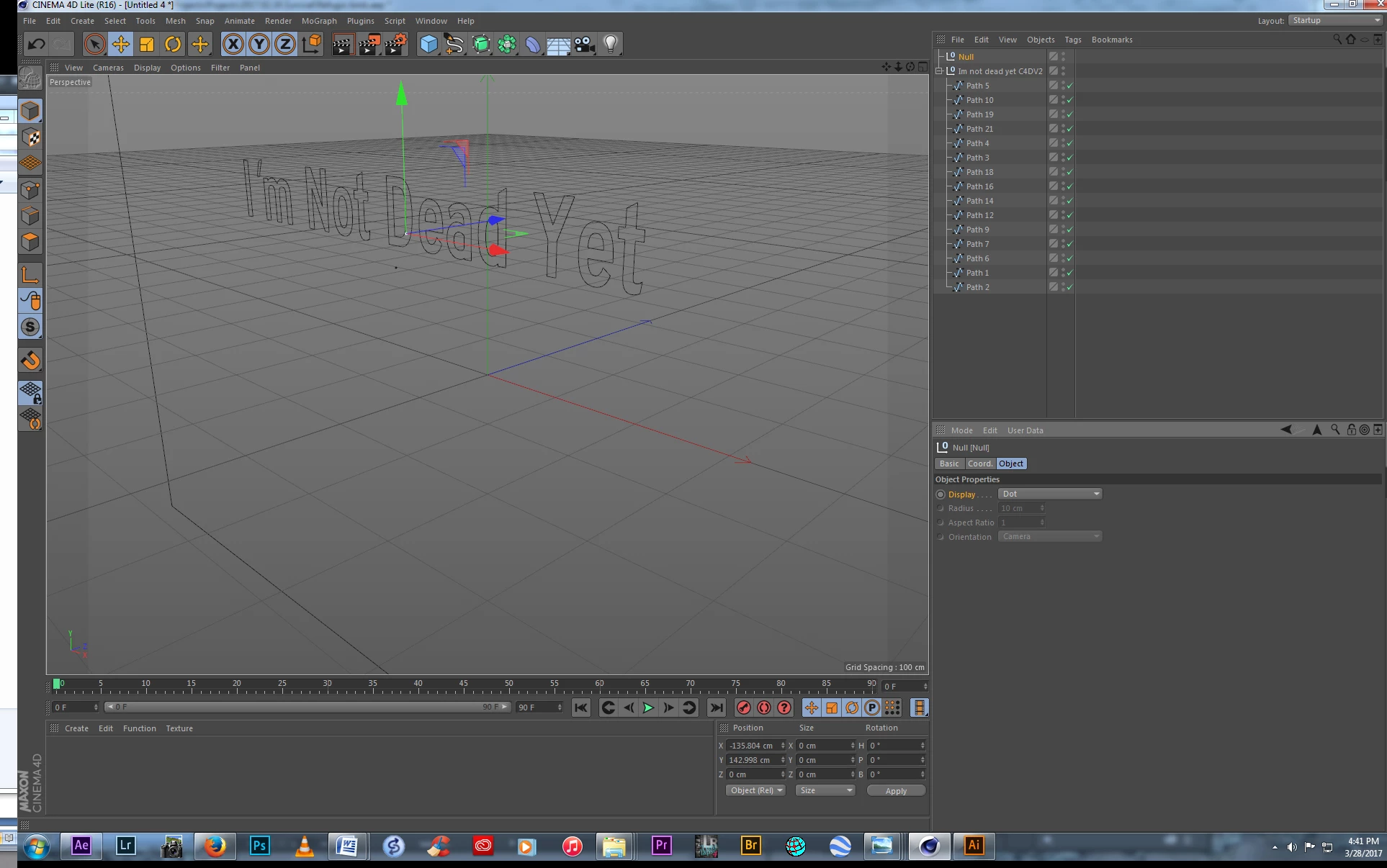
If someone else gets stuck, and happens upon this- The Maxon tutorials I was directed to when I installed the program did not help. They are, to my inexperienced eyes, designed for someone creating shapes from scratch. I simply wanted to extrude some text. Nor did the Lynda.com tutorials help (they are usually pretty good) and I could not get anywhere with Maxon's on-line help. I found the solution in a comment posted to a lame YouTube tutorial done by a kid in his basement, you know, the kind that start out "Yo Dudes". Go figure.
Maxon changed the name of Extrude Nurbs to Extrude. All the tutorials I found told me to use Extrude Nurbs to get the null to extrude. I spent a lot of time trying to figure out how to get to the Extrude Nurbs command. I could not find it, mostly because it is not there. After you do all the other steps in Illustrator- saving in 8, centering and creating outlines it will still come in as a null and you have to apply that to get it to extrude.
Two steps to solve the problem- first drag Extrude from the top pull down menu- it is in the sub-menu of the green cube with a scaffold around it icon- onto your file in the menu at the right of your screen, then do not forget to, under the Object tab menu down below it- check the Hierarchical box. And then Bob's your uncle.


 AdChoices