


Known Participant
February 18, 2019
Question

Can't get trim paths to work on AI drawn Path

  • February 18, 2019
  • 2 replies
  • 3383 views

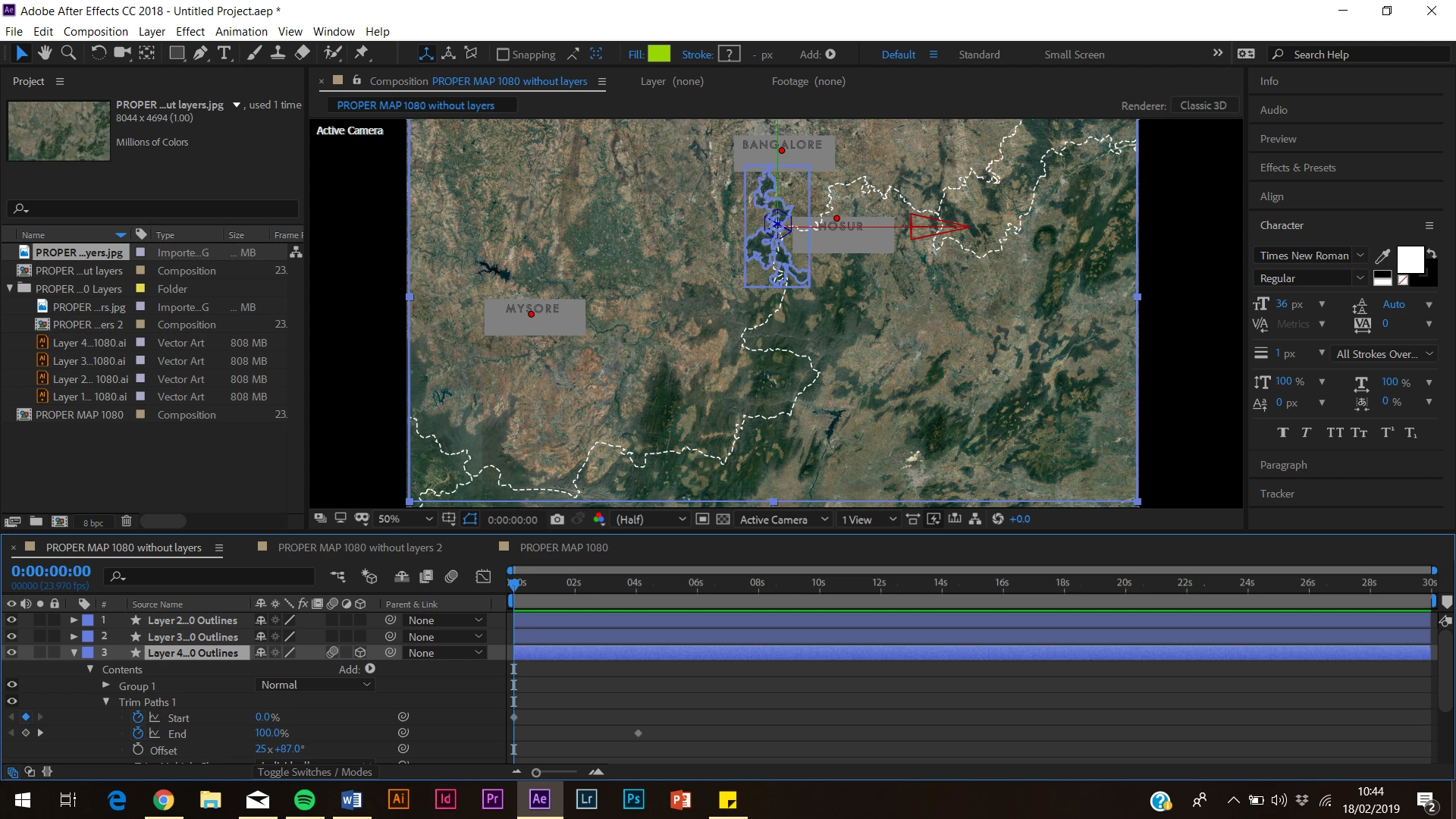
I am trying to animate the outline of this national park for a documentary I am producing. The path was drawn in AI as its own layer and I have converted to vector shape in AE but when I set trim path to 0% nothing happens. HELP!!!
This topic has been closed for replies.

2 replies

Mike_Abbott
Legend
February 18, 2019

OK. With your 'contents' group selected, look for the 'add' menu to the right.

Select 'add stroke'

Make sure the stacking order is:

Your paths

Your stroke

Your trim path operator

Known Participant
February 18, 2019

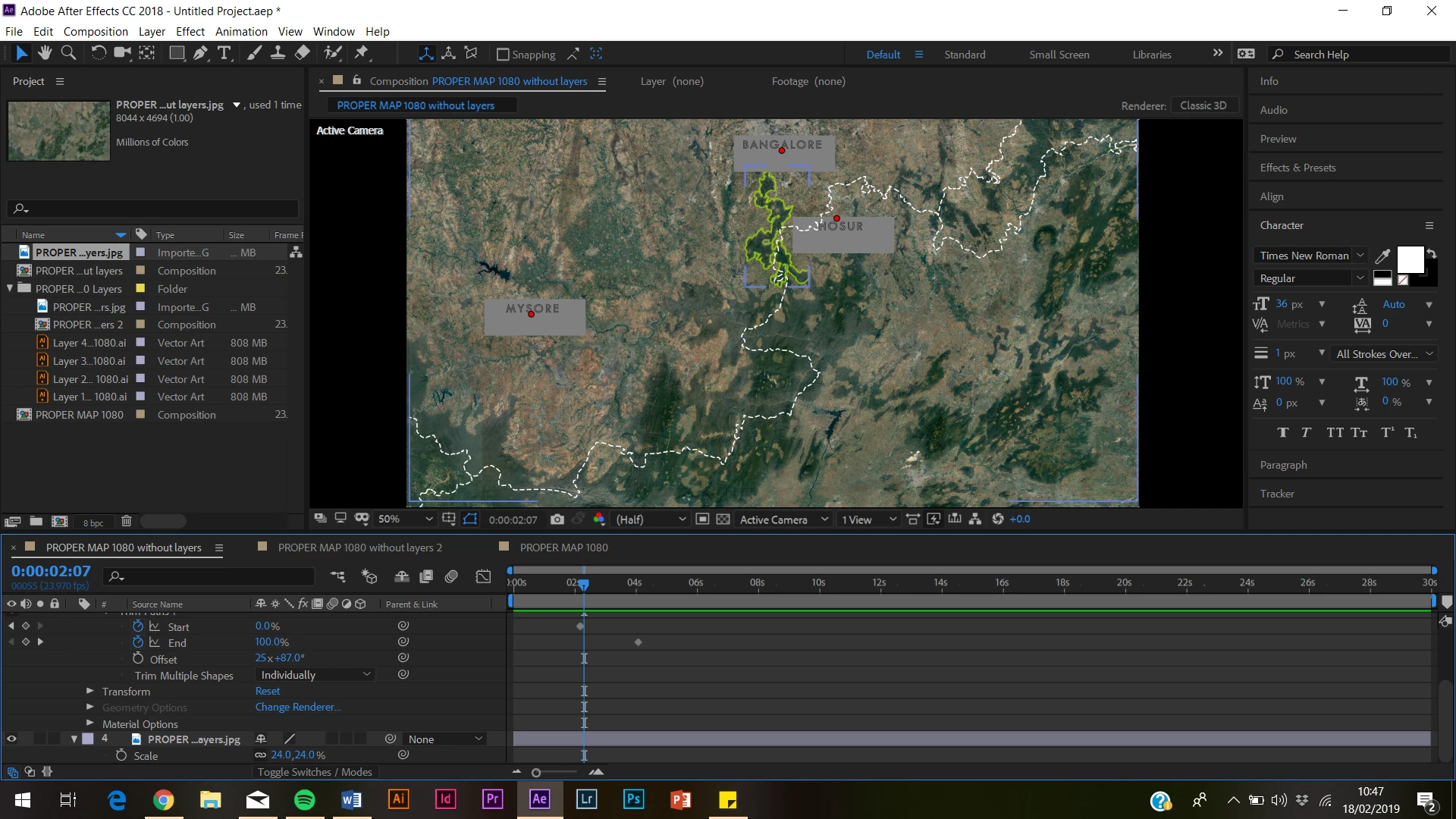
HALLELUJAH!! Thanks very much. Sorry to be a pain though there is just one more issue. Since adding the stroke the trim paths animation is working perfectly BUT there is 2 strokes around the shape now rather than one. This isnt the end of the world because I quite like the effect but any idea how to make it just a single outline? I have tried turning off stroke in the path/group/contents as i assumed there was the stroke on the original drawing and the one added in AE, but having done that, both strokes are removed? Many thanks for your help so far though!!!

Mike_Abbott
Legend
February 18, 2019

Try and isolate the group that contains the part of the outline with a double stroke by switch the visibility eyeballs on and off. The likelyhood is that group has strokes in it - delete those, or switch their visibility off.

Known Participant
February 18, 2019

I have just realised the trim path is trying to add fill to the interior of the shape rather than animating the stroke of the path. When I imported the layer it was just a stroke with no fill but AE wont let me add stroke colour now? I have turned off fill and tried changing the width/colour/opacity of stroke but it keeps just reverting to a question mark and not changing anything!

Mike_Abbott
Legend
February 18, 2019

I can't be certain from your screen shots - but my guess is that you have multiple fills and stokes in your shape layer hierarchy - and some of those are overriding others.

The basic principle here is that stroke and fills apply to the paths above them in the same group. You've goth 'Path X', 'Group X' and 'Contents' levels - which are all groups. That's fine - but just examine those groups to see if they contain strokes or paths - as these will be overriding strokes and fills in lower level groups.

Known Participant
February 18, 2019

Thanks for your response Mike. Apologies if these are stupid questions but I am new to After Effects! In the composition panel I have gone through all the individual paths under Contents for that layer. Path 1 had fill which I have removed and now it says they should all only have stroke but still nothing is coming up at all in the programme panel, so no stroke is appearing at all