


Endless Render Loop

Copy link to clipboard
Copied
I'm running AE CC 2017 on an iMac (if that helps any).
I was rendering a clip normally, then it started a loop. And now it I can't render any other part of my project. I've tried restarting the software but nothing seems to work, does anyone know how to fix it? Thanks in advance.


 7
Replies
7
7
Replies
7


Copy link to clipboard
Copied
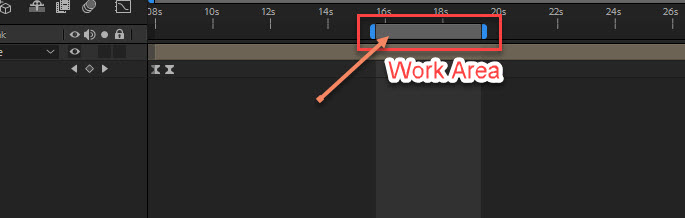
Probably your work area. If not, please provide a full screen shot
of your entire interface. Just drag and drop it right into the comment field.
Copy link to clipboard
Copied
That solved my issue, thank you so much!! 
Copy link to clipboard
Copied
Hi sorry to bother, but that seemed to solve the problem at first, but then the problem of it looping happened again. I'll send a screenshot soon.
Copy link to clipboard
Copied
OK
Copy link to clipboard
Copied
Copy link to clipboard
Copied
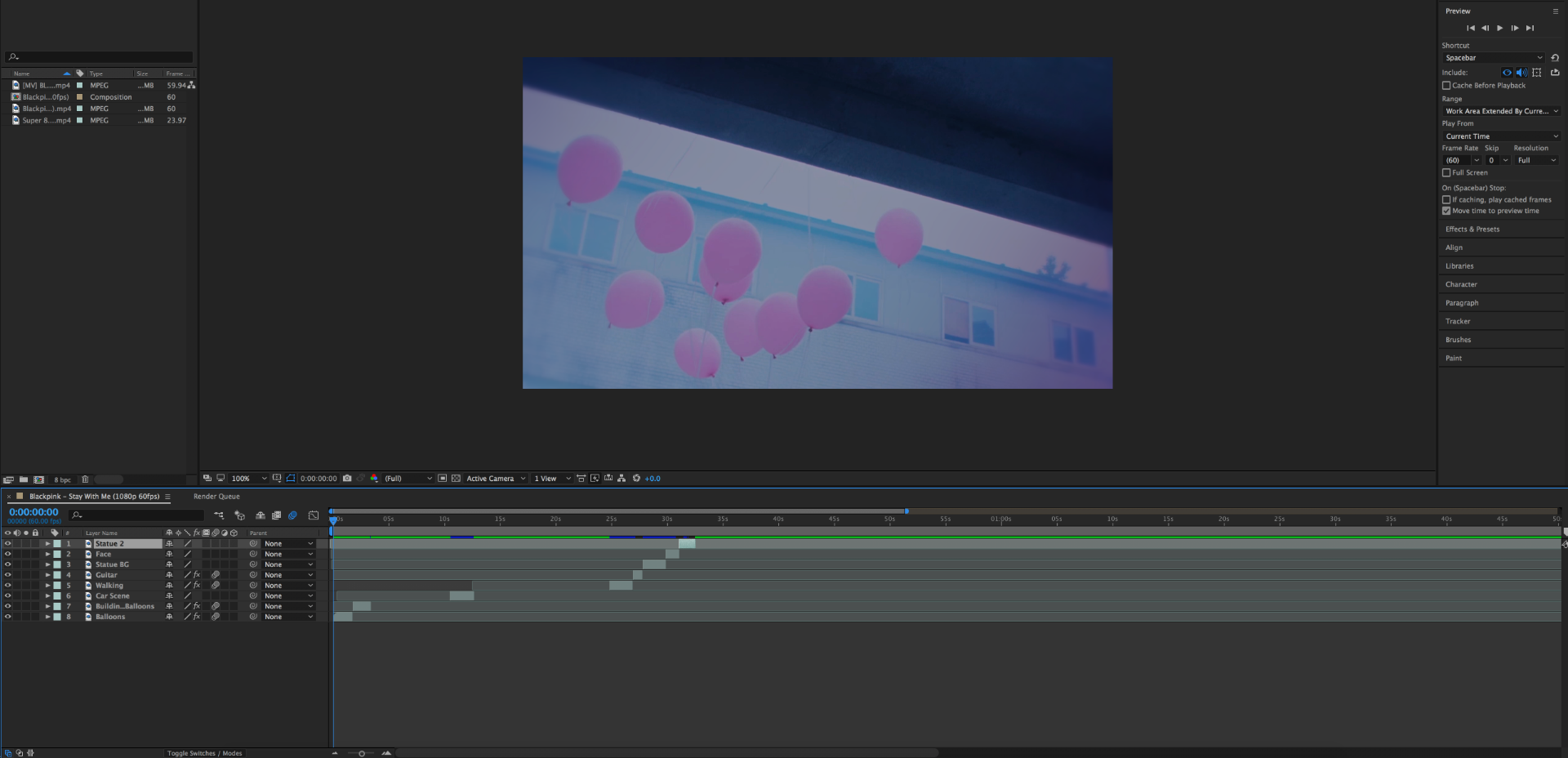
It seems to snag on the blue sections, and instead of going forwards and rendering it just goes back to the start.
Copy link to clipboard
Copied
Oh I think that's a caching thing. It may be full. Try going to Edit>Purge> all memory & cache. Also you're not going to able to watch your whole video at full resolution. Depending on how much RAM you have you might want switch to half or third resolution if your going to try and watch several minutes of video and you're still probably going to get some slow down. After Effects is made for dealing with quick "shots" for adding effects and such, not for editing video so you can't really preview long stretches of video especially at full res. You should be using Premier for that. When you run out of RAM and your cache is full AE will just repeat what it's already cached. I think that's what's going on.


Get ready! An upgraded Adobe Community experience is coming in January.
Learn more
 AdChoices