
Participant
July 27, 2022
Answered

Error message <BEE WorkQueue>

  • July 27, 2022
  • 1 reply
  • 3550 views

Hello. I get this message when I try to open a project :
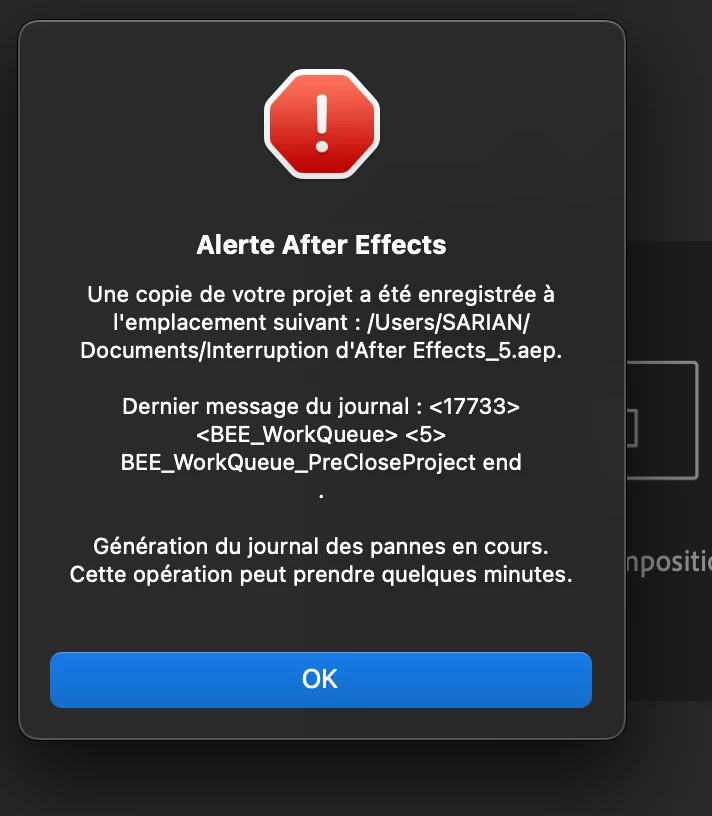
 

All aep files in this project can no longer be opened. It works fine on another imac. I have already reset preferences and reinstalled the app. Always the same. What should I do ?
This topic has been closed for replies.
Correct answer Robin25409164zka4

Hello Ishan.
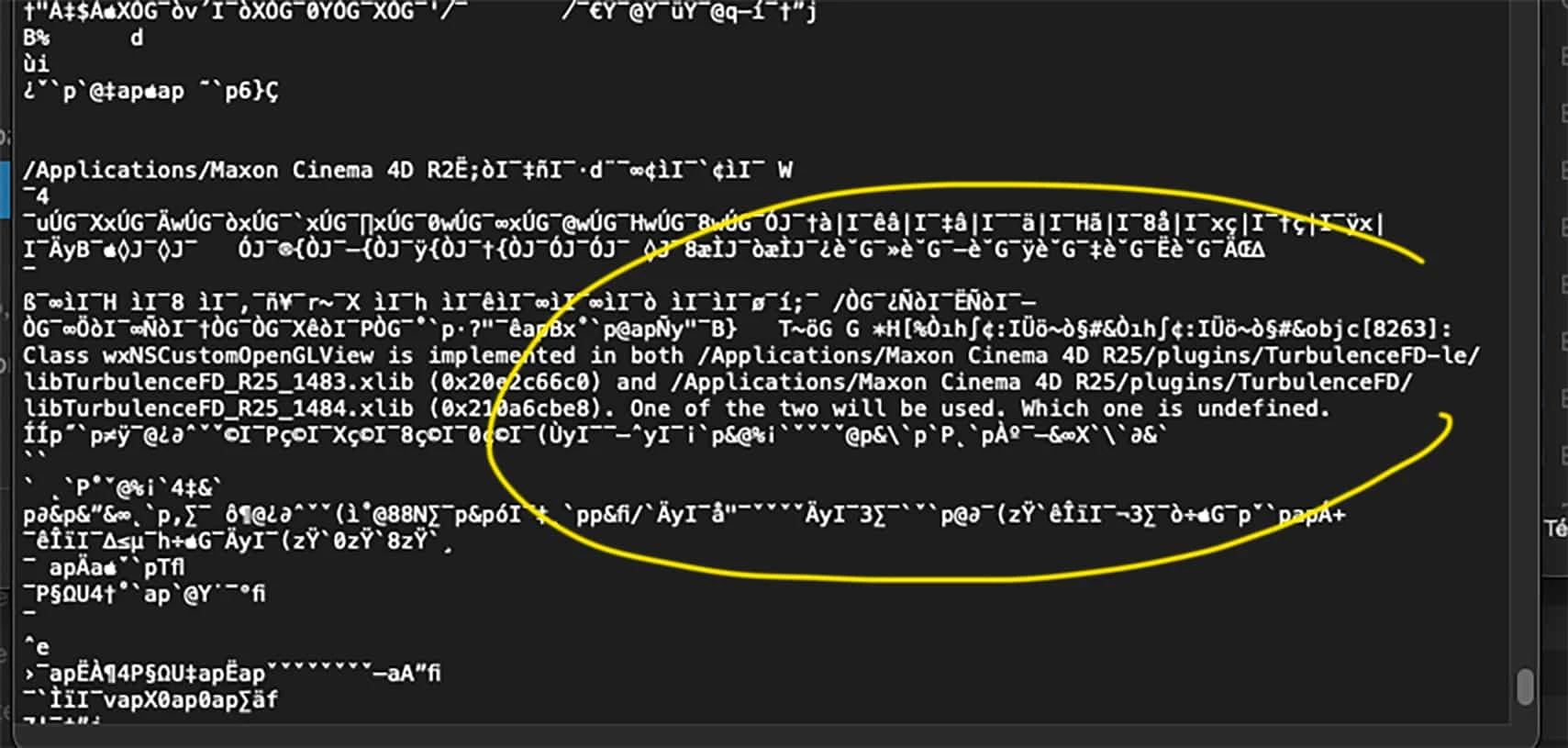
I didn't think to look at the plugins in cinema4d25, which after effects copy automatically. I had an outdated plugin for a few days that was crashing me (TurbulenceFd-le, learning edition).Thanks for your help !


1 reply

Ishan Y
Community Manager
Community Manager
July 27, 2022

Hey Robin25409164zka4,


Sorry about the issue. Which version of After Effects are you using? Are you using any third-party plugins? Could you share your crash log file with us? Here's how: https://youtu.be/GdvLm4cfKc0?t=51 The video is for Premiere Pro, so open the After Effects folder instead of the Premiere Pro one. We're here to help.


Thanks,

Ishan

Robin25409164zka4AuthorCorrect answer
Participant
July 27, 2022

Hello Ishan.
I didn't think to look at the plugins in cinema4d25, which after effects copy automatically. I had an outdated plugin for a few days that was crashing me (TurbulenceFd-le, learning edition).Thanks for your help !


Ishan Y
Community Manager
Community Manager
July 28, 2022

I see. Did updating that plugin fix your issue?