


Multipasser
Inspiring
December 24, 2023
해결됨

Expression text jump based on textbox

  • December 24, 2023
  • 2 답변들
  • 884 조회

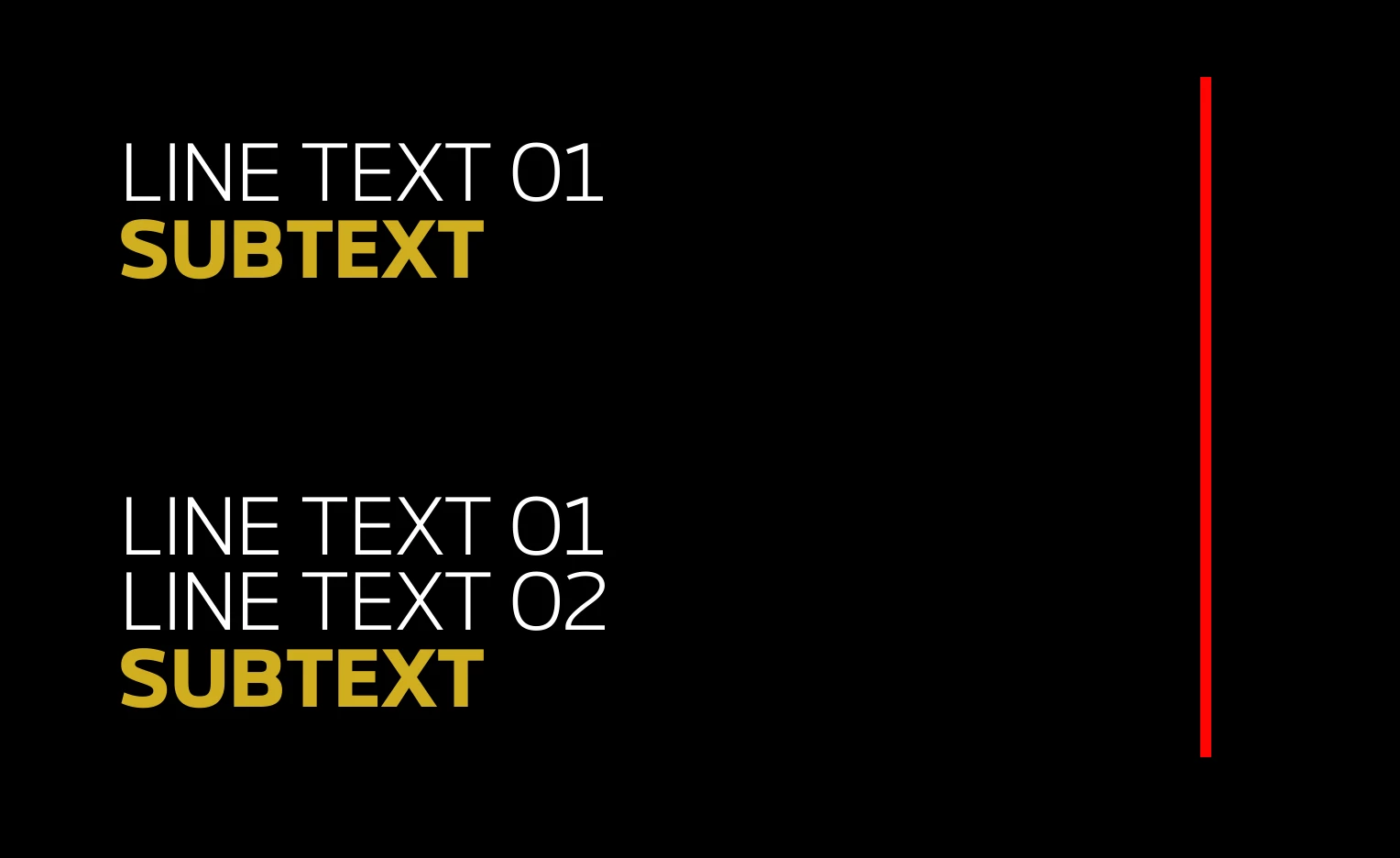
As an image says more than a thousand words 🙂

I need to convert this to a mogrt, so I need the yellow text to be a different textlayer, as it uses a different font/weight.


That said, the 'line text 01' can never extend beyond the red line. So the user needs to be able to break to second line (but I believe you can't do that in premiere essential panel?).  So is there a automatic break expression maybe I can add? Or I just use a Boxtext?


Anyhow when the first text goes to 2 lines, the yellow subtext must jump position.

How do I do that? 


thanks! Merry xmas
이 주제는 답변이 닫혔습니다.
최고의 답변: Airweb_AE
  1. create a text box for your Line Text 01
  2. create a text layer for your SUBTEXT
  3. parent SUBTEXT to your text box
  4. add this expression to the SUBTEXT position:
marginTop = 50;
[parent.sourceRectAtTime().left, parent.sourceRectAtTime().top + parent.sourceRectAtTime().height + sourceRectAtTime().height + marginTop]


2 답변

Airweb_AE답변
Legend
December 24, 2023
  1. create a text box for your Line Text 01
  2. create a text layer for your SUBTEXT
  3. parent SUBTEXT to your text box
  4. add this expression to the SUBTEXT position:
marginTop = 50;
[parent.sourceRectAtTime().left, parent.sourceRectAtTime().top + parent.sourceRectAtTime().height + sourceRectAtTime().height + marginTop]


Multipasser
Multipasser작성자
Inspiring
December 24, 2023

Airweb! you are are true hero!! lol made a instruction movie even! Great help thanks alot!!!

Mylenium
Legend
December 24, 2023

You can't have an automatic line wrap. In theory you would simply compare the position value with a sourceRectAtTime() and then recursively trim down the letters the exceed the line length to insert a line break, but you run into a chicken vs. egg situation, since the rect values don't update while you're editing, only after re-rasterizing the text layer. You could end up re-editing the text over and over and you gain nothing. Therefore the only way out is to set up two lines of text with a known fixed character length and hide the second when it's not needed, moving the yellow sub-headline into its position. That can be achieved using standard sourceRectAtTime() and simple tests like (pseudo-code)


if(myString.length < x)

{code for position/ opacity goes here}

else

{default position and opacity};


Mylenium