


Participant
December 5, 2019
질문

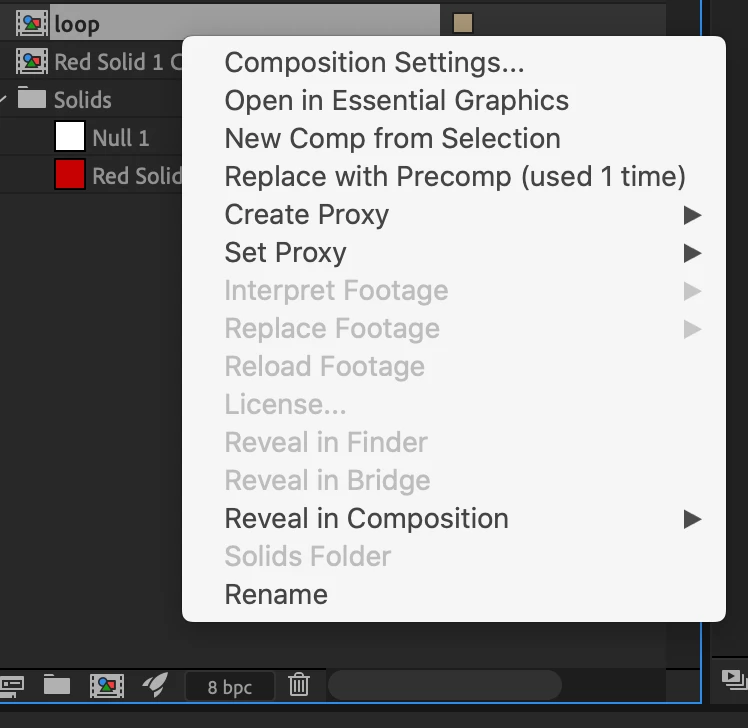
Hello please help! Interpret footage is greyed out in after effects

  • December 5, 2019
  • 4 답변들
  • 7882 조회

Hello! I just got AE2020 and trying to loop a footage through "interpret footage". I have selected the Pre-Composition and the tab for "interpret footage" is greyed out. Hope anyone could help. Thanks!
4 답변

knowmad27작성자
Participant
December 6, 2019

Thank you everyone

Warren Heaton
Community Expert
Community Expert
December 5, 2019

Export the "loop" Comp using the After Effects Render Queue at Best Setting and Lossless for the Render Settings and Output Module.  Import the resulting file (it will be large, taking up a lot of disk space) and then choose Interpret Footage.


If you need the Comp's transparency, use Best Settings and Lossless with Alpha.


Alternatively, export your "loop" Comp using Adobe Media Encoder using QuickTime format set to the Apple ProRes4444 preset or the Apple ProRes4444 with Alpha preset.


As a rendered movie file, you'll be able to set the loop option as expected.

Community Expert
December 5, 2019

Interpret footage only applies to external source files like .mov files or images and image sequences. If you want to change the comp select it in the timeline or in the Project Panel and press Ctrl/Cmnd + k to open the comp settings. You can also use the Composition menu.


This is really basic stuff. If you are new to AE I suggest you start with the basics by looking here: Learn AE


To loop a comp:

  1. Enable time remapping by pressing Ctrl/Cmnd + Alt/Option + t or use the Layer>Time>Enable Time Remapping menu.
  2. Alt/Option-click on the Time remapping stopwatch to add an expression
  3. Type loopOut() as your expression
  4. Press the K key to jump to the last keyframe for time remapping
  5. Press Ctrl/Cmnd + Left arrow to move back one frame
  6. Click on the diamond in the AV features column to add a new time remapping keyframe at the current time position
  7. Select the last time remapping keyframe and delete it

You are done. The main comp must be long enough to allow the nested comp (the pre-comp) to loop. You may have to adjust the out point of the nested comp. If you want the loop to be seamless the first frame of the nested comp and the last frame of the nested comp must be identical.

Participant
September 7, 2022

tHiS iS rEaLlY bAsIc StUfF

Dave_LaRonde
Inspiring
December 5, 2019

It's time for Plan B.  You can't use Interpret Footage on a comp... but you CAN use Time Remapping, if that's helpful.