


New Participant
September 12, 2023
Question

How to add z space to text animate 'grouping alignment'

  • September 12, 2023
  • 1 reply
  • 1013 views

I'm trying to create the effect of text rotating around an elongated cube within text animate.


'Grouping alignment' will change the x and y axis but doesn't have a z axis.


I know I could just rotate the entire copy layer, but I want to have a text animate effect I can copy and paste, as well as having offset characters.


You can see in the below image that my text grouping alignment is at -36% for the y axis. I just need to move that point behind the copy so that the text looks like its revolving around a cuboid. 


Changing the anchor point in transform doesn't make a difference.
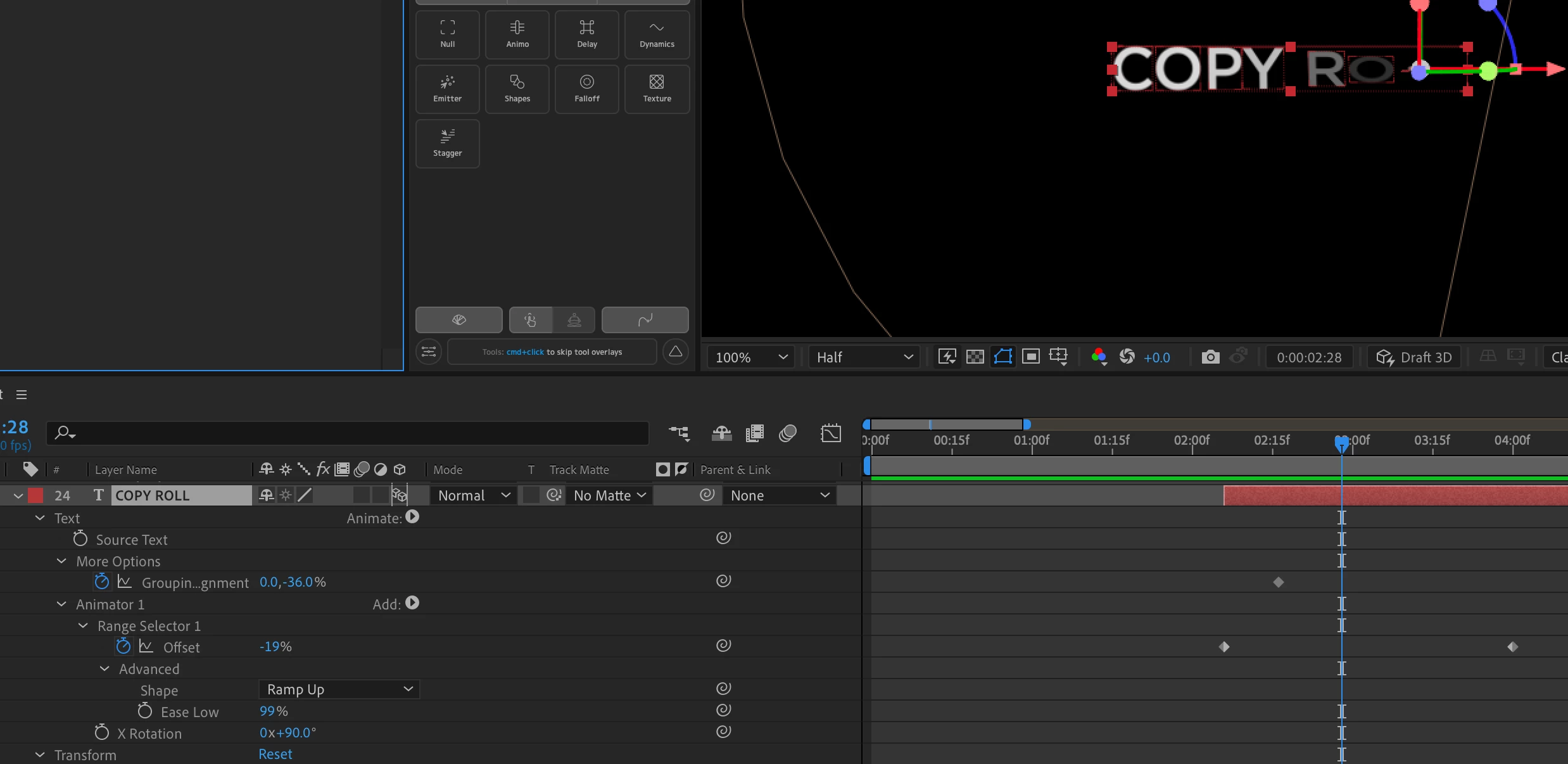
 

Any help will be greatly appreciated.


Thanks,

Ryan

This topic has been closed for replies.

1 reply

Community Expert
September 12, 2023

I'm not exactly sure what you are trying to achieve. Grouping Alignment does not have anything to do with the properties you add to a text animator. GA controls how the characters are grouped to the Transform Properties of the layer.


Try adding more properties to the text animator and fiddling with the Text Layer Anchor Point. I added Per Character 3D, Position, Scale, and Tracking amount to a left-justified text layer to get this: 

Maybe it will help. I have included an AE 22 project file just in case you have not updated your AE app yet.

New Participant
September 12, 2023

Community Expert
September 12, 2023

You need more than one text animator. The bottom one is for animating rotation, the rest set line spacing and anchor point, then just anchor point, and then three more for rotation.  All are based on Lines. You end up with something like this:

Again, I have included a project file for you to look at.