Exit
  • Global community
    • Language:
      • Deutsch
      • English
      • Español
      • Français
      • Português
  • 日本語コミュニティ
  • 한국 커뮤니티
0

How to stop the X value from changing in graph editor?

Explorer ,
Feb 28, 2018 Feb 28, 2018

This is a weird problem to me. I'm not sure how to explain it. I shall use pictures.

I have generated a vertical beam and keyframed it to move sideways as the mask on the layer beneath reveals a logo. See the before and after photos:

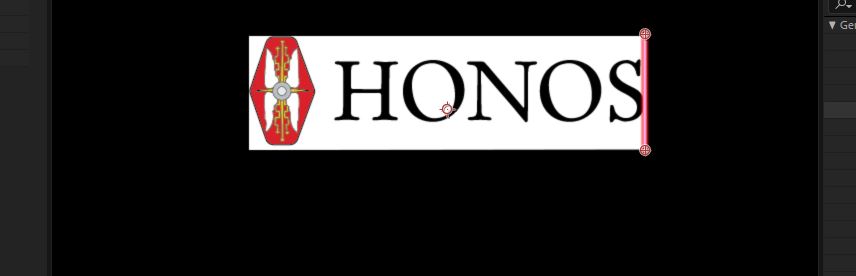
Before.JPGafter.JPG

Upon finishing that sideways move, I want the line to move to the bottom of the logo like so:
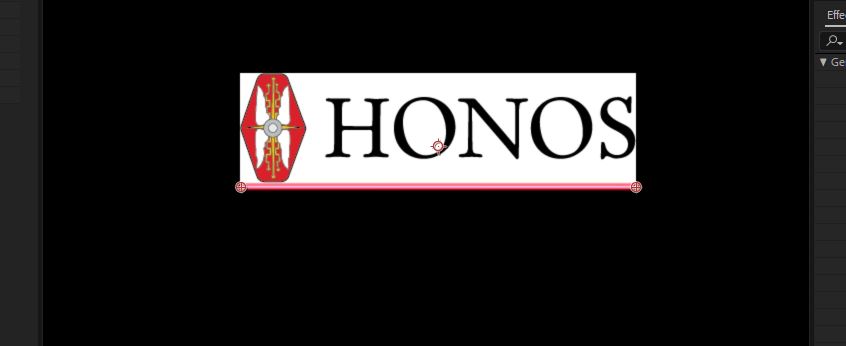
Third.JPG

I have keyframed it to do so, but for some reason the "starting point" moves sideways during the second move, even though it should just be a vertical drop. The endpoint should move directly to the left and the start point should move directly downwards. Instead, it does this:

Huh..JPG

When I open the graph editor and switch to the value graph, I can see a weird bubble in the X coordinates line for the starting point, but I can't figure out how to fix it; there's no bezier handles on the value keyframes, and when I try to convert them to linear it affects them on the temporal graph as well. bubble.JPG

I need the keyframes to remain bezier to get the effect I want on the first move, so is there something I can do to stop the X coordinate from changing during the second move?

Hope that makes sense. Thanks for any help!

595
Translate
Report
Community guidelines
Be kind and respectful, give credit to the original source of content, and search for duplicates before posting. Learn more
community guidelines

correct answers 1 Correct answer

Contributor , Feb 28, 2018 Feb 28, 2018

In this case this should work:

Select your keyframes,

right click and select 'keyframe interpolation'

set spacial interpolation to Linear.

Translate
Contributor ,
Feb 28, 2018 Feb 28, 2018

In this case this should work:

Select your keyframes,

right click and select 'keyframe interpolation'

set spacial interpolation to Linear.

Translate
Report
Community guidelines
Be kind and respectful, give credit to the original source of content, and search for duplicates before posting. Learn more
community guidelines
Explorer ,
Mar 01, 2018 Mar 01, 2018
LATEST

You are a god amongst men, good sir. That worked perfectly! Thank you!

Translate
Report
Community guidelines
Be kind and respectful, give credit to the original source of content, and search for duplicates before posting. Learn more
community guidelines
