


Copy link to clipboard
Copied
I am working on an animation where I want to move multiple curved, vertical lines with different amount of gaps in between to move out of the scene from one side and enter from the other side. Is there a simple way of doing this? I looked into following a motion path but can't really figure out multiple objects following one path. To make things more complicated, I would like to repeat this action of these lines entering and exiting the scene but have different spaces between them and move a different speed each time, so the animation should be adjustable. Any ideas? Thanks!


 2 Correct answers


If you use shape layers for your vertical lines you can just add a simple expression to all of the duplicate shapes in a single shape layer, then animate the transform shape 1 position. The comp looks like this:
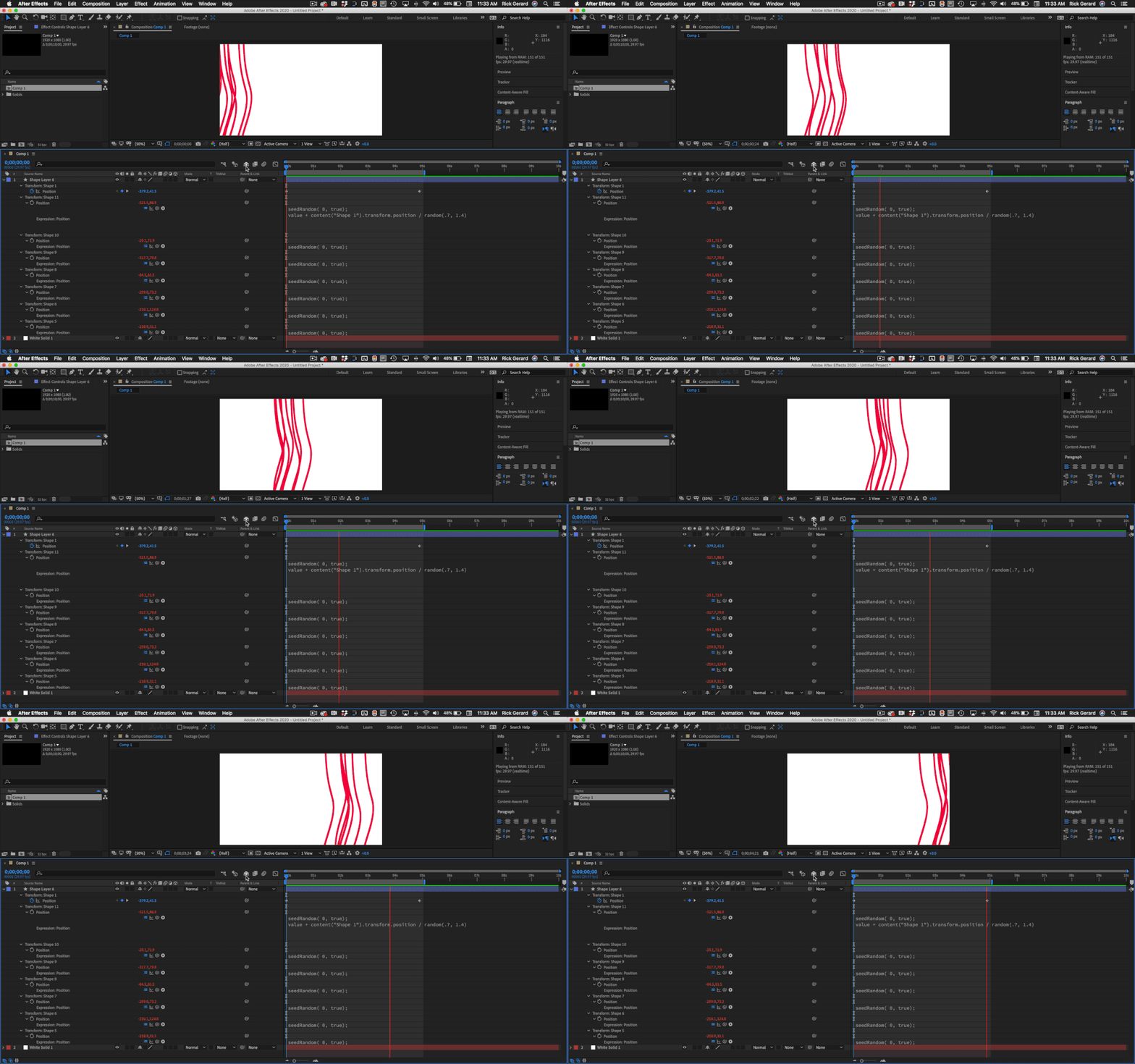
The expression looks like this:
seedRandom( 0, true);
value + content("Shape 1").transform.position / random(.7, 1.4)
All you have to do is adjust the random range to change the speed that of each copy.

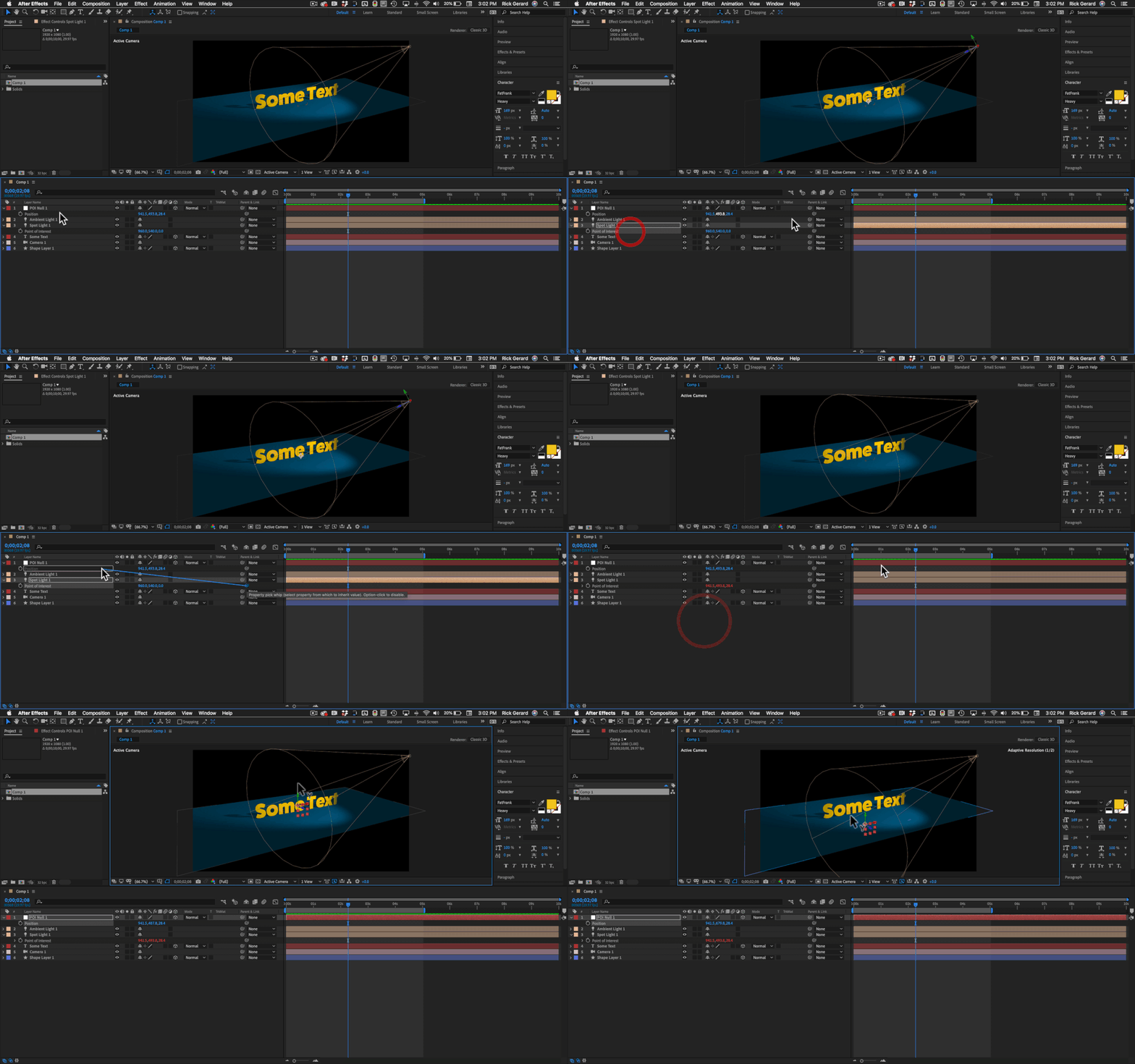
You can use an expression to tie the position of any layer to any other position property. All you have to do is reveal the Parent column, reveal the position properties in the layers you want to link, then drag the pickwhip from one to another. It's a lot easier than doing it manually if all you need is to link the properties. Actually, the only thing that needs to match in the properties is the number of values in the array. Here's a screenshot I just put up for a similar question.
 7
Replies
7
7
Replies
7

Copy link to clipboard
Copied
If you use shape layers for your vertical lines you can just add a simple expression to all of the duplicate shapes in a single shape layer, then animate the transform shape 1 position. The comp looks like this:
The expression looks like this:
seedRandom( 0, true);
value + content("Shape 1").transform.position / random(.7, 1.4)
All you have to do is adjust the random range to change the speed that of each copy.
Copy link to clipboard
Copied
That's great, exactly what I've been looking for, thank you so much!
Copy link to clipboard
Copied
Just another question: Is there a way to attach another layer's position to the same shape too? The line movements worked perfectly but I need some textures to follow the lines as well.
Copy link to clipboard
Copied
You can use an expression to tie the position of any layer to any other position property. All you have to do is reveal the Parent column, reveal the position properties in the layers you want to link, then drag the pickwhip from one to another. It's a lot easier than doing it manually if all you need is to link the properties. Actually, the only thing that needs to match in the properties is the number of values in the array. Here's a screenshot I just put up for a similar question.
Copy link to clipboard
Copied
I think I am doing something wrong here: when I pickwhip the position property of the texture layer to the line shape layer, the position of the texture layer jumps out of the scene. I want it to be in a specific place and move from there according to the shape layer's position. Any idea what I might be getting wrong?
Copy link to clipboard
Copied
If you just use the pickwhip to tie the properties together the position values will be identical. If you also need to animate the position of the linked layer you need to add a value + before the link to the layer. If you just need to adjust the position, sometimes it is easier to just adjust the anchor point in the timeline.
Copy link to clipboard
Copied
Wonderful, that did the trick, thanks!


Get ready! An upgraded Adobe Community experience is coming in January.
Learn more
 AdChoices