Copy link to clipboard
Copied
hello,
currently going crazy because I have two comps that seem to be identical in all ways but for some reason the collapse layers is working in one and not in the other. I'm trying to add engines (made up of a Video Copilot flare + Video Copilot Saber solid) to the back of miniature spaceships which i've tracked and put inside a precomp. as you can see, i want the red engine to ADD into the background but its not showing up as ADD (look at disembodied engine next to it as an example of the way it should be.

and here is the other comp where its WORKING with an example of the red engine next to it proving that it's not something to do with the ENGINE PRECOMP or the SHIP PRECOMP

if you look next to the collapse transformations thing, the blend mode on the working one has a dash through it, that's the only difference I can see as to why it's not working but I have no idea why!!
and here are pics of the precomps themselves
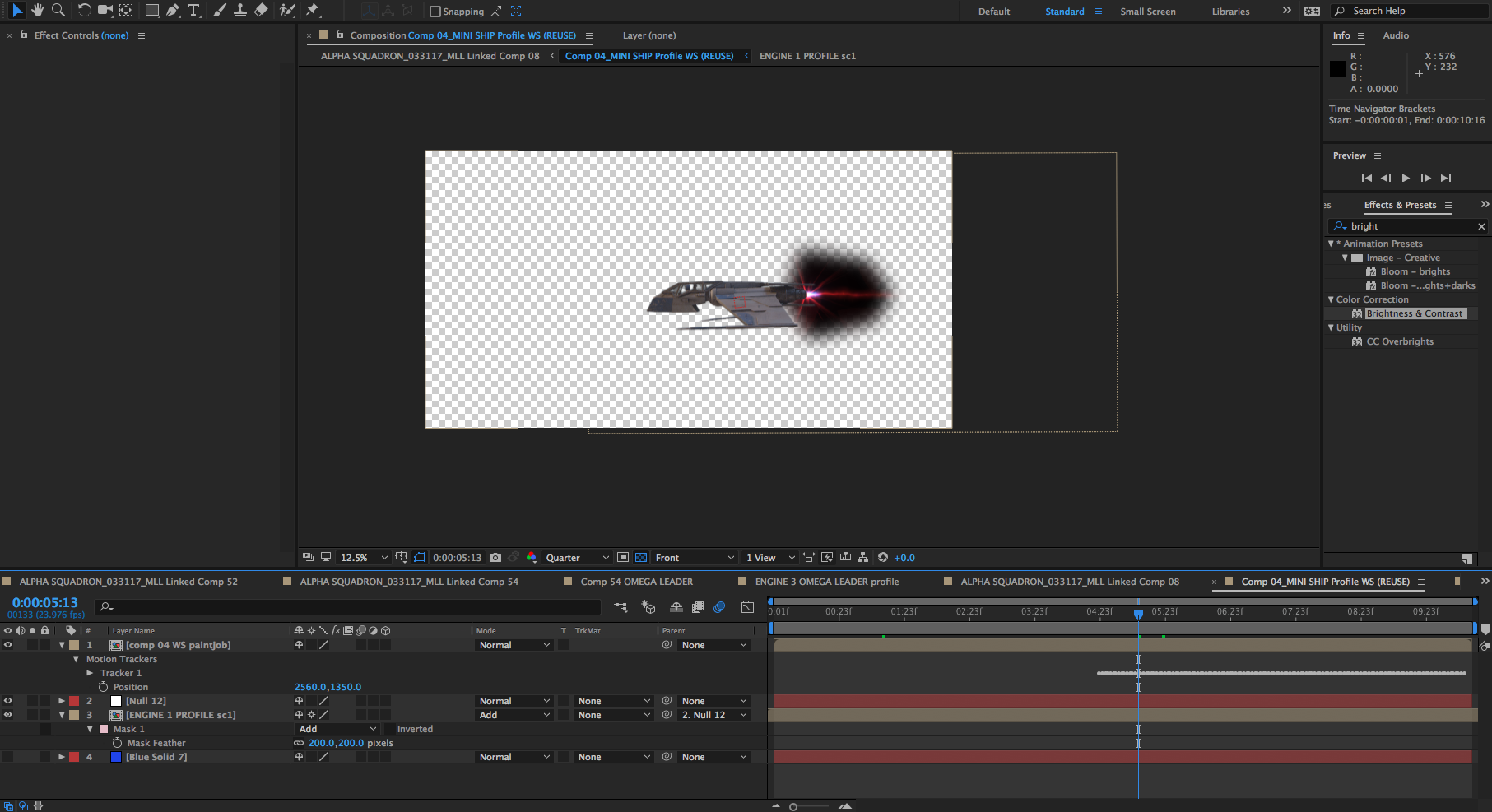

please help, I will be so grateful!
-Michael

GAHHH I FIGURED IT OUT
apparently despite having the a hue/saturation effect and mask turned off, for collapse transform gets messed up if you have an effect or mask applied to the outer comp,
so the lesson here is to delete all effects AND masks on the outside of the precomp, turning them off isnt enough
Copy link to clipboard
Copied
Check inside the engine precomp. There might be something screwy in there.
Also, what, exact version of AE is this?
What happens if you move forward a few frames?
Copy link to clipboard
Copied
GAHHH I FIGURED IT OUT
apparently despite having the a hue/saturation effect and mask turned off, for collapse transform gets messed up if you have an effect or mask applied to the outer comp,
so the lesson here is to delete all effects AND masks on the outside of the precomp, turning them off isnt enough
Copy link to clipboard
Copied
Thanks for sharing what it was. Sounds like that classifies as a bug to me, by the way. You can report it here. Please include as much detail as you can. For example, did your effects use any compositing options such as masks?
Copy link to clipboard
Copied
so the lesson here is to delete all effects AND masks on the outside of the precomp, turning them off isnt enough
one of the Gotchas of collapse transformations. it's written here: Precomposing, nesting, and pre-rendering After Effects compositions "When a closed mask (with mask mode other than None), a layer style, or an effect is applied to a nested composition with collapsed transformations, the layers in the nested composition are first rendered on their own, then masks and effects are applied, and then the result is composited into the main composition. This rendering order means that the blending modes of the nested layers are not applied to any underlying layers in the main composition, and that 3D layers above and below the collapsed layer cannot intersect or cast shadows on each other."
so the question is: what is an "applied effect"? for now, as long as it's in the layer it's consider applied. I think we could ask that even not enabling it (turning off the master effect switch or effect switch) will constitute as not applied so this will be less confusing in the future. BTW, layer styles that are there but not enabled do work this way - so why can't effects?
but you need to ask for it in the link Szalam provided.
Copy link to clipboard
Copied
Thank you for posting this! I just ran into the same issue and have been checking through everything.
Your solution fixed me.
Get ready! An upgraded Adobe Community experience is coming in January.
Learn more

