Exit
  • Global community
    • Language:
      • Deutsch
      • English
      • Español
      • Français
      • Português
  • 日本語コミュニティ
  • 한국 커뮤니티
0

Scrolling background loop

Contributor ,
Apr 27, 2018 Apr 27, 2018

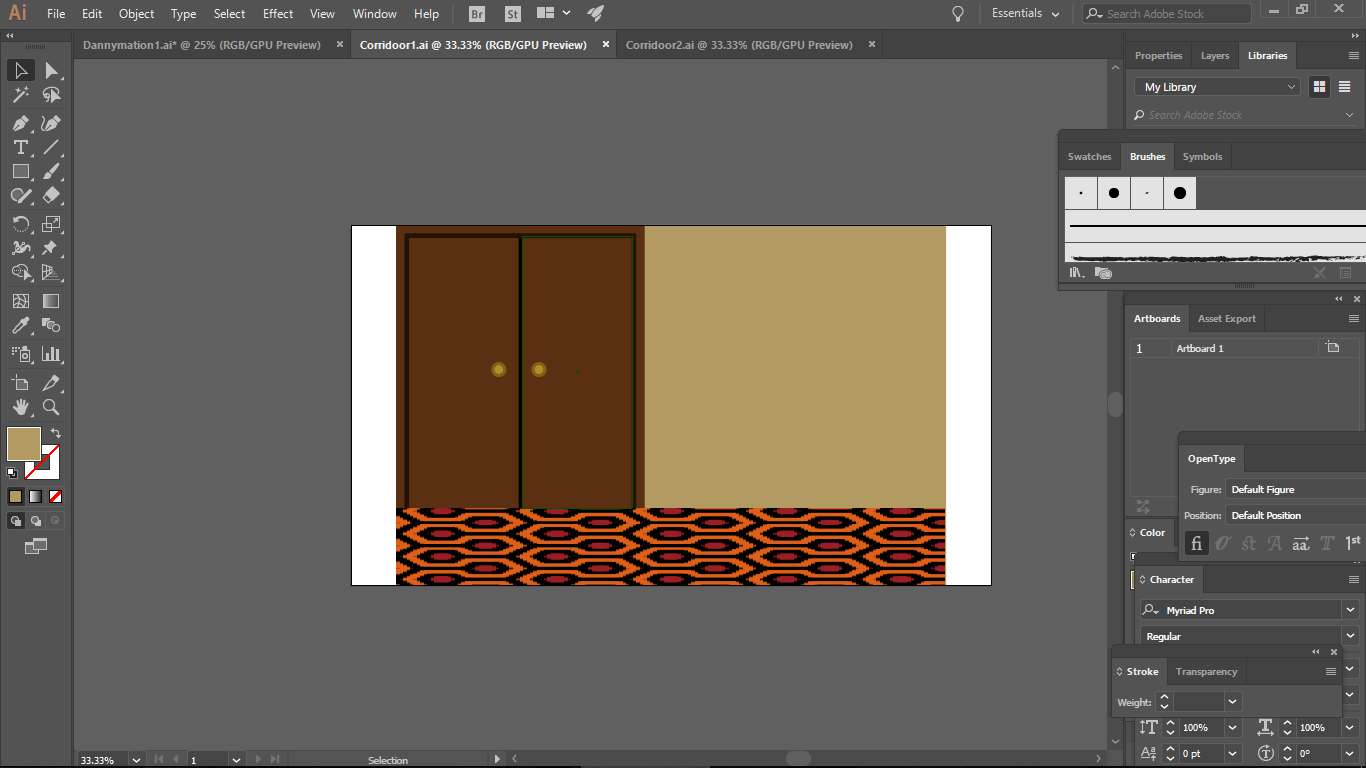
Hi there, i'm trying to make an animation with the background scrolling sideways in a constant loop . . I've tried a few tutorials on youtube but can't figure it out properly. Any suggestions? The image below is the bacckground

dvdv.PNG

13.7K
Translate
Report
Community guidelines
Be kind and respectful, give credit to the original source of content, and search for duplicates before posting. Learn more
community guidelines

correct answers 1 Correct answer

Engaged , Apr 27, 2018 Apr 27, 2018

you want the "offset" effect. just apply it to the layer with the door and mess with the x value.

Translate
LEGEND ,
Apr 27, 2018 Apr 27, 2018

Before you even try this, I thing you need to get a wider background.  That brown door going by every few seconds is going to get mighty boring.

Translate
Report
Community guidelines
Be kind and respectful, give credit to the original source of content, and search for duplicates before posting. Learn more
community guidelines
Contributor ,
Apr 27, 2018 Apr 27, 2018

Thanks for the reply, i've made it longer and a bit more detailed, could you advise me on how i could just loop this image scrolling sideways if possible? Thanks

Translate
Report
Community guidelines
Be kind and respectful, give credit to the original source of content, and search for duplicates before posting. Learn more
community guidelines
LEGEND ,
Apr 27, 2018 Apr 27, 2018

Do what foughtthelaw says and you should be good!

Translate
Report
Community guidelines
Be kind and respectful, give credit to the original source of content, and search for duplicates before posting. Learn more
community guidelines
Engaged ,
Apr 27, 2018 Apr 27, 2018

you want the "offset" effect. just apply it to the layer with the door and mess with the x value.

Translate
Report
Community guidelines
Be kind and respectful, give credit to the original source of content, and search for duplicates before posting. Learn more
community guidelines
Guide ,
Apr 27, 2018 Apr 27, 2018
LATEST

This is the correct answer. There’s no need to make the layer wider. Just apply the Distort > Offset effect. The easiest way to get it to loop perfectly is to keyframes it at the beginning of the comp. move the time marker to the end. Right click on the property value and Go to Edit Value. Change the measurement units to “Percentage of composition or layer”. Then if you animate in multiples of 100 percent it should perfectly loop

Translate
Report
Community guidelines
Be kind and respectful, give credit to the original source of content, and search for duplicates before posting. Learn more
community guidelines