Exit
  • Global community
    • Language:
      • Deutsch
      • English
      • Español
      • Français
      • Português
  • 日本語コミュニティ
  • 한국 커뮤니티
0

Trouble in starting up After Effects - "Error while accessing the preference files inside..."

New Here ,
Mar 17, 2020 Mar 17, 2020

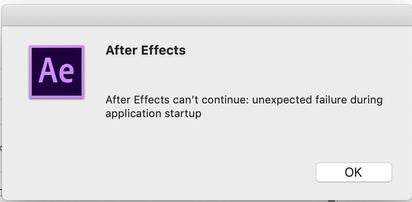
When I run the After Effects, it shows an alert as shown as below and doesn't start.

Meanwhile, I couldn't find out such a directory (no 'Library' in '/Users/Seba/' and 'Adobe' in '/Macintosh HD/Library/Preferences/') which was referred to in this alert.

And, for your information, it's the first time to install it on my laptop, MacBook Pro, which means I hadn't used this app before. So I removed an entire app and reinstall it but still the same problem occurred.


What's wrong and what do I have to do?
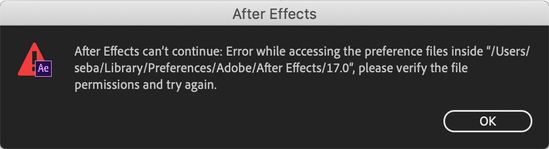


image.pngimage.png


1.1K
Translate
Report
Community guidelines
Be kind and respectful, give credit to the original source of content, and search for duplicates before posting. Learn more
community guidelines

correct answers 1 Correct answer

Mar 18, 2020 Mar 18, 2020

Hi there, 


Welcome to the community!

Please follow the steps given in this FAQ to resolve the problem: https://community.adobe.com/t5/after-effects/faq-after-effects-can-t-continue-error-while-accessing-the-preference-files/m-p/9726148?page=1#M53559


Thanks.

Rameez

Translate
Mar 18, 2020 Mar 18, 2020

Hi there, 


Welcome to the community!

Please follow the steps given in this FAQ to resolve the problem: https://community.adobe.com/t5/after-effects/faq-after-effects-can-t-continue-error-while-accessing-...


Thanks.

Rameez

Translate
Report
Community guidelines
Be kind and respectful, give credit to the original source of content, and search for duplicates before posting. Learn more
community guidelines
New Here ,
Mar 18, 2020 Mar 18, 2020

Hi Rameez,


It seems to be solved. Thanks a lot!


Cheers,

Seba

Translate
Report
Community guidelines
Be kind and respectful, give credit to the original source of content, and search for duplicates before posting. Learn more
community guidelines
Mar 18, 2020 Mar 18, 2020
LATEST

Awesome! Thanks for getting back.


-Rameez

Translate
Report
Community guidelines
Be kind and respectful, give credit to the original source of content, and search for duplicates before posting. Learn more
community guidelines