April 16, 2019
Answered

What is this effect called? 8Bit Animation

  • April 16, 2019
  • 1 reply
  • 949 views

Hi!

Does anyone know how this was done in After Effects?

I am guessing this can be done using masks and color layers, but I am not sure how to do it.

If somebody knows the effect name I am almost sure I can find a tutorial, thank you!

8 Bit Typo Alphabet Animation for Gaming Video - After Effects Template - YouTube

This topic has been closed for replies.
Correct answer Warren Heaton

It might well be worth the $20 for that template by the time you've figured it out.

"Pixelated text" is what you'd probably call it.

You could start with trying Mosaic (Effect > Stylize > Mosaic) with the Horizontal Blocks and Vertical Blocks set to 190 or so.  But maybe add 4-Color Gradient (Effect > Generate > 4-Color Gradient) first to set your colors and then Posterize (Effect > Stylize > Posterize) at 35 or so to reduce them.  Duplicate that Comp and apply Grid (Effect > Stylise Grid) in the Duplicate Comp (Size from Width & Height Sliders, Width 12 and Height 12, Border 1, Opacity 30).  After that, nest the Comp and duplicate Comp into a 3rd Comp, setting the original as the Track matte for the duplicate (this is one way of cropping the Grid effect to just the type).

Although, that's going to be a distant second to what this template does.
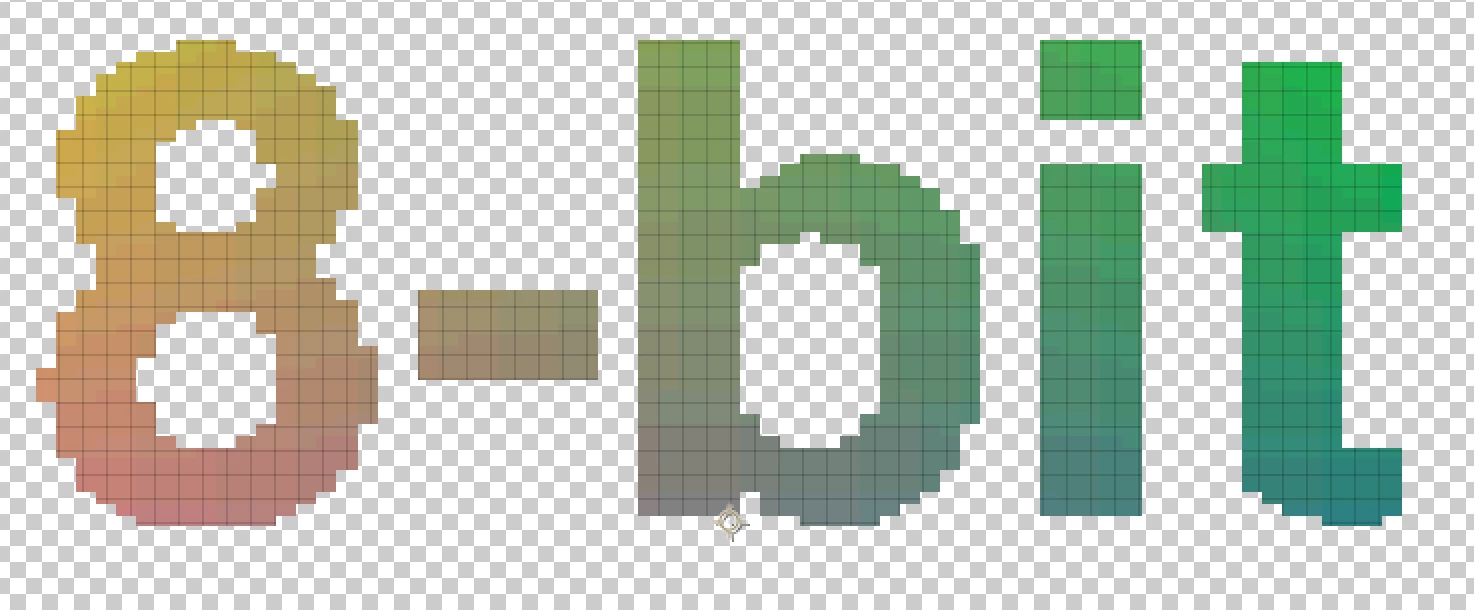
-Warren

1 reply

Warren Heaton
Community Expert
Warren HeatonCommunity ExpertCorrect answer
Community Expert
April 16, 2019

It might well be worth the $20 for that template by the time you've figured it out.

"Pixelated text" is what you'd probably call it.

You could start with trying Mosaic (Effect > Stylize > Mosaic) with the Horizontal Blocks and Vertical Blocks set to 190 or so.  But maybe add 4-Color Gradient (Effect > Generate > 4-Color Gradient) first to set your colors and then Posterize (Effect > Stylize > Posterize) at 35 or so to reduce them.  Duplicate that Comp and apply Grid (Effect > Stylise Grid) in the Duplicate Comp (Size from Width & Height Sliders, Width 12 and Height 12, Border 1, Opacity 30).  After that, nest the Comp and duplicate Comp into a 3rd Comp, setting the original as the Track matte for the duplicate (this is one way of cropping the Grid effect to just the type).

Although, that's going to be a distant second to what this template does.

-Warren

April 17, 2019

Thank you! It helps a lot!

I've been thinking of buying the template, but I am not sure if the effect will work with images or vectors.

I wanted to apply this effect to a custom vector text, so I think it is better if I do it myself.