


解決済み

You don't have to use blend modes at all. Don't mess with them.
Put the original shot below the footage with Keylight applied. Press F4 until you see the Track Matte options or click the middle icon at the bottom of the timeline to reveal the column. Maybe you can see this screenshot a little better:
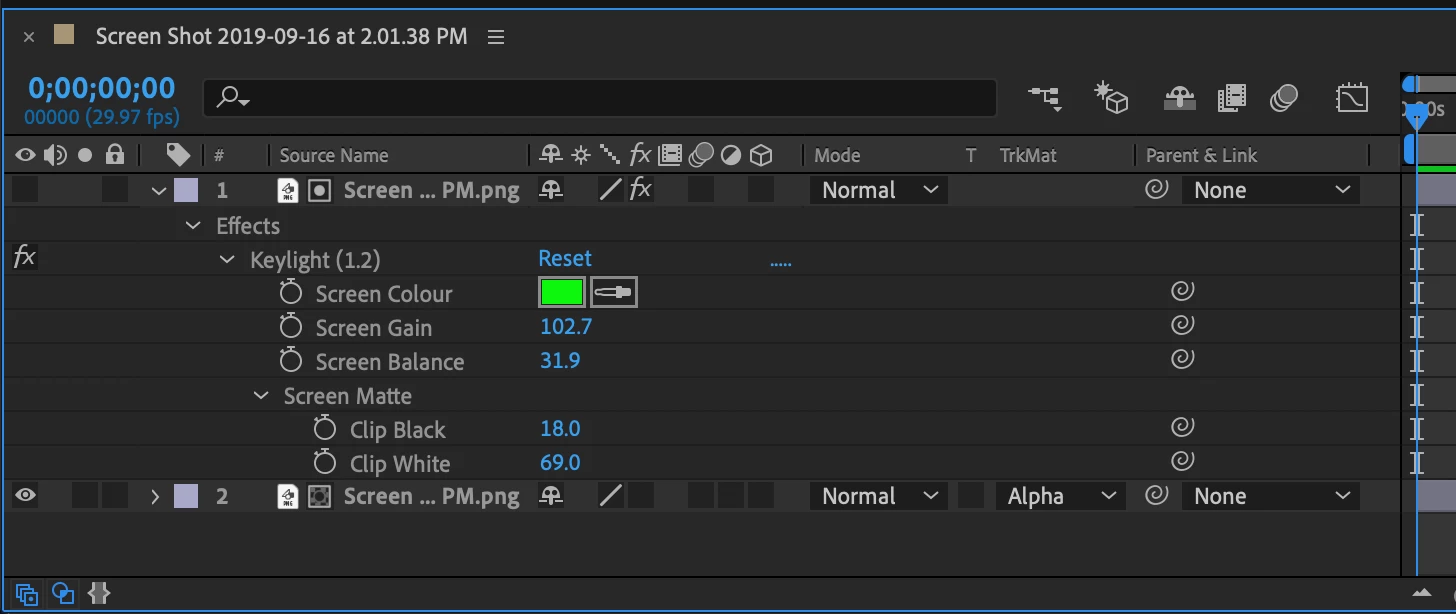
Here's a closeup of the Track Matte switch:
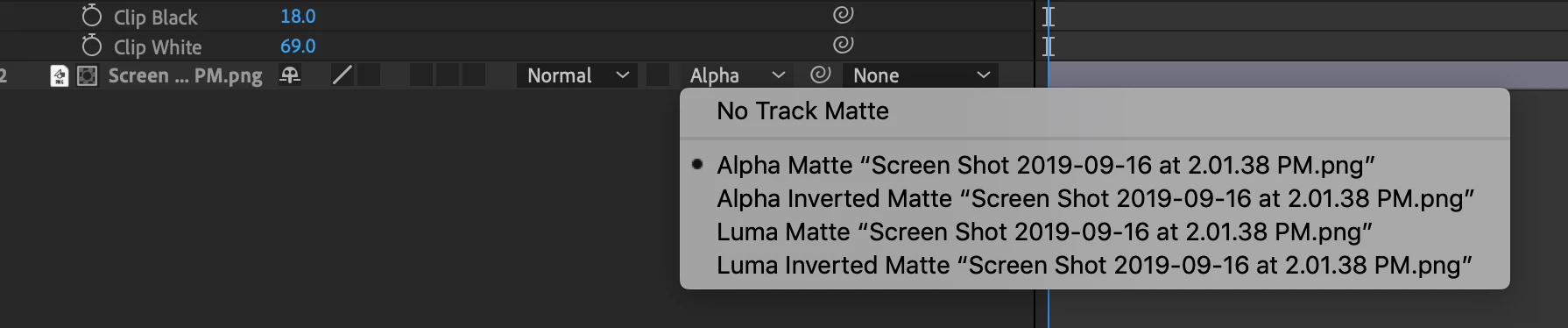
All the options are shown. Keylight creates an alpha channel, Track Matte on the bottom layer uses that alpha channel to create one on the original footage.
Track Matte is a core function. Google is a terrible way to look for it. Type Track Matte in the Search Help field in the Top Right corner of AE to be taken directly to the user guide.
You could have watched one of the tutorials on the AE product page that deals with Track Mattes in the time you have fiddled around on this forum. You would have found this tutorial as the second link in the search results: How to create a hoverboard effect | Adobe After Effects tutorials
Better link inserted
Enter your E-mail address. We'll send you an e-mail with instructions to reset your password.
 AdChoices